

By Tech & XR News Desk
Published: October 2026
Meta has officially kicked off the rollout of its Horizon OS 2.9 (v209) system software update to members of the Public Test Channel (PTC). As Meta’s beta release ecosystem, the PTC gives early adopters an advanced look at incoming features, architectural overhauls, and experimental user-interface paradigms before they transition to stable public builds.
Horizon OS 2.9 is a massive iteration for the platform. It introduces a comprehensive overhaul to 2D window management—internally codenamed Display Evo—reintroduces long-requested legacy home environments under a "Classic Environments" banner, adds a native system-level QR code scanner, and graduates several long-awaited tools (such as Lying Down Mode) from experimental status to general accessibility.

1. Main Facts: What’s New in Horizon OS 2.9 PTC
The latest PTC release touches nearly every corner of the Meta Quest user experience, from multi-tasking interfaces to QOL features and hardware-level diagnostics.
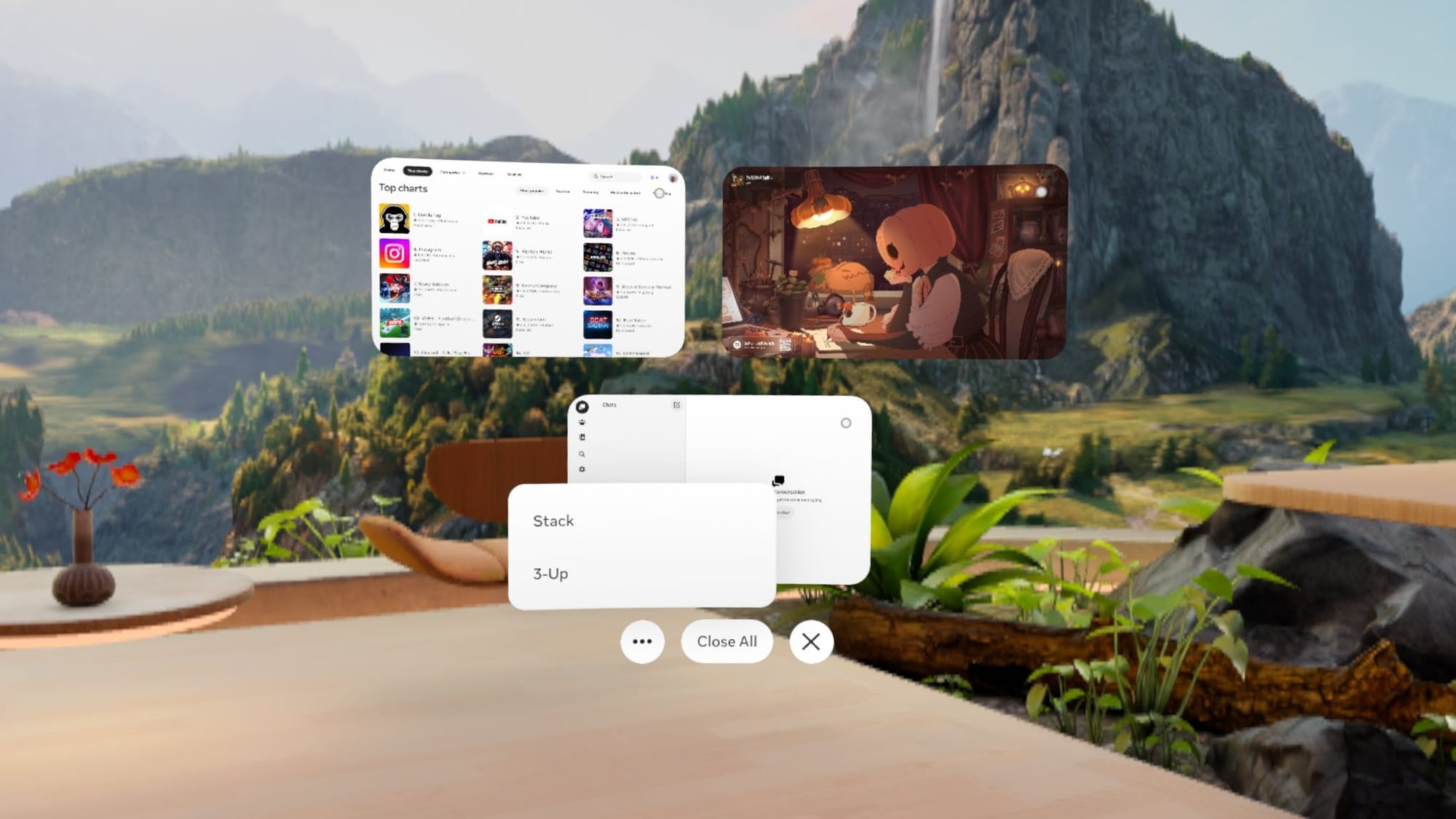
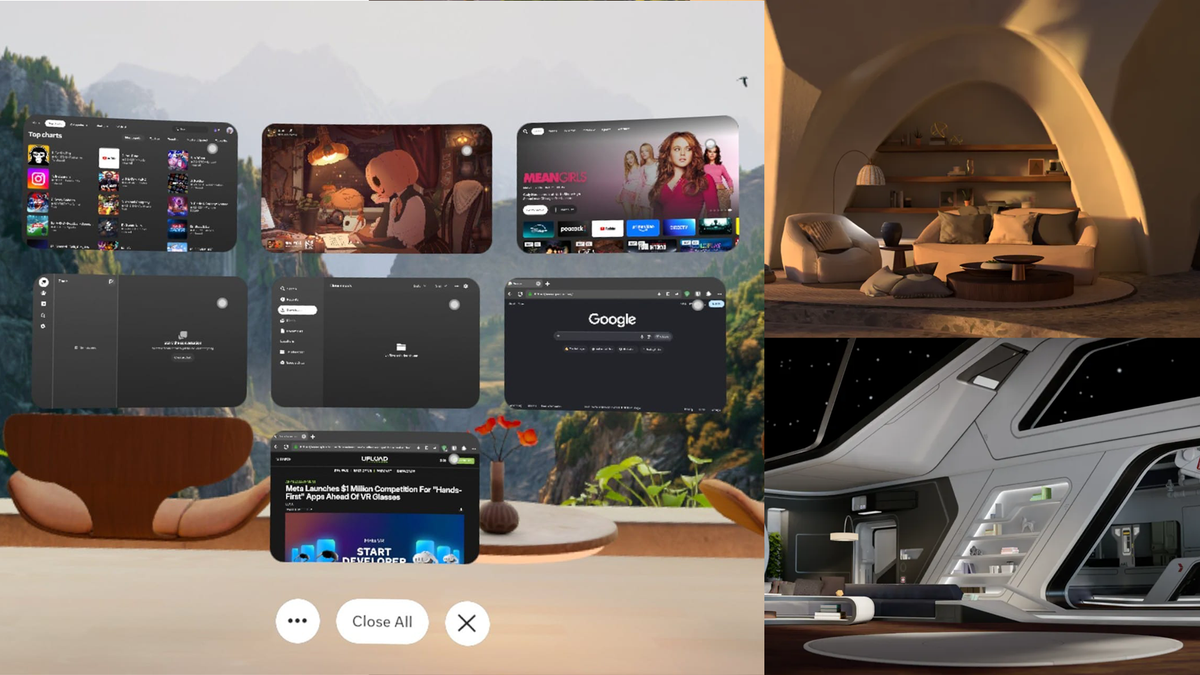
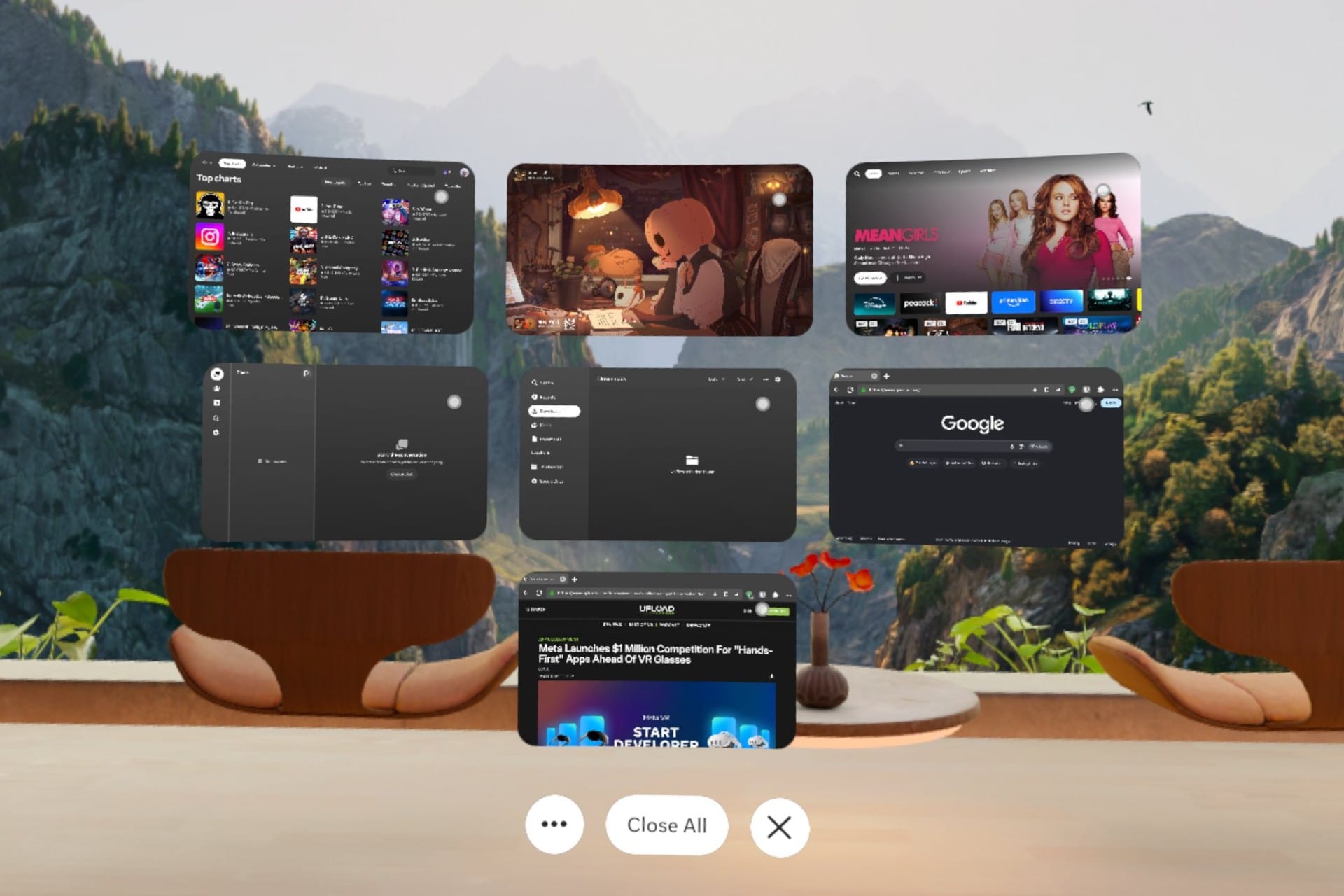
- Display Evo (2D Window Overhaul): Meta has completely reimagined how 2D application windows behave. The legacy system dock has been removed, replaced by a spatial layout where windows can be organized, grouped by dragging edges together, or stacked like a deck of cards.
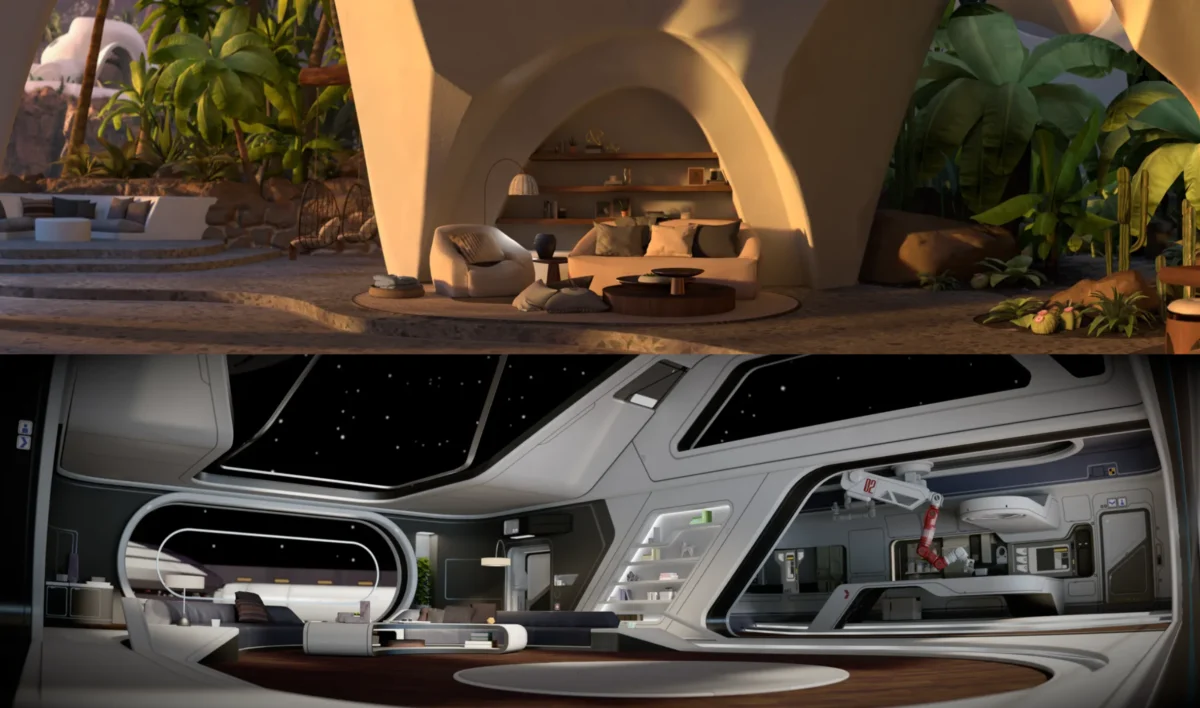
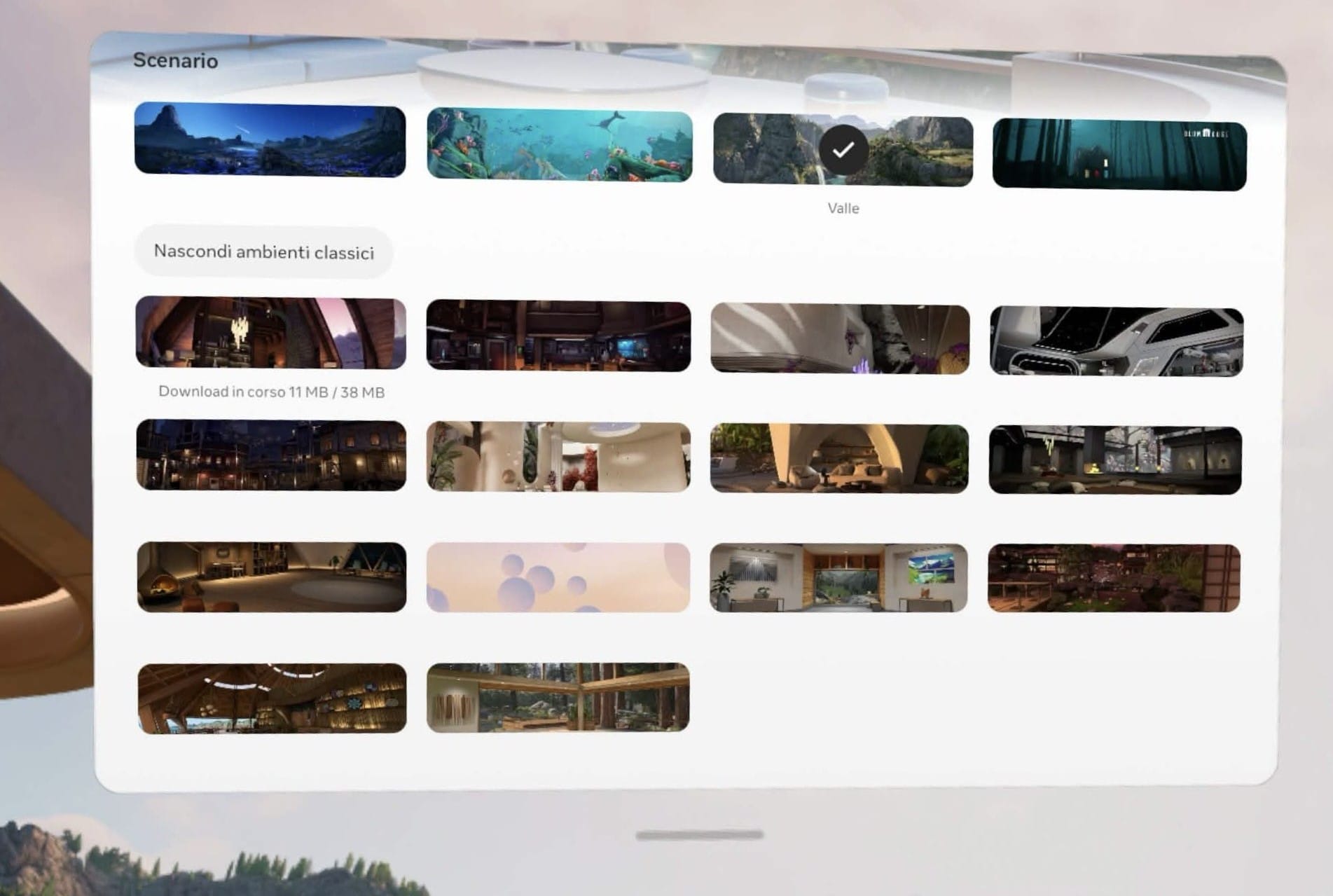
- Classic Environments Return: Responding to user feedback following the v81 update—which replaced legacy spaces with the unified "Loft" environment—Meta is bringing back older virtual locations like Desert Terrace and Space Station, optimized for the new Horizon Engine.
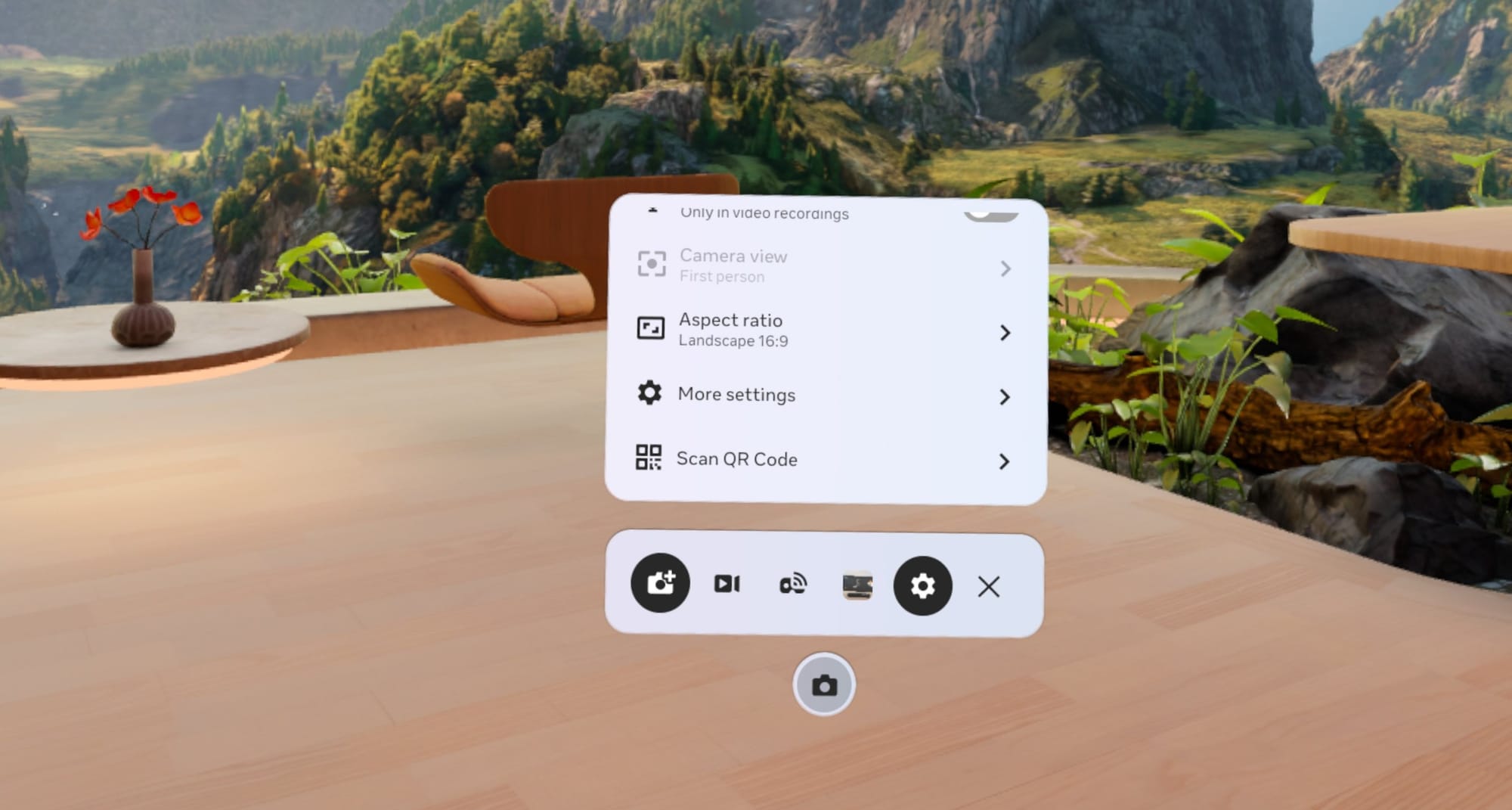
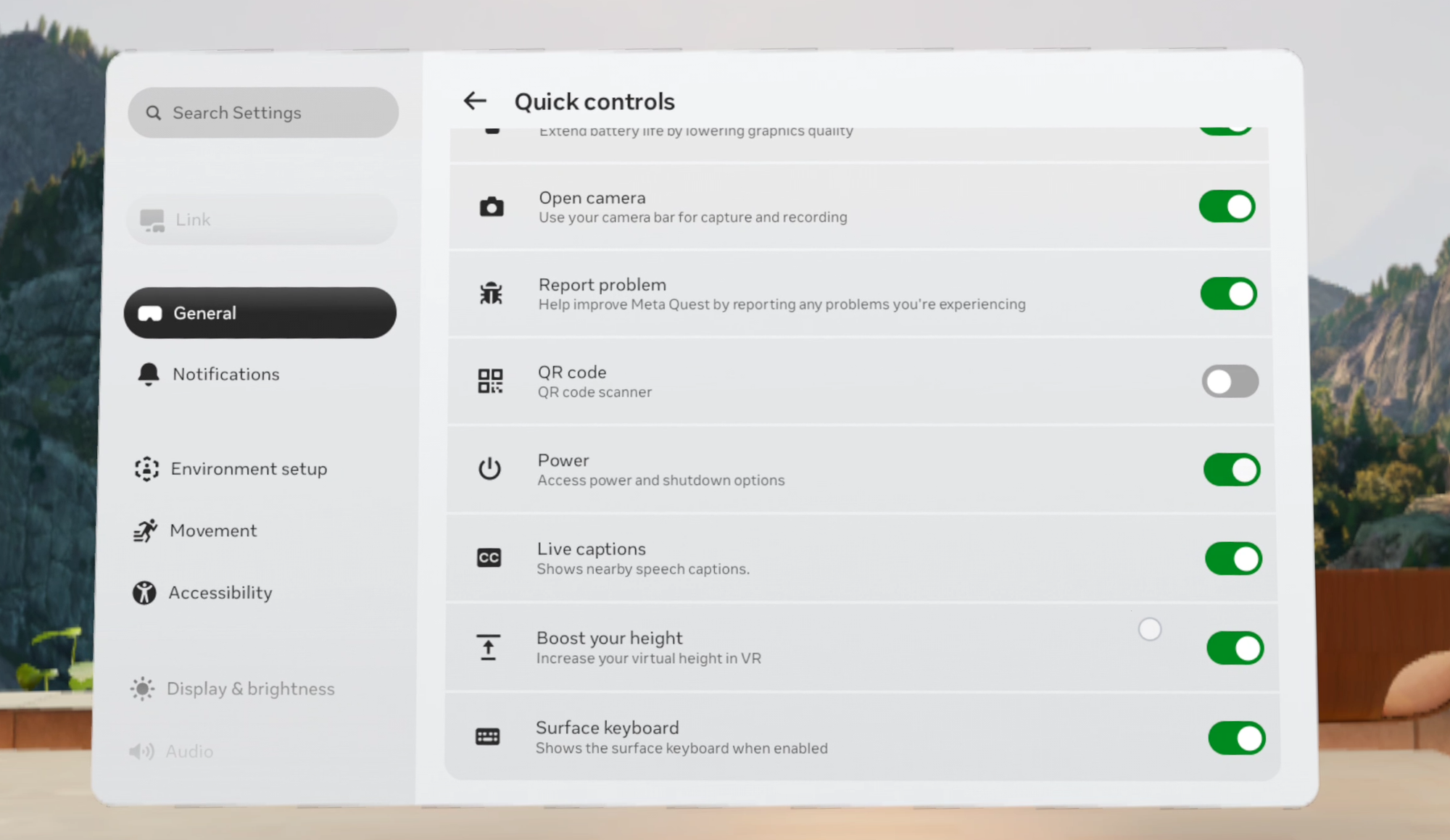
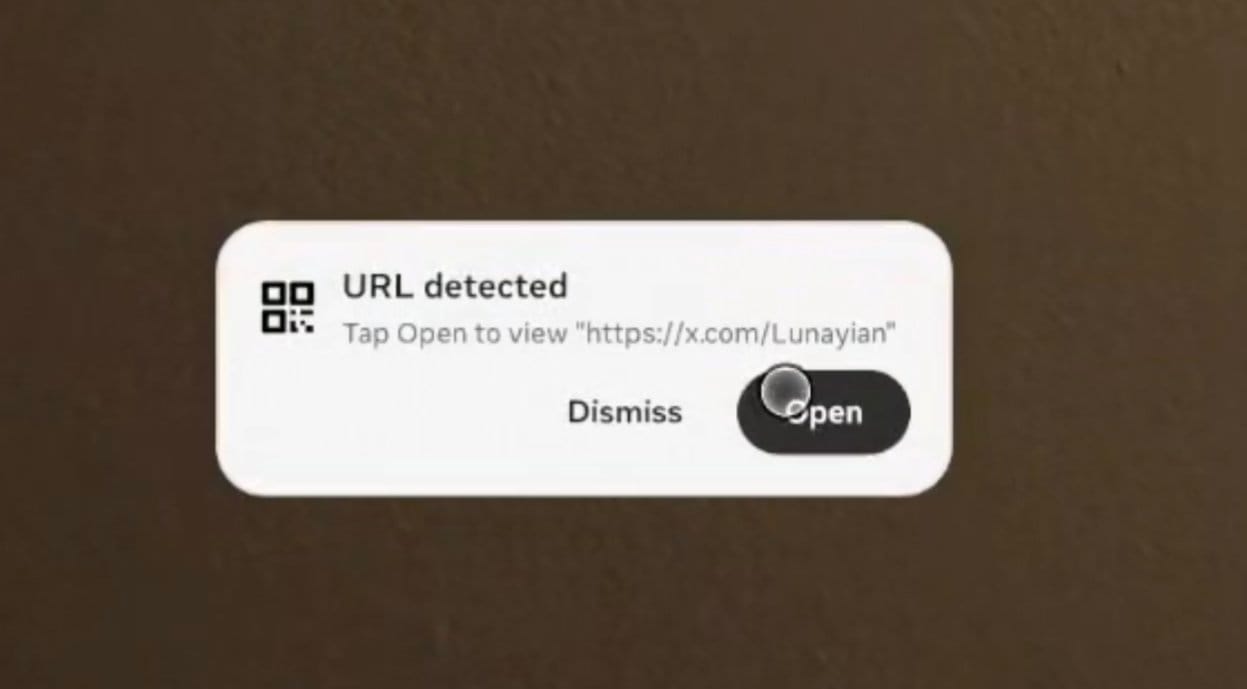
- Native QR Code Scanner: Quest 3 and Quest 3S users can now scan physical QR codes directly via the Camera app, Quick Controls tiles, or system search, bridging the gap between physical real-world data and the headset interface.
- Surface Keyboard and Touchpad Enhancements: The interface for the physical surface-mapping tool has been streamlined to match the UI paradigms previewed for upcoming Meta VR hardware.
- Stable Feature Transitions: Features like "Lying Down Mode" have been moved out of the experimental menu and integrated permanently into core Accessibility settings.
2. Chronology: The Evolution of Horizon OS Architecture
To understand the scope of Horizon OS 2.9, it is helpful to look at the timeline of architectural shifts Meta has introduced to its Quest operating system over the last year.
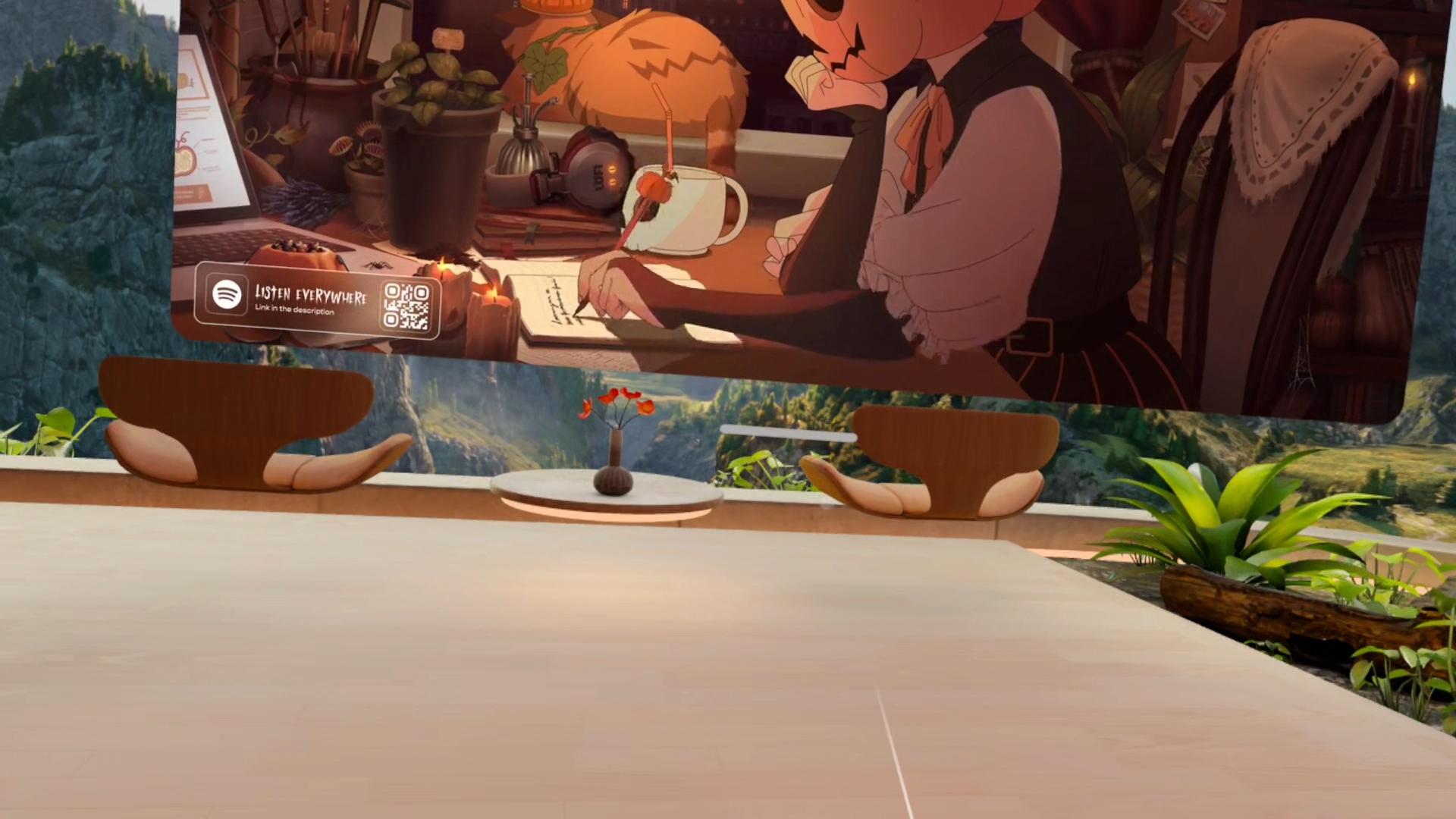
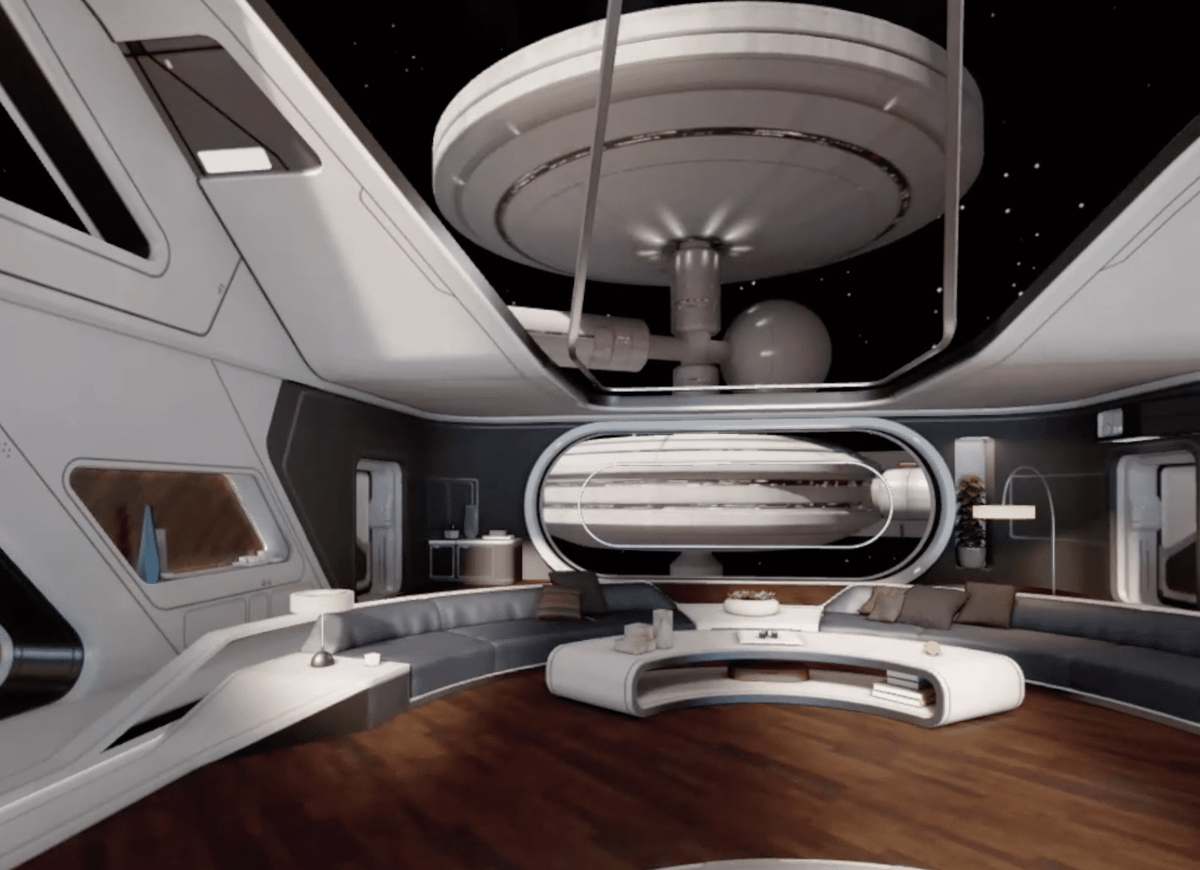
- August 2025 (v81 PTC): Meta overhauled its home environment system, deprecating historical virtual environments in favor of a single, high-fidelity space called Loft, featuring unrestricted locomotion and custom scenery. While praised for its performance, this sparked frustration among legacy users who missed classic virtual rooms.
- January 2026 (v85 PTC): Meta introduced the "Surface Keyboard and Touchpad" as an experimental feature on Quest 3, allowing users to turn any real-world desk or table into a functional virtual typing and cursor-navigation interface.
- Spring 2026 (Horizon OS 2.7): Meta dropped gamepad emulation for Touch Plus controllers and unlocked extended refresh rates of up to 240Hz for developers, alongside early groundwork for multi-monitor window layouts.
- October 2026 (Horizon OS 2.9 PTC): The current update merges these disparate threads. It refines window management via Display Evo, resurrects classic home spaces, addresses physical-to-virtual connectivity with QR scanning, and cleans up system-level diagnostics.
3. Supporting Data & Deep Dive: Feature Breakdown
Display Evo and the New Window Manager
The introduction of Display Evo marks the biggest shift in Quest multitasking since the inception of Horizon OS. Previously, users were constrained to a rigid, tablet-style dock and a restrictive triple-monitor layout.

Display Evo scraps the bottom dock entirely. Apps now open spatially, allowing users to snap windows together magnetically or stack them for cyclical browsing. Paired with a new Android XR-style Window Manager—accessible via Quick Settings—users can oversee, surface, or dismiss all running 2D apps from a unified interface.
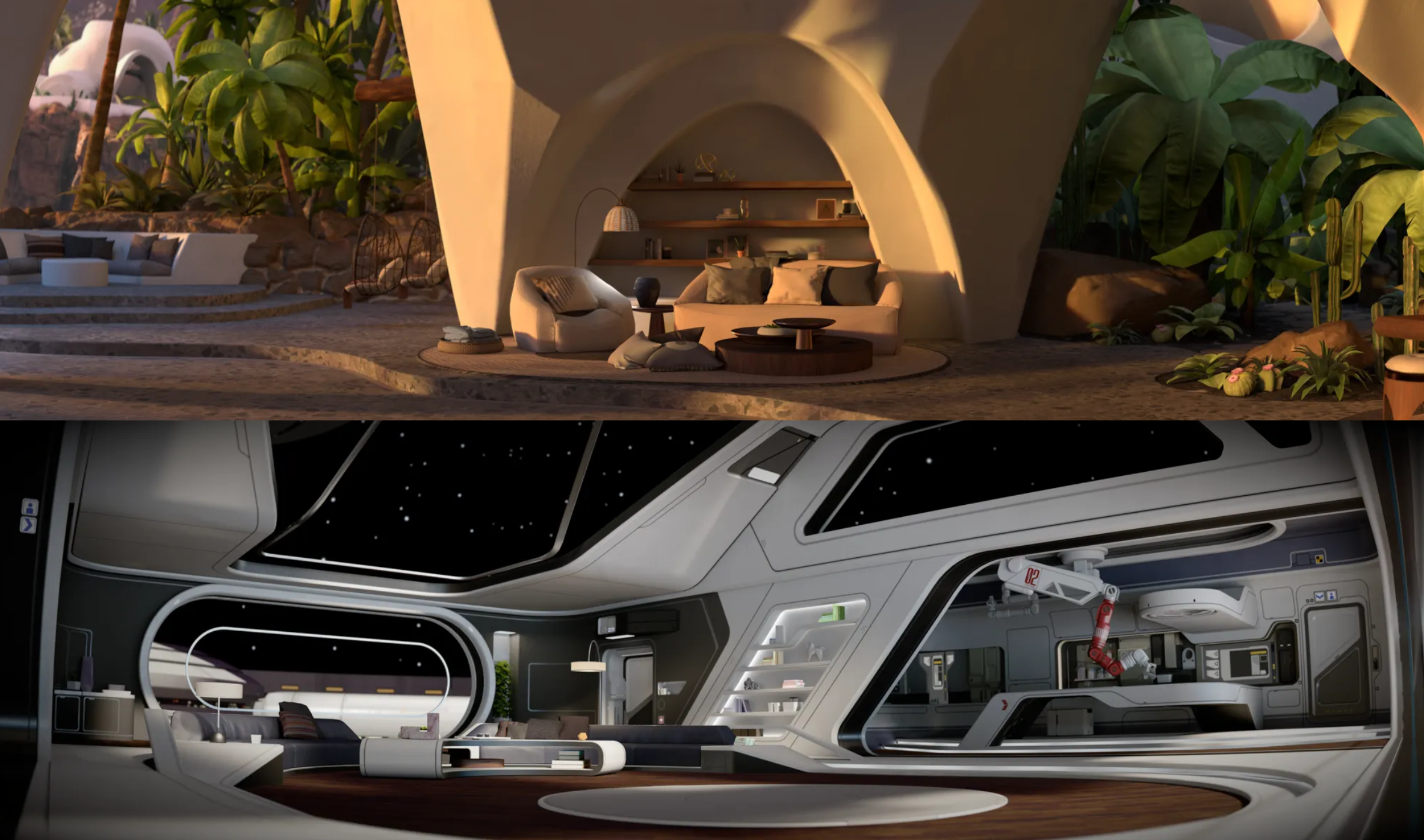
Furthermore, Meta has redesigned window Control Bars, adding distinct grab handles and separate function buttons tailored for gaze-and-pinch input paradigms expected in upcoming hardware lines like Meta VR Glasses. The standalone "Anchor" toggle has been retired in favor of refined system-wide Magnetism, which snaps windows directly onto walls and vertical surfaces automatically.

Classic Environments
When Meta rolled out the Loft environment in late 2025, it left many loyalists lamenting the loss of nostalgic spaces. Horizon OS 2.9 introduces the Classic Environments submenu within the Home Editor.
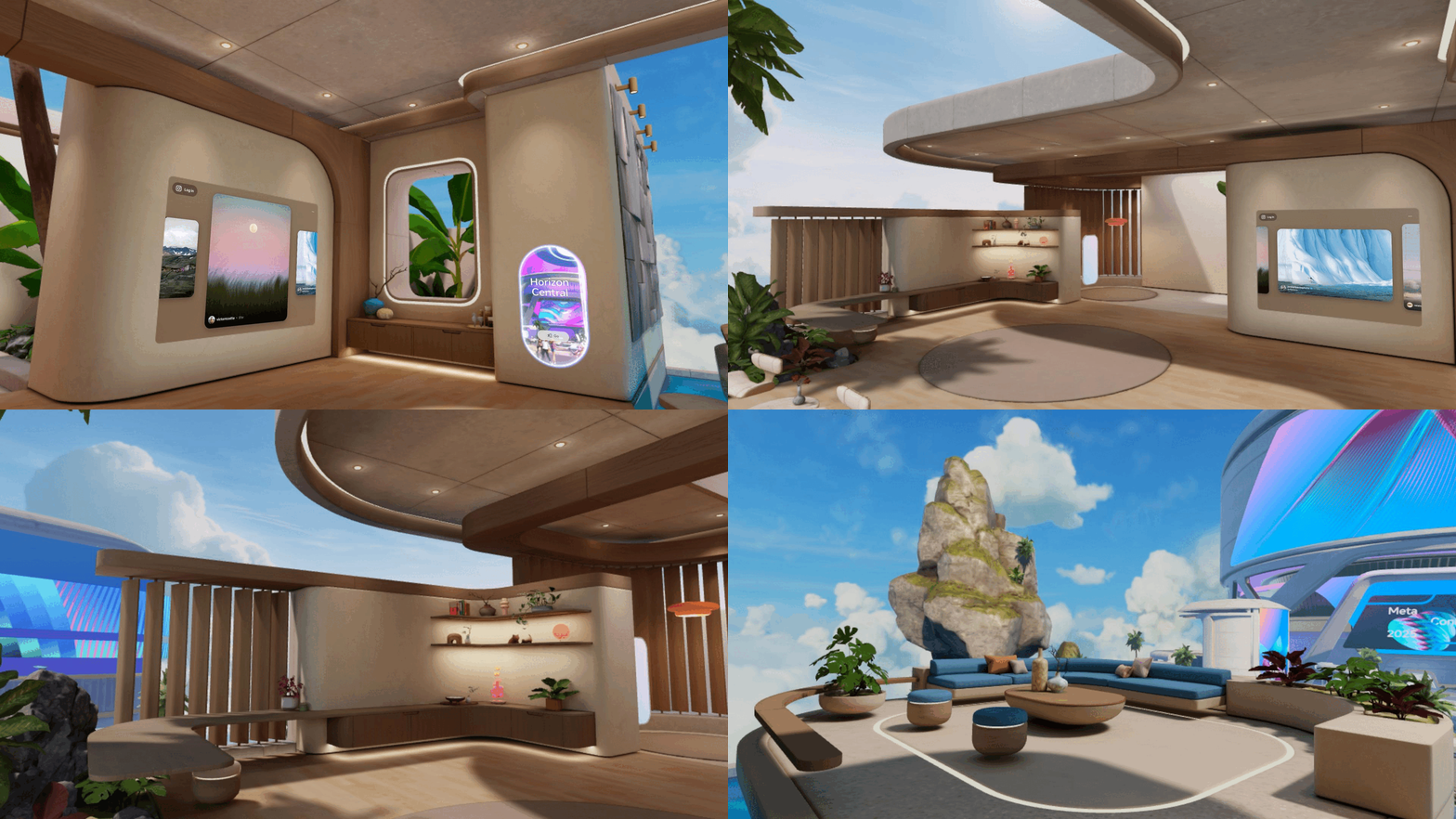
Using the left Touch controller or a palm-facing hand-tracking pinch, users can access these legacy spaces—starting with Desert Terrace (the default Quest 2 home) and Space Station (introduced in April 2020). Dataminers have already discovered active development channels pointing to additional classic environments queuing up for future rollouts. These spaces have been ported to the modern Horizon Engine, ensuring they run with optimized frame rates and support the same free-locomotion mechanics found in newer environments.

System-Level QR Code Scanner
For the first time, Quest 3 and 3S boast a built-in QR code scanner. Located at the bottom of the Camera Bar widget, it can also be pinned as a Quick Controls tile.

While testing reveals that the scanner is currently structured as an immersive app (preventing it from running simultaneously alongside 2D passthrough windows or scanning codes inside immersive environments like VRChat), its inclusion simplifies tasks like pairing external devices or pulling up web links directly from physical media.
Miscellaneous Quality-of-Life Updates
- Boundary Setup Recovery: Interrupting a room scan or boundary configuration no longer forces a total restart; the system reverts to the previous boundary or falls back gracefully to a Stationary Boundary, preserving partial scans.
- Touch Controller Troubleshooting: A new diagnostic sequence located at
Settings > Devices > Controllersgives users an in-headset path to debug unresponsive controllers. - Enhanced Search: Global Search now natively queries local device settings—such as Wi-Fi, Bluetooth, and Travel Mode—even when the headset is offline.
- Gamepad Mode Polish: An optional toggle has been added to pause hand tracking automatically while using gamepad emulation mode, preventing accidental gesture-based inputs from interrupting gameplay.
4. Official Context and The PTC Realities
It is vital for users to remember how Meta’s Public Test Channel functions. Features arriving in the v209 PTC build are pre-release variants. Meta frequently updates, delays, or quietly experiments with features independent of patch notes.
While the inclusion of Display Evo and Classic Environments points toward a cohesive Q4 stable release roadmap, individual headset owners may experience staggered rollouts over weeks or even months as Meta monitors stability telemetry.
5. Implications for the Future of Spatial Computing
The trajectory of Horizon OS 2.9 demonstrates Meta’s dual focus: maturing the Quest line into a legitimate workstation replacement while listening to the cultural and functional demands of its core community.
By overhauling 2D window management to match the fluid, multi-app workflows popularized by platforms like Apple’s visionOS and Android XR, Meta is ensuring that the Quest 3 and 3S remain competitive productivity devices. Simultaneously, the inclusion of Classic Environments shows a willingness to appease long-term platform evangelists who value the emotional resonance of virtual spaces.
As these features graduate from the Public Test Channel to stable public release in the coming weeks, Meta is cementing Horizon OS as a deeply flexible, increasingly refined operating system for the spatial computing era.

