

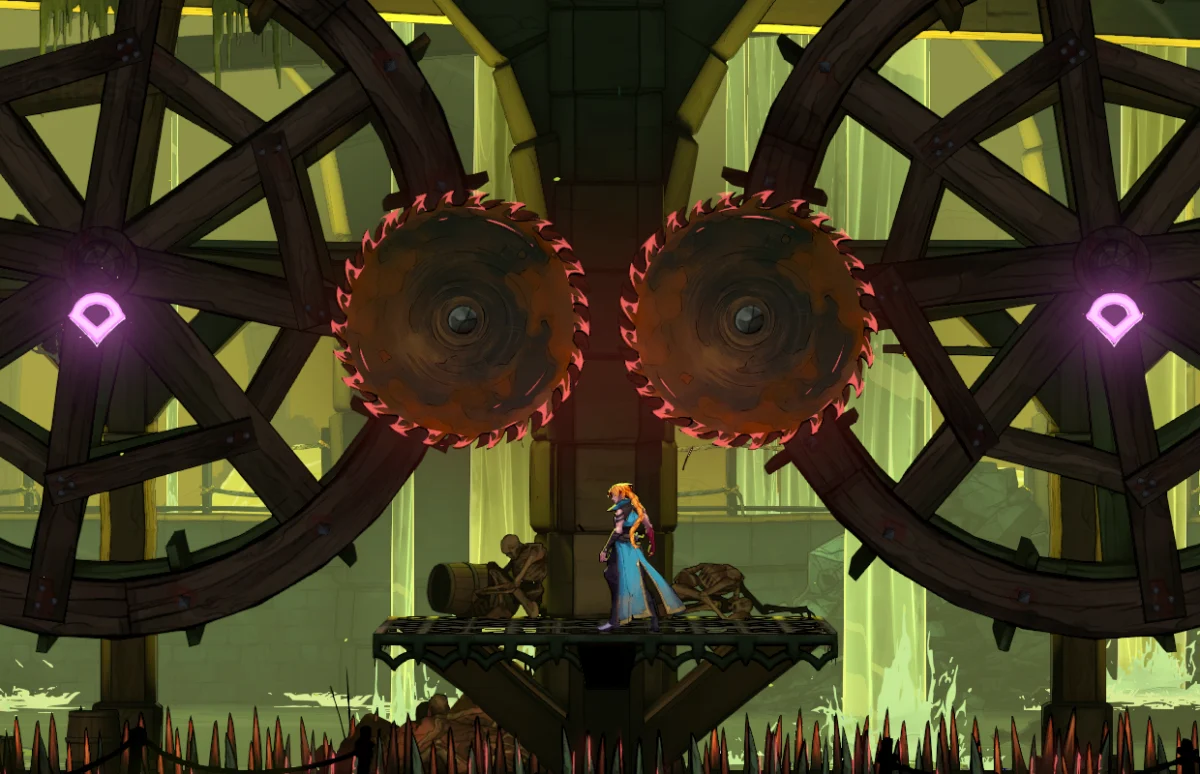
The latest entry in the venerable gothic horror franchise, Castlevania: Belmont’s Curse, has officially launched across major platforms, bringing high-stakes vampire hunting to PC (via Steam and the Xbox PC app), PlayStation 5, Xbox Series X/S, and the Nintendo Switch family of systems.
Following the release of a pre-launch playable demo, early technical concerns raised by the community have unfortunately materialized in the full release. While the game features tight controls and a faithful art style when running on optimal hardware, its PC port suffers from sparse graphics options, aspect ratio bugs, and severe optimization discrepancies between distinct handheld architectures.
This comprehensive technical breakdown examines the performance, display settings, bugs, and hardware-specific quirks of Castlevania: Belmont’s Curse on the Steam Deck, ROG Ally, MSI Claw, and OneXPlayer 3, alongside practical workarounds to help players achieve a stable gameplay experience.
Main Facts
- Release Date: Castlevania: Belmont’s Curse launches globally on October 15 for PC (Steam, Xbox PC), PlayStation 5, Xbox Series X/S, and Nintendo Switch.
- Platform Discrepancies: The game exhibits stark performance variations across PC handhelds. While AMD Z1 Extreme and high-end Intel/AMD handhelds can easily push 60 to 144+ FPS, the Steam Deck currently struggles with severe frame pacing issues and stuttering regardless of compatibility layers.
- Barebones Graphics Menu: The PC version features a surprisingly limited set of display and graphics options, lacking modern upscaling techniques (such as DLSS, FSR, or XeSS) and granular shadow or lighting controls.
- Critical Launch Bugs: Early adopters on the ASUS ROG Ally are met with a baffling black screen upon booting the game unless a specific display refresh rate workaround is applied. Furthermore, non-16:9 aspect ratios (such as 16:10 and 21:9) suffer from aggressive gameplay cropping.
- Recommended Software: Using RivaTuner Statistics Server (RTSS) for frame-limiting yields significantly better frametime consistency than the game’s internal frame limiter.
Chronology of Technical Findings
The evaluation of Castlevania: Belmont’s Curse followed a rigorous testing methodology across multiple hardware revisions and software environments leading up to and immediately following launch.
Pre-Launch and Demo Phase
Initial concerns surrounding the PC port arose during the release of the public demo. Players and reviewers noted that the graphics menu offered virtually no avenues for performance tuning. While side-scrolling action games traditionally demand locked, unflinching frame rates to maintain precise platforming inputs, the demo hinted at underlying frame-pacing instability.
Launch Day Testing & Handheld Isolation
Upon securing access to the full Steam release, testing commenced simultaneously across multiple target devices:
- Steam Deck LCD and OLED Models: Tested across both the public stable SteamOS channel and the SteamOS preview channel. Over 15 distinct Proton versions—including four GE (GloriousEggroll) variants and Proton Experimental—were cycled through to gauge compatibility gains.
- ASUS ROG Ally (Z1 Extreme): Evaluated under the 25W unplugged profile to test native 1080p rendering and identify boot anomalies.
- MSI Claw 7/8 AI+ & OneXPlayer 3: Evaluated across various TDP profiles ranging from 17W to a maximum 35W to analyze Intel Core Ultra and advanced AMD mobile architecture scaling.
Supporting Data & Hardware Performance Profiles
PC Graphics and Display Options Deep Dive
The configuration menu for Castlevania: Belmont’s Curse is notably sparse. Players are met with the following limited parameters:
- Display Mode: Fullscreen, Borderless Windowed, and Windowed.
- Resolution: Scalable up to 4K, down to 720p.
- V-Sync: Toggleable.
- Frame Rate Cap: Ranging from 30 FPS to "Unlimited."
- Anti-Aliasing: FXAA, SMAA, and a third option that remains bugged and unstable.
- Brightness Slider.
The Aspect Ratio Bug: Playing on non-standard displays—such as 16:10 (common on laptops and certain portable setups) or ultrawide 21:9 monitors—results in the gameplay area being aggressively cropped. The sole workaround requires manually forcing a standard 16:9 resolution within the configuration files or graphics control panel.
Steam Deck: An Avoidable Disappointment
For a side-scrolling action title ideally suited to pick-up-and-play handheld sessions, Castlevania: Belmont’s Curse makes a profoundly poor first impression on Valve’s Steam Deck.
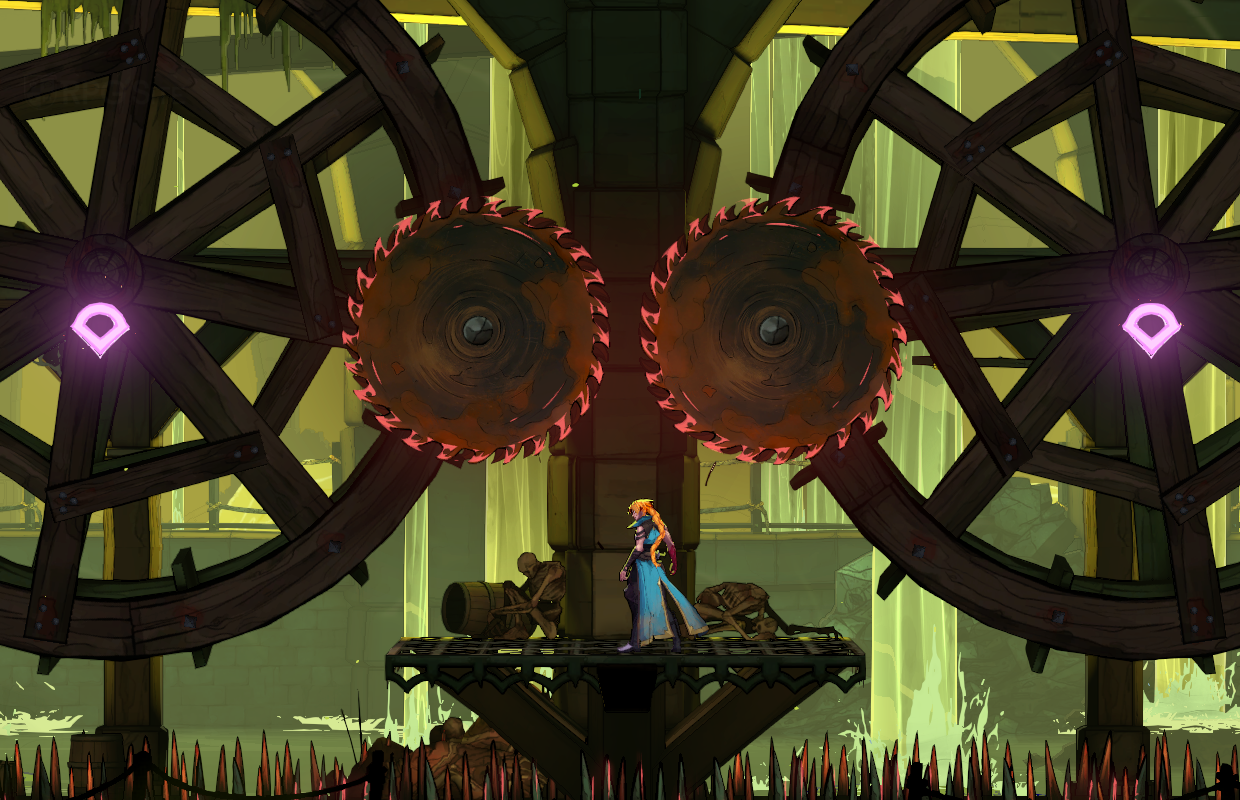
Upon first boot, the game launches into an improperly scaled view where the left and right edges of the screen are entirely cut off. While forcing the Deck to output at 720p or 1080p rectifies the viewport scaling, the underlying performance makes the game deeply unpleasant to play.
- Inconsistent Frame Pacing: Regardless of whether the system is set to 30, 40, or 60 FPS caps, random hitching and stuttering plague the experience.
- Underutilized Hardware: Monitoring tools suggest the Steam Deck’s GPU is vastly underutilized during these drops, indicating inefficient draw calls or poor CPU scheduling within the game engine.
- Proton Exhaustion: Testing across stable, preview, and experimental Proton builds yielded zero performance remediation. Even manually forcing GPU clock speeds up to 1000MHz failed to deliver a fluid experience.
Verdict: Until developers Konami and Evil Empire release a dedicated optimization patch, the Steam Deck is not recommended as a platform for Castlevania: Belmont’s Curse.
ASUS ROG Ally: The 120Hz Black Screen Fix and High-Refresh Glory
Out of the box, launching Castlevania: Belmont’s Curse on the ASUS ROG Ally results in an immediate black screen, rendering the game entirely unplayable without community-sourced troubleshooting.
- The Fix: Users must navigate to the quick access menu or Armoury Crate and manually lock the display’s refresh rate to 120Hz or lower.
- Performance Results: Once this hurdle is cleared, the game transforms into a stellar experience. On the Z1 Extreme model running a 25W profile unplugged, the game maintains a blistering 65 to 110 FPS at native 1080p.
- Anti-Aliasing Choice: Utilizing SMAA delivers clean visuals, though rare, minor two-second freezes can occur during heavy area transitions. A slight dip into the high 50s can occur when the camera aggressively zooms out during active character control. Switching to FXAA entirely mitigates these minor dips.
MSI Claw and OneXPlayer 3: Intel Hardware Scaling
Testing on Intel-powered handhelds yielded similarly impressive upper-bound framerates, albeit with a few eccentricities.
- MSI Claw 7 & 8 AI+: At the default maximum 30W TDP, these devices push between 90 and 120 FPS at 1080p. Dropping power consumption to a conservative 17W still effortlessly clears the 60 FPS threshold. However, a peculiar engine quirk causes certain rooms to bottleneck at a stable 90 FPS. Toggling the TDP down and back up dynamically restores performance to 100–120 FPS.
- OneXPlayer 3: Benefiting from robust hardware overhead, a 17W TDP configuration on the OneXPlayer 3 easily outperforms the MSI Claw at 30W. Pushing the device to its maximum 35W TDP yields a nearly locked 144 FPS, matching the device’s native panel refresh rate without encountering the room-specific bottlenecks observed on Intel silicon.
Official Responses and Developer Stance
As of publication, publishers Konami and developer Evil Empire have not issued a formal press statement addressing the specific optimization discrepancies present in the PC release or the black-screen anomaly on ASUS hardware. Community managers on the official Steam community forums have acknowledged threads regarding the black-screen bug, directing users temporarily to community-driven display workarounds.
Industry analysts note that simultaneous multi-platform launches—spanning legacy consoles, modern hardware, and handheld PCs—frequently suffer from fragmented launch-day optimization, particularly when PC ports rely on generic middleware without robust graphics parameter scalability.
Implications for the Gaming Ecosystem
The launch-day technical state of Castlevania: Belmont’s Curse highlights several broader trends and persistent challenges within the modern PC gaming ecosystem:
- The Handheld PC Standard: With devices like the Steam Deck, ROG Ally, MSI Claw, and Lenovo Legion Go representing an increasingly massive market share, developers can no longer treat PC handheld optimization as an afterthought. Failing to include basic graphics scalers (such as FSR or internal resolution scalers) directly harms user adoption on lower-powered hardware like the Steam Deck.
- The Danger of Internal Frame Limiters: The finding that game-engine frame limiters introduce detrimental frametime spikes—whereas third-party tools like RTSS maintain flawless pacing—serves as an ongoing indictment of modern game engine handling of high-refresh-rate displays.
- Consumer Trust in Cross-Platform Ecosystems: For players weighing their purchasing options, platform ecosystems like Xbox Play Anywhere (allowing seamless continuation between Xbox Series X and ROG Ally) provide tangible consumer utility that outweighs raw port optimization on isolated storefronts like Steam.
Final Takeaway
If you intend to play Castlevania: Belmont’s Curse on PC or a handheld device, your hardware choice dictates your experience entirely. ASUS ROG Ally, MSI Claw, and OneXPlayer users are in for a visually stunning, high-framerate treat—provided they apply the necessary refresh rate and frametime capping fixes. Steam Deck owners, conversely, are strongly advised to exercise patience and hold off on purchasing until an official patch resolves the pervasive micro-stutters and scaling bugs.

