


Main Facts: The Enterprise-Focused Peripheral Arrives
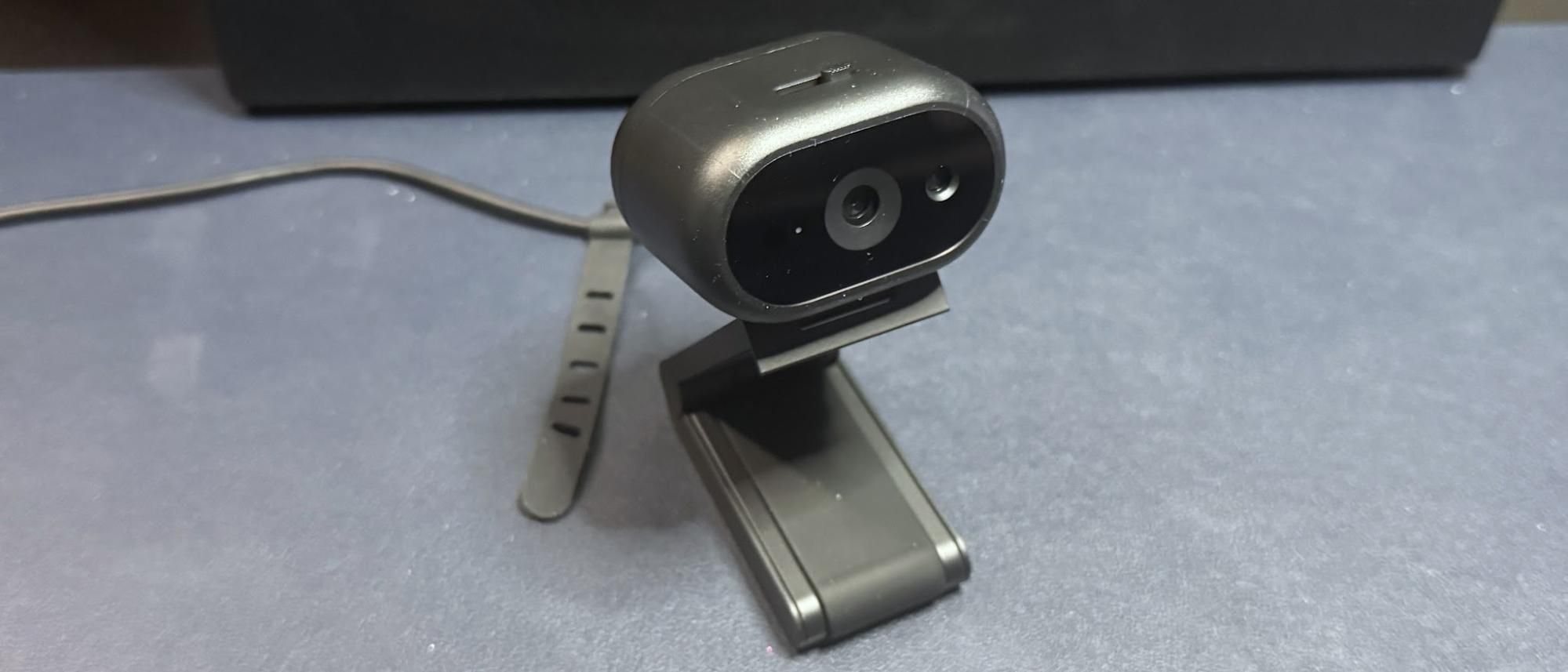
Dell has expanded its enterprise-grade peripheral lineup with the introduction of the Dell Pro 5 (WB526) webcam. Retailing at $119.99—though occasionally spotted on promotional sales for $114.99—this sleek, lightweight camera is engineered squarely for corporate offices, hybrid workspaces, and security-conscious professional environments.
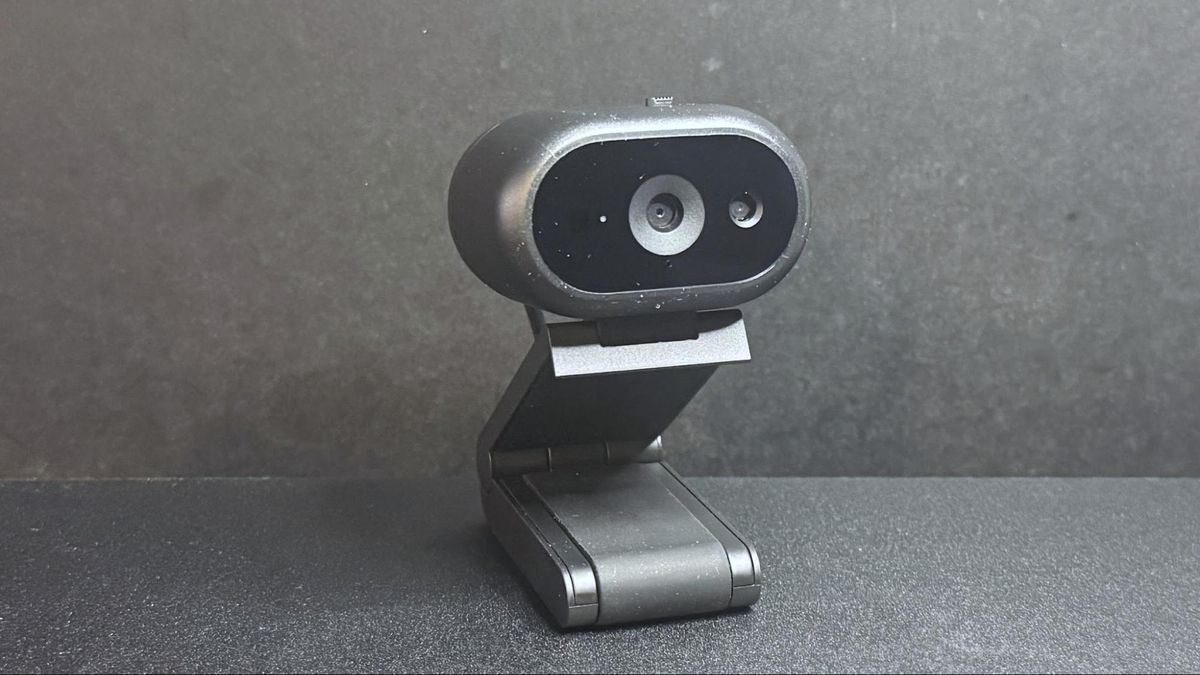
The device features a high-performance Sony sensor capable of outputting video resolutions up to 2K QHD at 30 frames per second (fps). Users can also step down to 1080p at 30 fps, or 720p at either 30 or 60 fps, depending on bandwidth availability and specific video conferencing requirements. Equipped with an autofocus lens boasting a maximum aperture of f/2.0, a 78-degree field of view, and 2x digital zoom, the Dell Pro 5 aims to balance crisp visual clarity with professional, flat-lighting profiles tailored for business settings.
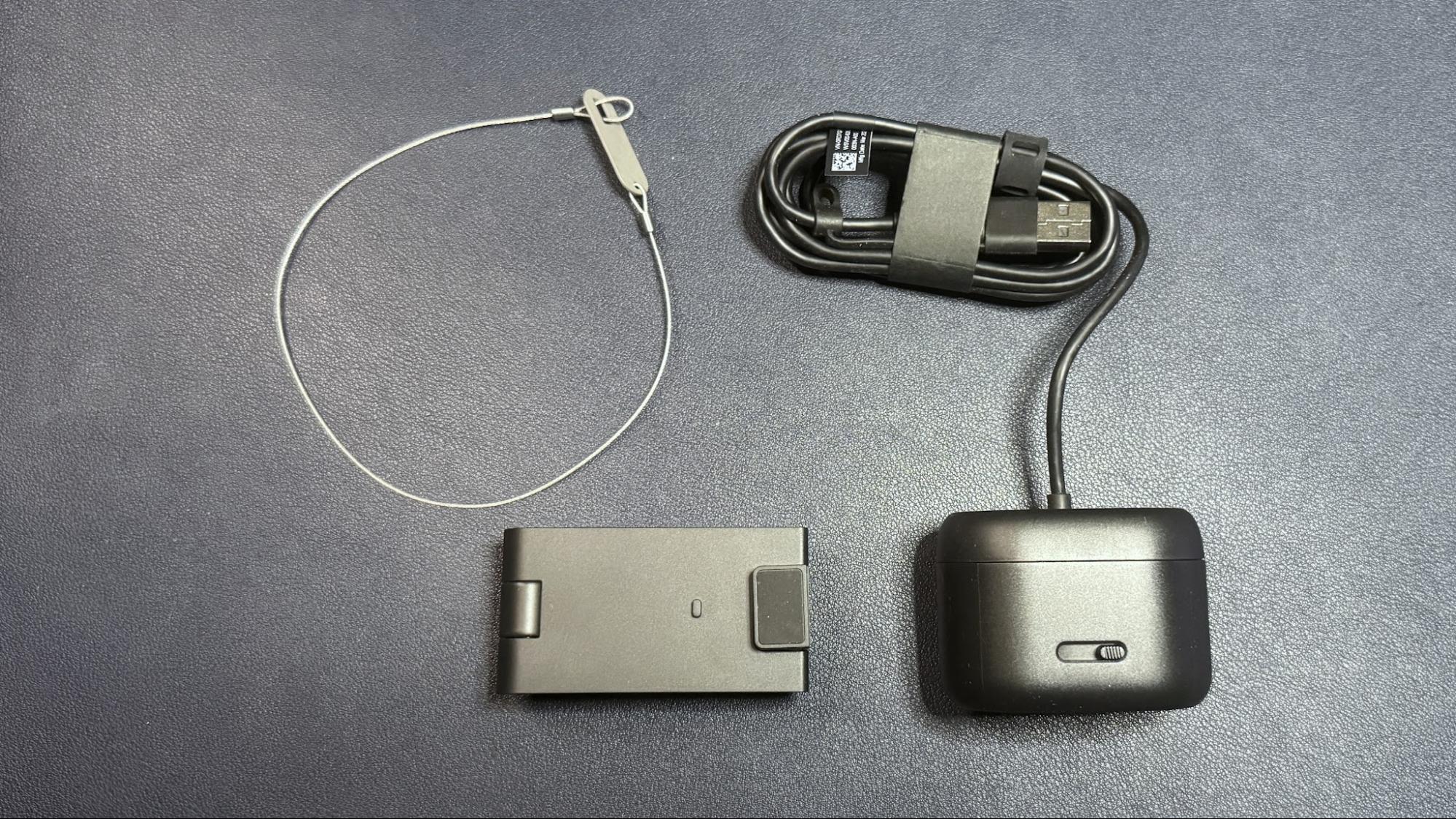
What truly sets the Dell Pro 5 apart from typical consumer-grade webcams is its suite of office-centric utilities. The device is fully compatible with Windows Hello for seamless biometric authentication, incorporates an omnidirectional built-in microphone, and boasts smart AI features such as auto-framing, face tracking, and smart auto-exposure. Furthermore, to combat theft in open-plan offices or shared co-working spaces, Dell has integrated an anti-theft interface featuring a physical lockable cable mechanism.
Despite performing capably right out of the box, industry analysts and hardware reviewers have questioned whether the peripheral’s feature set justifies its relatively steep entry cost in a crowded market populated by cheaper, highly competitive alternatives.
Chronology: The Development and Release Timeline
The rollout of the Dell Pro 5 follows a steady cadence of iterative hardware updates from major tech manufacturers aiming to capture the persistent hybrid work market.
- Early 2026: Supply chain and regulatory filings hint at Dell’s next-generation professional peripherals, signaling a shift toward higher-resolution enterprise cameras equipped with advanced onboard sensor technology.
- June 2026: Dell officially launches the Pro 5 (WB526) webcam, positioning it directly against established business-class cameras from Logitech, Razer, and Elgato.
- Post-Launch Testing Period: Independent testing labs, including hardware evaluation teams, put the webcam through rigorous multi-environment trials—assessing its performance across well-lit office setups, low-light conditions, and overexposed spaces. Testers evaluate its companion software, the Dell Display and Peripheral Manager, as well as physical attributes like its heavy magnetic monitor mount and integrated security lock.
- Present Day: Reviews establish that while the Dell Pro 5 is a robust, well-constructed device, its pricing positions it awkwardly against budget-friendly rivals that offer comparable visual fidelity for a fraction of the cost.
Supporting Data: Specifications and Real-World Performance
To understand where the Dell Pro 5 fits into the modern peripheral ecosystem, it helps to examine its hardware sheet alongside empirical performance metrics gathered during standard review procedures.
Core Technical Specifications
| Feature | Specification Details |
|---|---|
| Resolution & Frame Rate | 2K QHD / 30fps; 1080p / 30fps; 720p / 60fps, 30fps |
| Field of View (Diagonal) | 78 degrees / 65 degrees |
| Zoom Capabilities | 2x digital zoom |
| Focus Mechanism | Autofocus enabled |
| HDR Support | Yes |
| Audio Input | Built-in omnidirectional microphone |
| Connectivity | Hardwired 5-foot (1.5m) USB-C cable with integrated USB-A adapter |
| Mounting System | Universal clip mount with magnetic attachment and tripod thread |
| Physical Dimensions | 2.28 x 1.7 x 1.4 inches (57.9 x 43.18 x 35.56 mm) |
| Weight | 7.41 oz / 210g (inclusive of mount) |
| Companion Software | Dell Display and Peripheral Manager |
| MSRP / Launch Price | $119.99 (Frequently $114.99 on promotion) |
Performance Across Lighting Environments
Testing a webcam across varied lighting conditions provides crucial insight into how it handles everyday workplace challenges—such as harsh fluorescent overhead lighting, dark home offices, or rooms illuminated solely by computer monitors.
1. Well-Lit Performance
In a brightly lit environment featuring dual professional fill lights and ambient desk illumination, the Dell Pro 5 performs reliably. While its color balancing tends to wash out skin tones slightly and the image lacks cinematic sharpness, this specific tuning is deliberate. Office-oriented webcams prioritize a bright, evenly lit, flat image that prevents harsh shadows, making it easier for remote colleagues to read documents or inspect text shared on-screen.
2. Low-Light Performance
When tested in a dim room illuminated only by a single 27-inch monitor, the Pro 5 manages to extract marginally more detail than standard 1080p alternatives. However, moving video reveals heavy grain and noticeable digital artifacts. Despite the inclusion of High Dynamic Range (HDR) support, low-light video quality falls short of pristine, demonstrating that physical sensor size and lighting remain the ultimate arbiters of dark-room clarity.
3. Overexposed Performance
Office workers frequently sit with windows or ambient room lights positioned behind them, creating challenging backlighting scenarios. In overexposed tests—where background and overhead lights remain active while primary front-facing fill lights are turned off—the Dell Pro 5 handles luminance reasonably well. However, its automatic color-balancing algorithms struggle compared to competing models from Elgato and other Dell legacy products, occasionally resulting in skewed default color replication.
Design, Build Quality, and Software Integration
The physical architecture of the Dell Pro 5 reflects a mix of smart choices and minor ergonomic drawbacks. The oval-shaped, lightweight plastic body weighs a mere 2.57 ounces (73g) and features a physical privacy shutter operated via a top-mounted sliding switch.
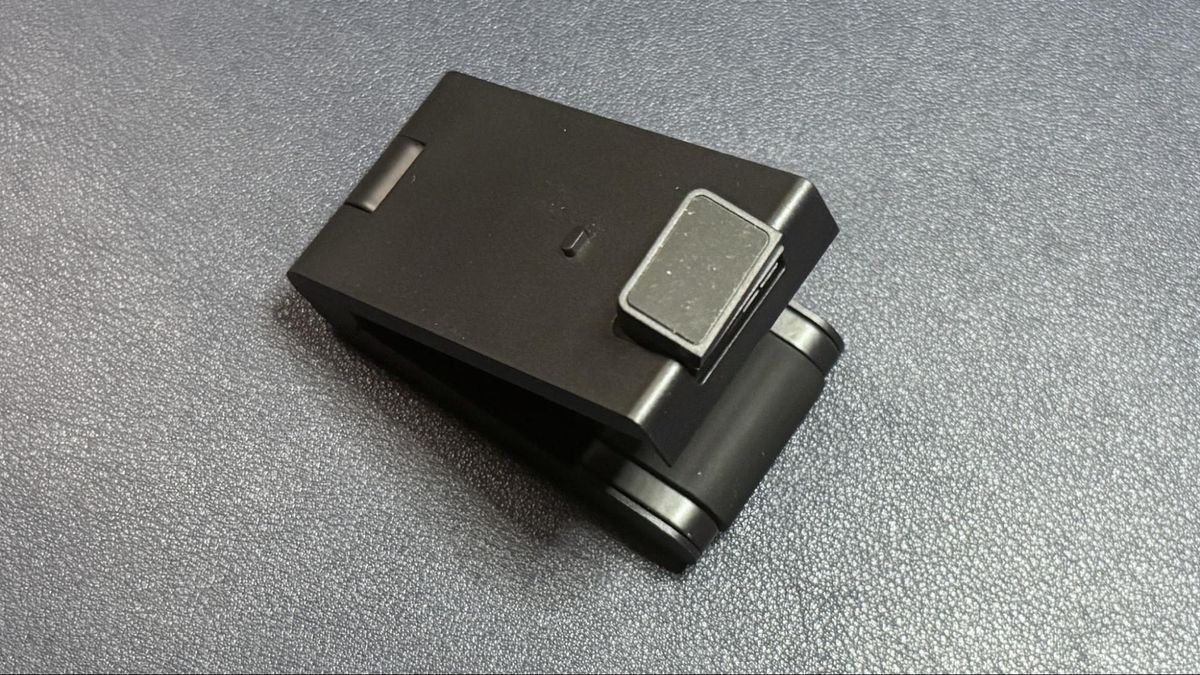
Uniquely, the webcam relies on a non-detachable 5-foot rubber USB-C cable equipped with a built-in USB-C to USB-A adapter. Because the cable is relatively stiff and the webcam body is so light, minor bumps to the desk can inadvertently shift the camera’s framing. Conversely, the accompanying detachable monitor mount is remarkably hefty—weighing 4.7 ounces (133g)—and attaches via a powerful magnet. It offers smooth forward tilt (up to 90 degrees, aiding the camera’s dedicated "Document View" mode) and wide swivel ranges.
Software control is handled through the Dell Display and Peripheral Manager. While the application allows users to toggle face tracking, HDR, auto-exposure, and Windows Hello integration, its manual image adjustments (such as brightness, contrast, and saturation sliders) yield frustratingly subtle results. For instance, dialing saturation down to 0% produces a muted image rather than a true monochrome feed. Furthermore, the lack of an option to minimize the utility directly to the Windows system tray proves slightly inconvenient for streamlined workflows.
Official Responses and Manufacturer Intentions
Dell’s overarching design philosophy with the Pro 5 series centers on corporate security, manageability, and plug-and-play reliability. Corporate IT departments frequently demand peripherals that integrate cleanly into existing enterprise software stacks, support biometric logins out of the box, and include physical deterrents against hardware theft in shared hot-desking environments.
By bundling a specialized physical locking mechanism designed to anchor the non-detachable cable to office furniture or monitor arms, Dell directly addresses corporate loss-prevention concerns. Company representatives emphasize that the camera’s 2K resolution and intelligent AI framing features are engineered to elevate professional video conferencing standards without requiring end-users to navigate complex configuration menus.

Implications: Market Positioning and Value Proposition
The release of the Dell Pro 5 (WB526) forces a broader conversation about pricing tiers in the modern webcam market.
From a purely functional standpoint, the Dell Pro 5 is a competent, professional-grade peripheral. It looks polished on a monitor, integrates seamlessly with enterprise security via Windows Hello, and includes thoughtful touches like a physical privacy shutter and document-view tilt capabilities.
However, market implications point to an increasingly cutthroat hardware landscape where consumers and IT procurement specialists have access to high-value alternatives. Competitors like the Elgato Facecam Neo retail for roughly half—or even a quarter—of the Pro 5’s price point while delivering exceptional day-to-day meeting performance. Meanwhile, alternative 2K solutions, such as the Razer Kiyo X, offer comparable pixel counts at lower baseline price points.

The Verdict
For enterprise buyers purchasing in bulk where corporate security locks, bundled software management, and brand standardization are paramount, the Dell Pro 5 represents a reliable office tool. But for individual remote workers, freelancers, and hybrid professionals spending out of pocket, the consensus is clear: while the Dell Pro 5 works capably out of the box, consumers do not need to spend $120 to secure professional-grade video quality.

