

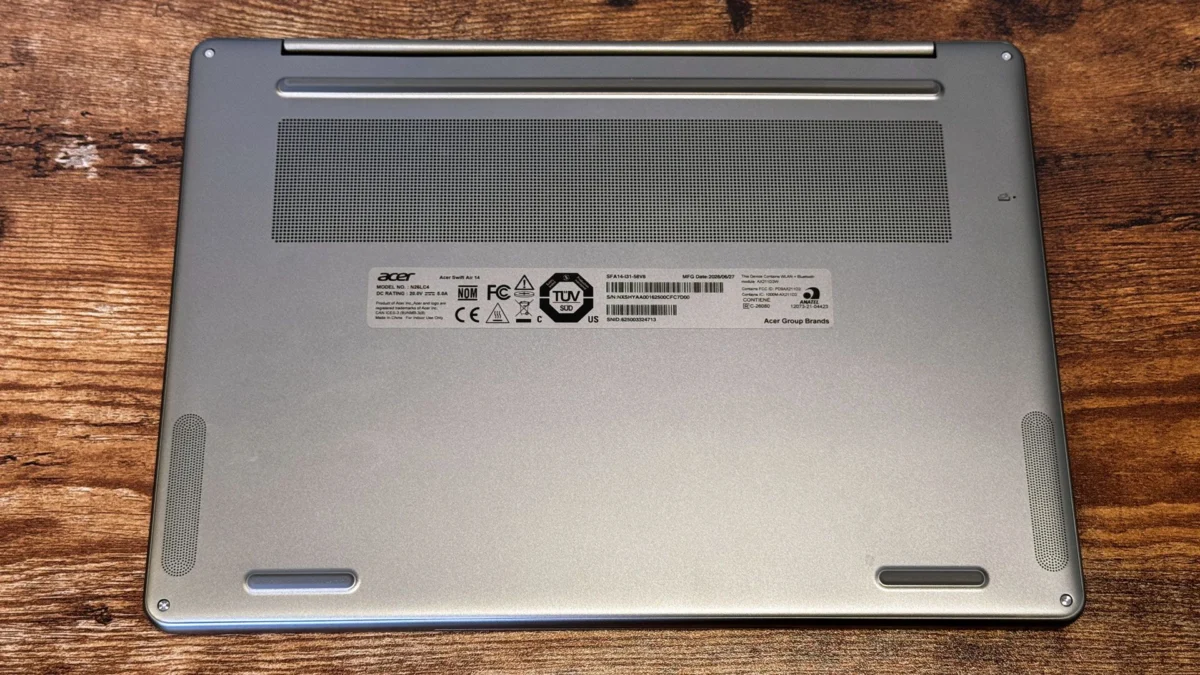
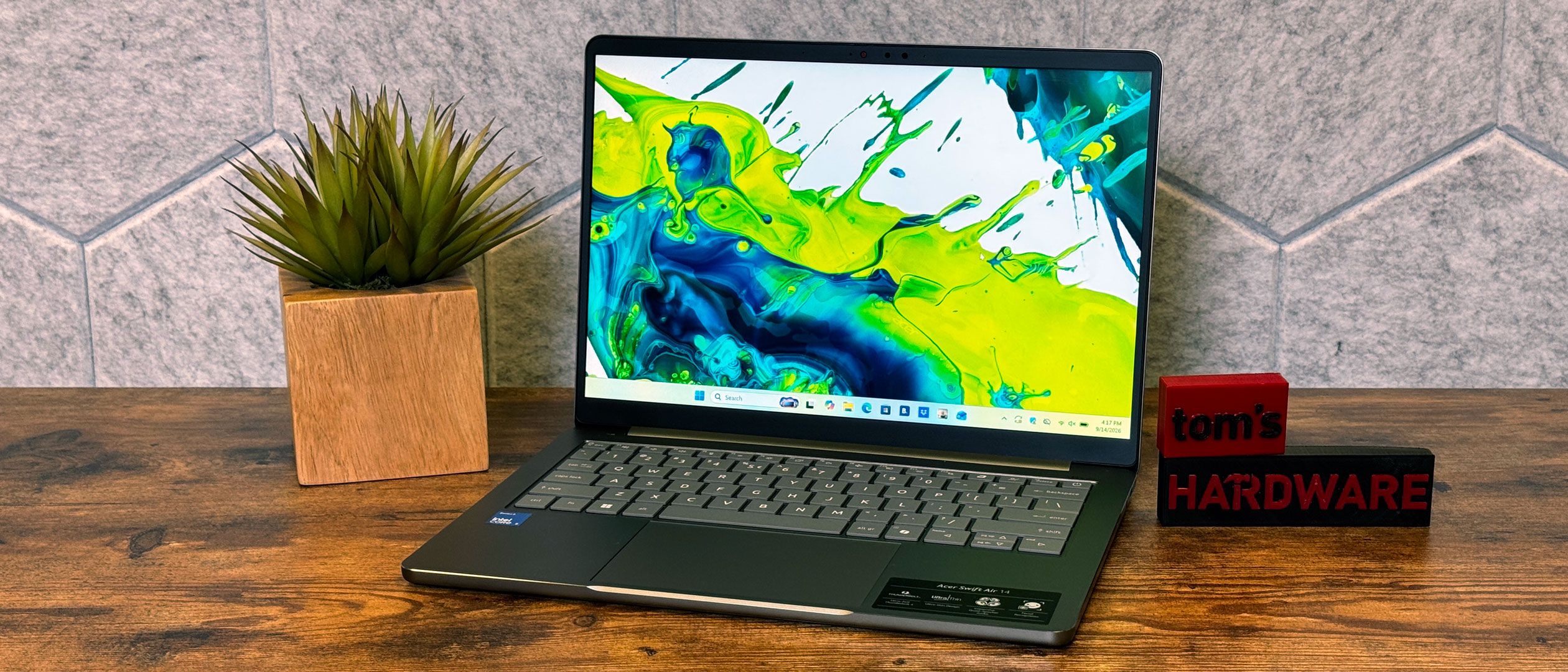
In the hyper-competitive landscape of Windows laptops, manufacturers often chase the sleekest profile, the most vibrant OLED display, or the rawest processing power, frequently at the expense of everyday usability. Acer, however, is charting a slightly different course with the Swift Air 14. Aimed squarely at the value-conscious professional, student, or casual user, this $699 machine attempts to bridge the gap between affordability and premium functionality.
According to rigorous testing by Tom’s Hardware, Acer’s latest offering leans heavily into practical utility. It equips users with an impressive array of connectivity options—including top-of-the-line Thunderbolt 4 ports—and delivers astonishing longevity, pushing past 16 hours of continuous battery life on a single charge. Yet, the review also highlights critical compromises. While the Swift Air 14 excels in endurance and peripheral hookups, it stumbles slightly in display brightness and software cleanliness, leaving consumers to weigh whether practicality outweighs a truly luxurious user experience.
Main Facts: What Defines the Acer Swift Air 14?
At a retail price point of $699, the Acer Swift Air 14 positions itself as a "premium budget" device—a category designed to deliver features typically reserved for laptops crossing the four-figure threshold.
- The Price-to-Performance Equation: At $699, the laptop targets buyers who need reliability without breaking the bank. However, reviewers note that while the price is attractive, competitors in the same tier often feature sturdier chassis builds and superior raw performance metrics.
- Connectivity Champion: One of the standout features of the Swift Air 14 is its robust port selection. Eschewing the industry-wide trend toward minimalist, dongle-dependent designs, Acer has packed the chassis with diverse inputs, most notably top-tier Thunderbolt 4 ports. This ensures lightning-fast data transfer and versatile docking capabilities.
- Marathon Battery Life: In controlled Tom’s Hardware lab tests, the Swift Air 14 shattered expectations by lasting for over 16 hours on a single charge. For mobile professionals and students, this level of endurance means leaving the charging brick behind for a full workday and then some.
- The Trade-offs: To hit the $699 price point while maintaining strong battery metrics and port variety, sacrifices had to be made. Reviewers point out that the laptop lacks the vibrant, high-nit display brightness found on some rivals, and the system suffers from pre-installed bloatware that detracts from an otherwise smooth out-of-the-box experience.
Chronology: The Evolution of the Budget-Premium Laptop Market
To understand where the Acer Swift Air 14 fits, it is helpful to look at how the budget-to-midrange laptop segment has evolved over recent years.
Phase 1: The Race to the Bottom (Pre-2020)
For a long time, buying a laptop under $700 meant accepting severe compromises. Plastic chassis that flexed under minimal pressure, sluggish mechanical hard drives (or cramped, slow eMMC storage), dismal battery life, and TN panels with washed-out viewing angles were the industry standard. Portability often meant sacrificing usability entirely.
Phase 2: The Rise of Work-From-Anywhere Demands (2020–2022)
The global shift toward remote work and hybrid education fundamentally changed consumer expectations. Suddenly, a budget laptop wasn’t just for checking email; it was a primary workstation for video conferencing, multitasking, and digital learning. Manufacturers began integrating solid-state drives (SSDs) and better webcams into lower-priced models, though battery life and port variety remained inconsistent as companies copied Apple’s minimalist design philosophies.
Phase 3: The Modern Hybrid Era (2023–Present)
Today, consumers demand all-day battery life and modern interfaces like USB-C and Thunderbolt without paying flagship prices. Acer’s development of the Swift Air 14 reflects this exact market pressure. By focusing engineering budgets on endurance and connectivity rather than expensive OLED panels or exotic chassis materials, Acer has targeted the exact intersection of what productivity-focused budget buyers need. Tom’s Hardware’s evaluation underscores this modern philosophy: prioritizing endurance and utility over flashy, superficial aesthetics.
Supporting Data: Breaking Down the Performance Metrics
When evaluating a laptop like the Acer Swift Air 14, raw specifications must be cross-referenced with real-world stress testing. Here is a closer look at the data derived from Tom’s Hardware’s evaluation framework.
Battery Longevity Analysis
- Tested Endurance: 16+ hours.
- Context: In standard web-browsing, video-streaming, and Wi-Fi connected office productivity tests, the Swift Air 14 surpassed the average lifespan of traditional budget-tier Windows laptops by several hours.
- Implications: For field workers, frequent flyers, or university students attending back-to-back lectures, a 16-hour battery life effectively eliminates "outlet anxiety." Users can comfortably operate at 50% to 70% screen brightness throughout a grueling day of tasks without hunting for a wall plug.
Connectivity and I/O Payload
- Thunderbolt 4 Integration: Inclusion of Thunderbolt 4 ports is a major victory at the $699 price point. It allows users to connect to dual 4K monitors, utilize external high-speed GPU enclosures, or transfer data at speeds up to 40Gbps.
- Additional Ports: Alongside Thunderbolt, Acer has retained enough legacy and modern ports to spare users the hidden tax of purchasing USB hubs and dongles—a common hidden expense when buying modern ultraportables.
Display and Build Limitations
- Screen Brightness: While functional for indoor environments, the display lacks the high peak luminance needed to comfortably combat glaring outdoor sunlight or brightly lit office spaces.
- Chassis Rigidity: Competitors in the same price bracket occasionally utilize all-aluminum unibody designs that feel denser and more rigid than the Swift Air 14’s construction.
- Software Experience: Reviewers noted that the presence of factory-installed bloatware creates friction during the initial setup process, requiring manual uninstallation to optimize system performance and free up storage space.
Official Responses and Industry Context
Acer’s strategy with the Swift Air series reflects a broader industry debate over what matters most to everyday consumers. While tech enthusiasts often prioritize screen fidelity and benchmark dominance, mainstream buyers consistently rank battery life and physical connectivity near the top of their purchase-decision checklists.
Industry analysts note that pricing a laptop at $699 while including Thunderbolt 4 architecture requires strategic cost-cutting measures. By investing heavily in the motherboard controller chips necessary for high-end data transfer and power efficiency, Acer made deliberate compromises on panel brightness and software curation.
Competitors such as HP, Lenovo, and ASUS have pursued different paths in the sub-$800 market—frequently offering sleeker aluminum chassis or slightly brighter screens, but often cutting corners by omitting advanced ports like Thunderbolt or settling for significantly smaller battery capacities. Acer’s bet is that the everyday user will gladly trade a few nits of peak brightness for an extra four hours of battery life and the universal compatibility of Thunderbolt 4.
Implications: Who is the Acer Swift Air 14 For?
The release and review of the Acer Swift Air 14 present clear takeaways for different segments of the PC-buying public.
For Students and Mobile Professionals
If your daily routine involves typing papers, compiling spreadsheets, joining Zoom calls, and moving from class to class or coffee shop to coffee shop, the Swift Air 14 is a compelling companion. The 16-hour battery life means you can leave your charger at home, and the robust port selection ensures you can plug in presentation clickers, flash drives, and external monitors without fuss.
For Media Enthusiasts and Creatives on a Budget
Buyers who prioritize cinematic movie-watching, photo editing with absolute color accuracy, or gaming may find the Swift Air 14’s compromises harder to swallow. The subdued display brightness and lack of a high-end dedicated GPU mean it is best suited for productivity rather than heavy creative workloads or entertainment immersion.
The Verdict Summary
As Tom’s Hardware’s expert review points out, the Acer Swift Air 14 is an exercise in calculated practicality. It proves that you do not need to spend over $1,000 to get elite battery endurance and top-tier connectivity. However, prospective buyers must enter the purchase knowing that a cleaner software setup and a brighter screen would have elevated the device from a strictly practical tool into a genuinely luxurious experience. For those who value function, endurance, and connectivity above all else at a $699 price point, Acer has delivered a contender well worth considering.

