

SAN FRANCISCO — Meta has officially initiated the rollout of the Horizon OS 2.9 system software update (v209) to its Public Test Channel (PTC). Marking one of the most substantial feature drops for the Quest ecosystem in recent months, this pre-release build introduces a complete architectural redesign of the operating system’s 2D window management system—internally codenamed Display Evo—while answering long-standing user demands by restoring legacy virtual environments.
Alongside spatial window grouping, a system-level QR code scanner, refined surface keyboard utilities, and an array of quality-of-life adjustments, Horizon OS 2.9 showcases Meta’s continued commitment to evolving its hardware into a viable, multi-monitor desktop replacement and an intuitive consumer-grade spatial computing platform.
Main Facts: What’s New in Horizon OS 2.9 PTC
The Horizon OS 2.9 Public Test Channel update delivers a comprehensive suite of hardware and software enhancements designed to optimize productivity, streamline device maintenance, and offer deeper personalization options for Meta Quest 3 and Quest 3S users.

Key pillars of the v209 update include:
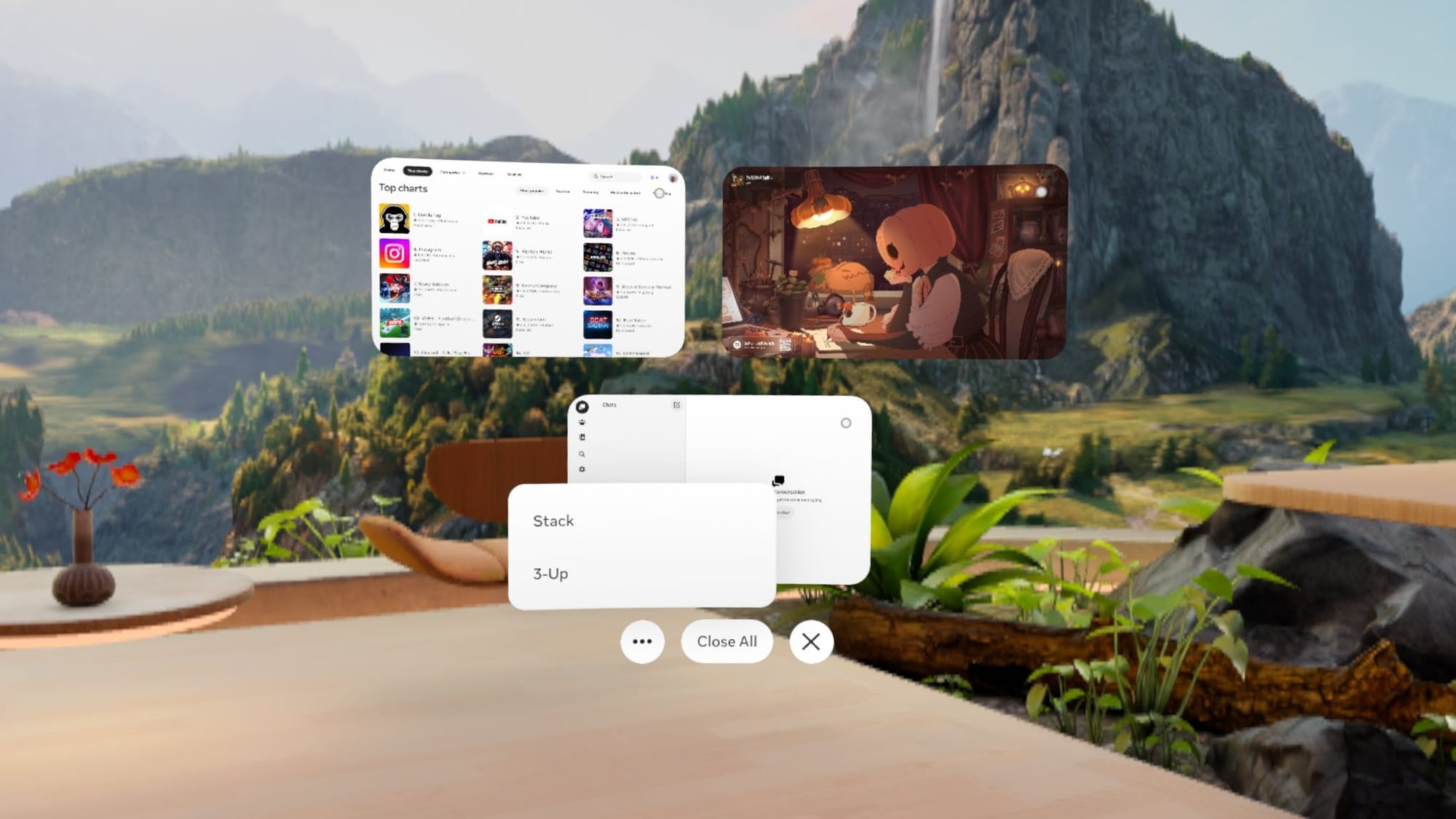
- Display Evo (2D Window Overhaul): Eliminates the legacy dock entirely, replacing it with a fluid spatial window management system. Users can group application windows by dragging their edges together or stack them like a deck of cards.
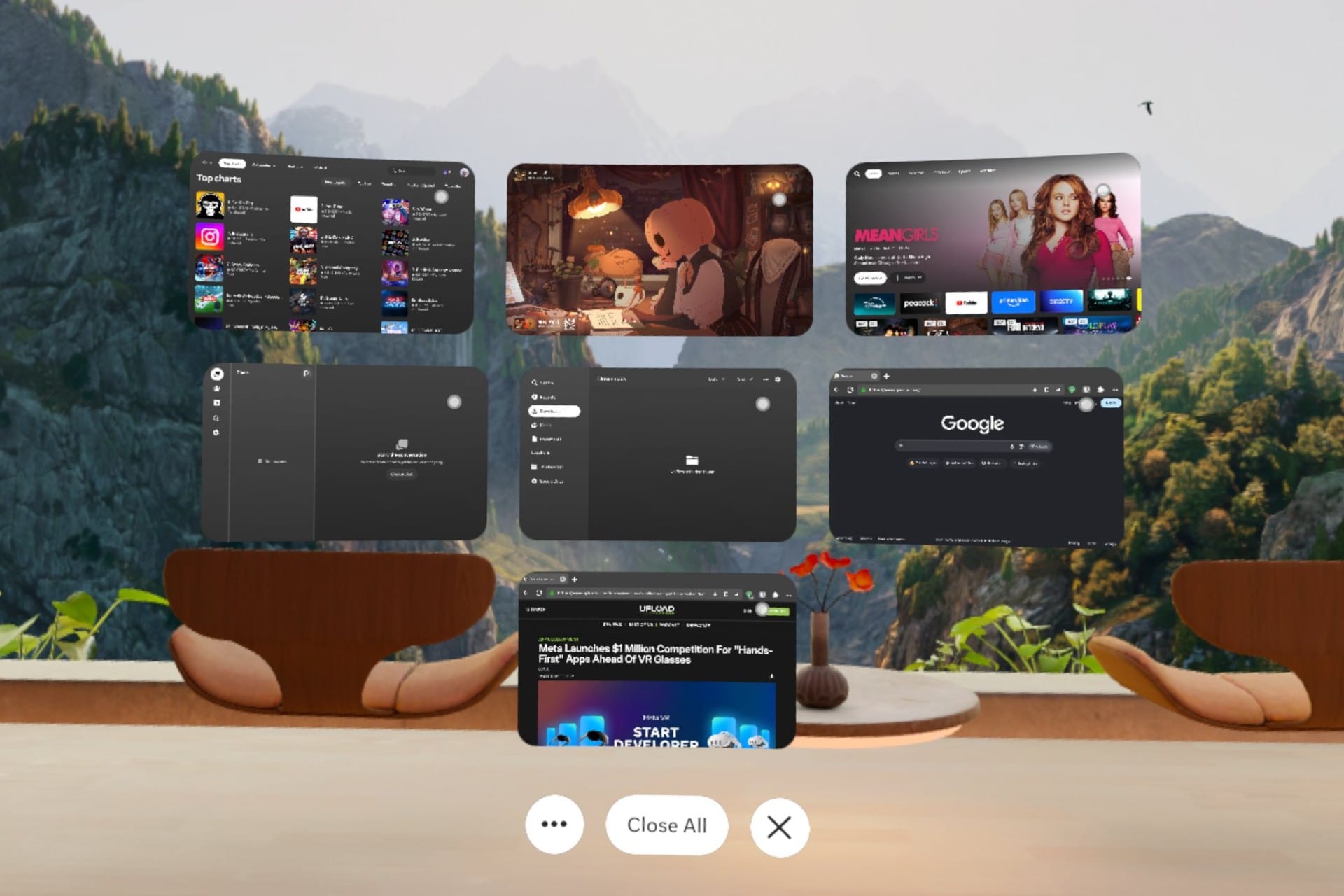
- The Window Manager: A centralized quick-settings interface—similar to Android XR’s app management screen—allowing users to view, rearrange, bring forward, or close all active 2D windows simultaneously.
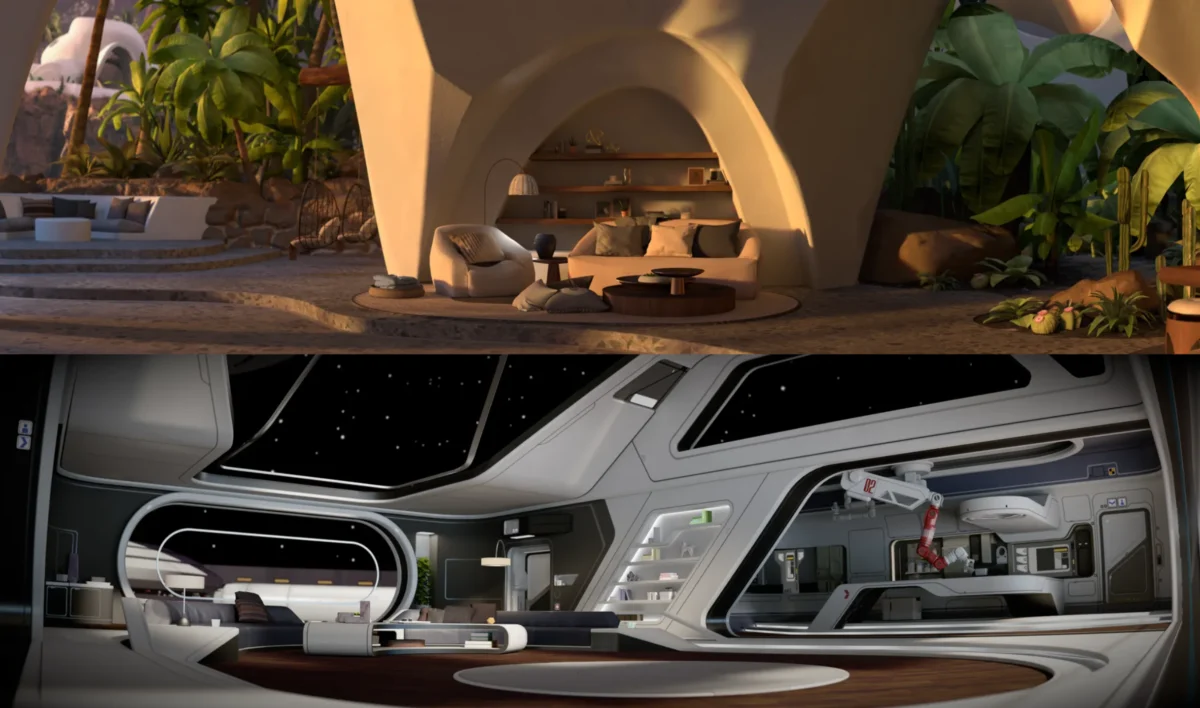
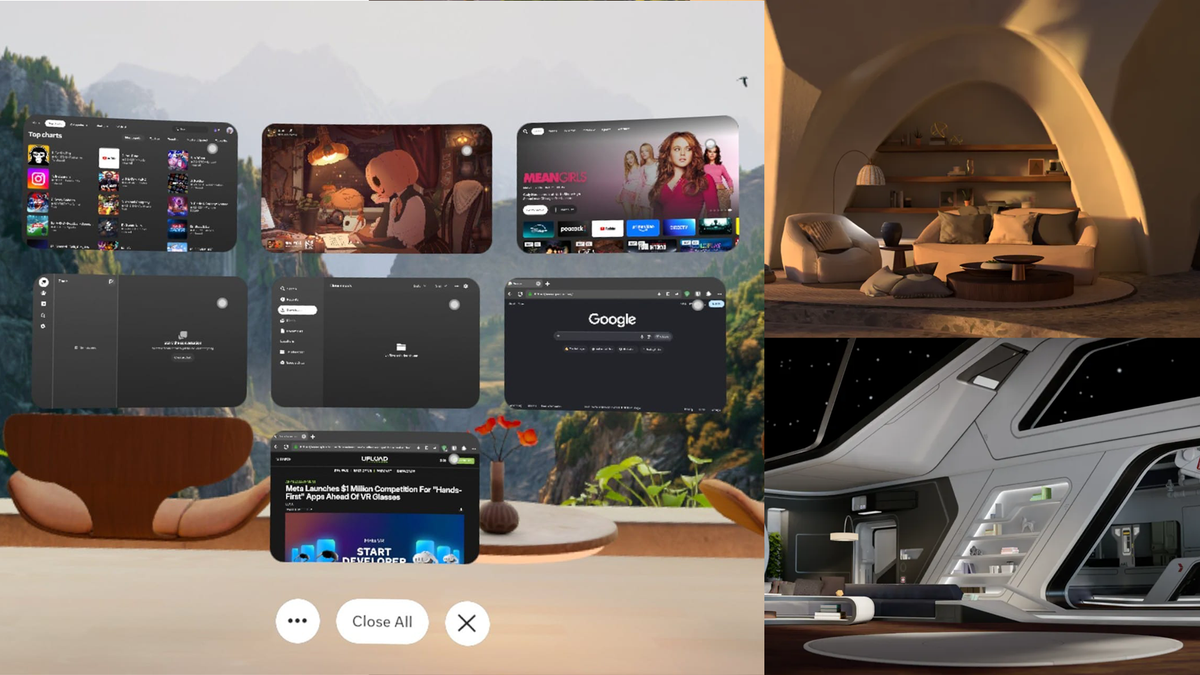
- Classic Home Environments: Directly responding to community feedback following the controversial v81 update, Meta is reintroducing fan-favorite legacy virtual environments—such as Desert Terrace and Space Station—re-engineered for the Horizon Engine with unrestricted locomotion and optimized performance.
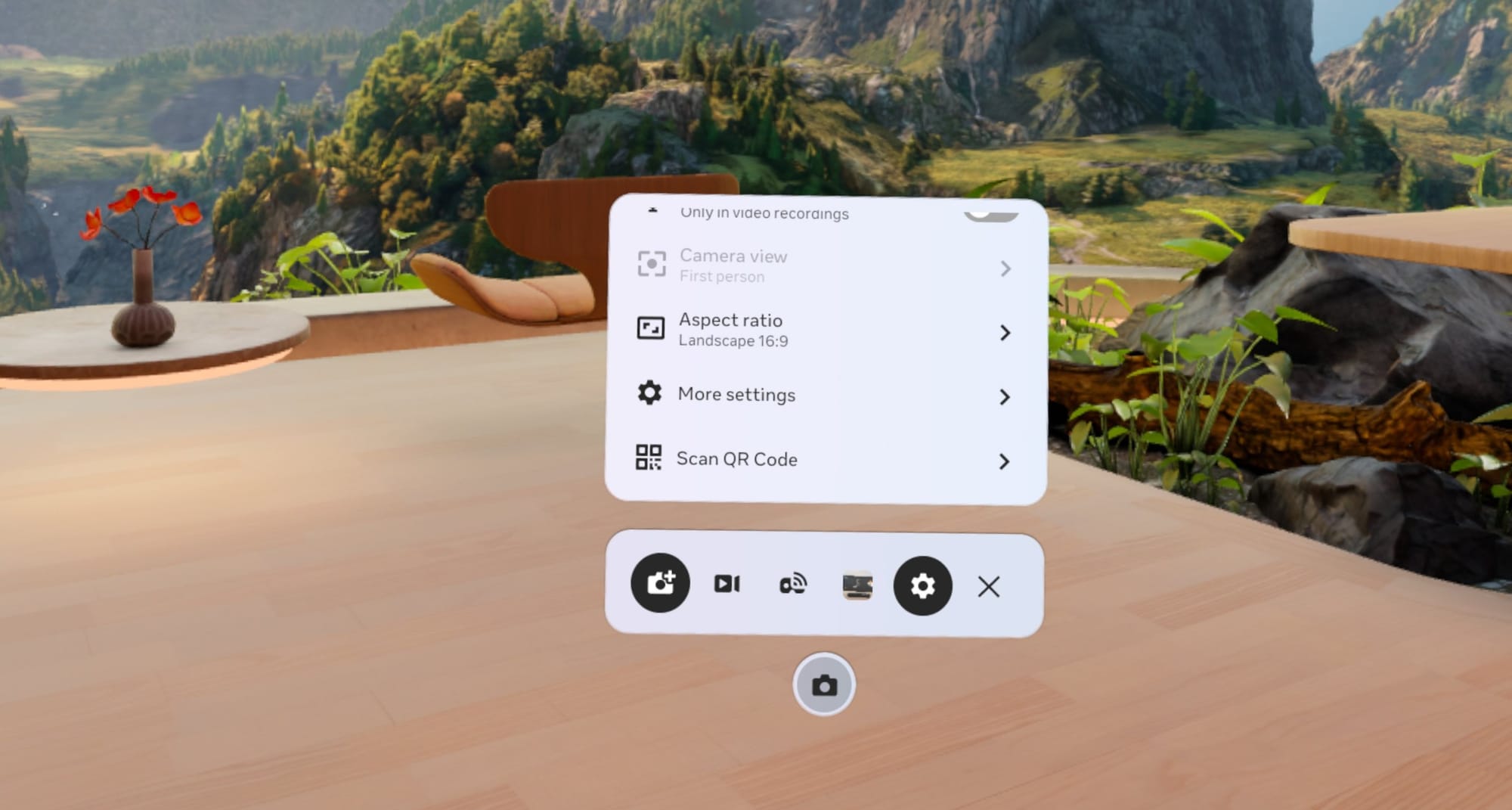
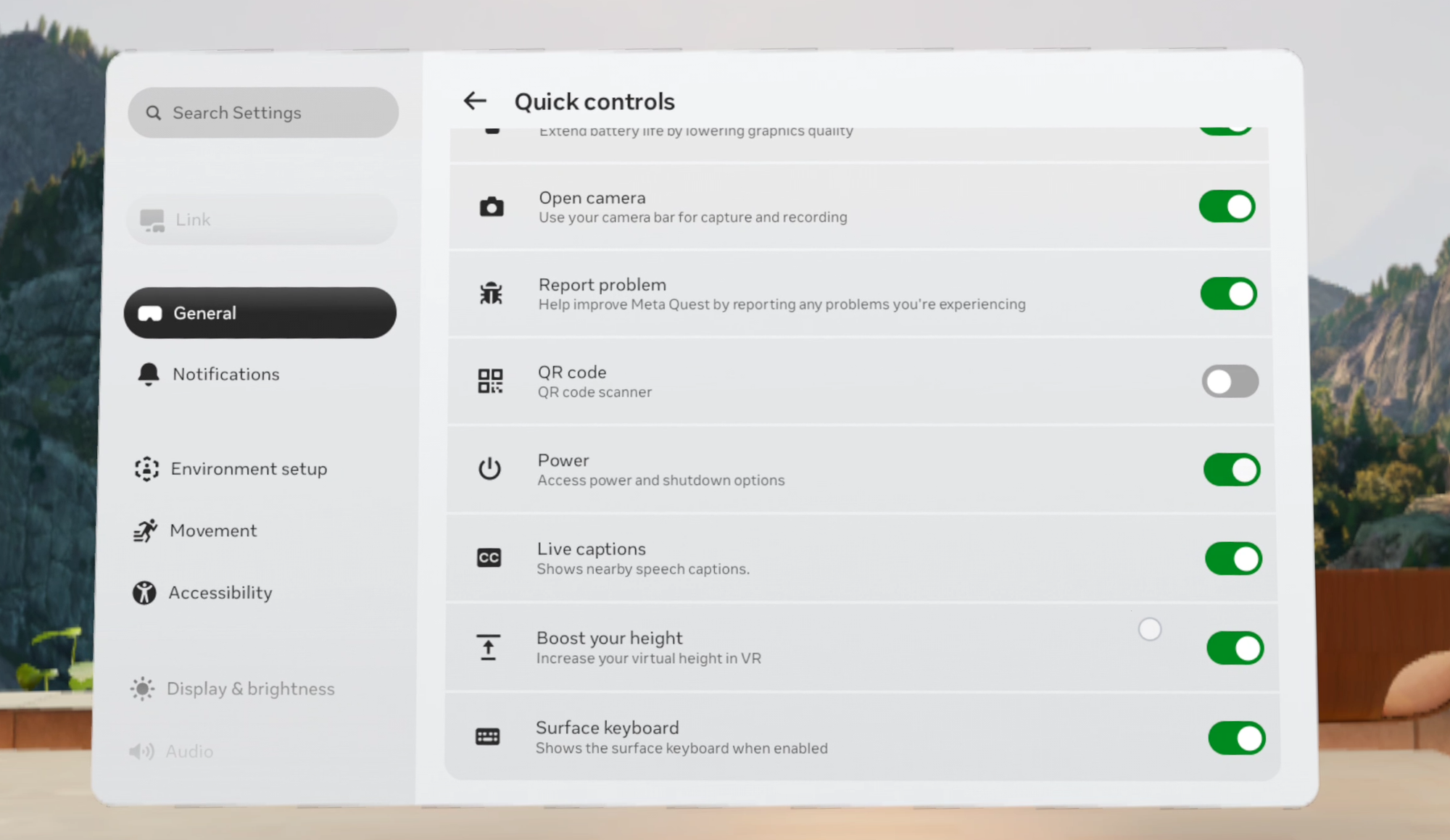
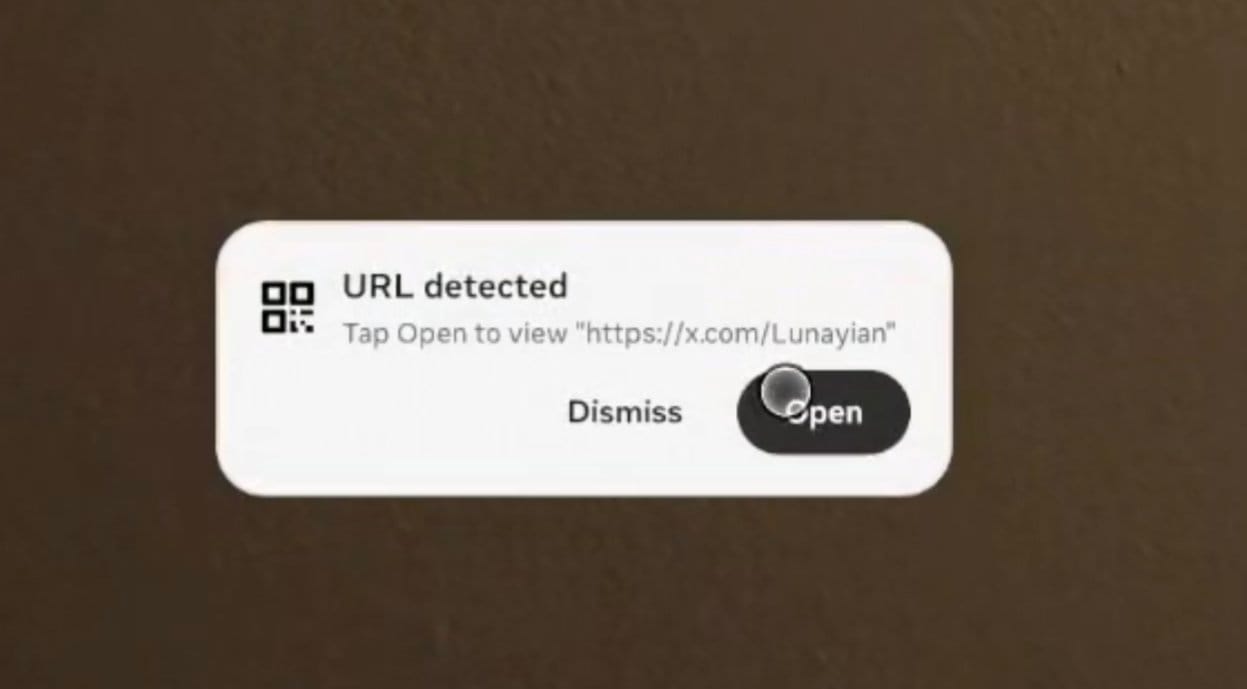
- System-Level QR Code Scanner: A dedicated tool built directly into the Camera app and accessible via Quick Controls, Global Search, or Meta AI.
- Surface Keyboard and Touchpad Enhancements: Polished UI layouts aligning with upcoming Meta hardware paradigms, simplifying access to shortcuts and positional adjustments.
- Lying Down Mode Graduation: Migrating out of the Experimental menu, the ability to rotate virtual coordinates for comfortable bed-bound usage is now a stable feature under Accessibility.
Chronology of the Horizon OS Evolution
To understand the weight of the Horizon OS 2.9 update, it is necessary to examine the rapid iteration cycle Meta has maintained across its software division. The platform has undergone several monumental shifts over the last year:
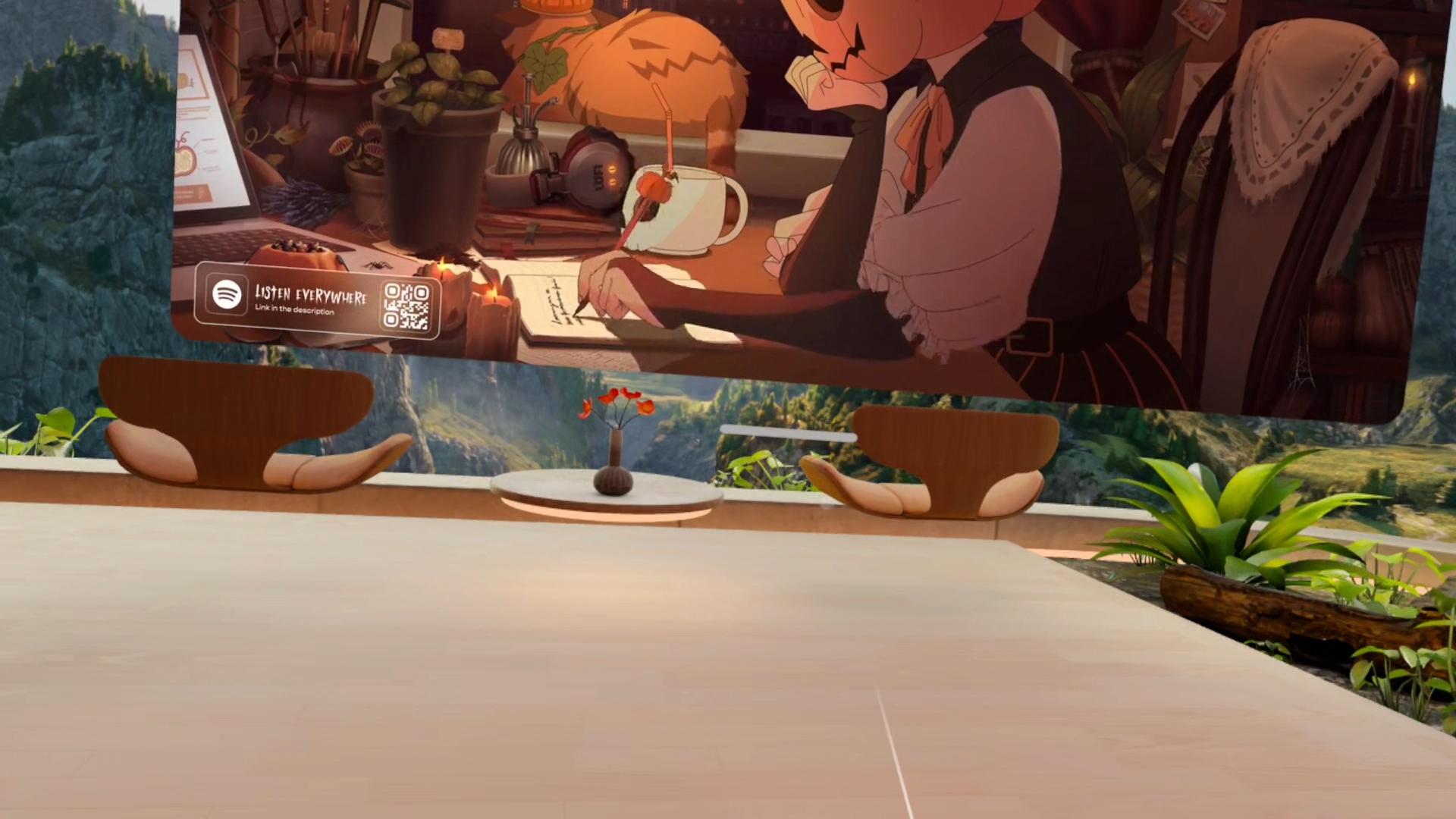
- April 2023 (v53 PTC): Meta initially tests "Use apps while lying down" as an experimental accessibility feature, before pulling it back to refine its tracking robustness.
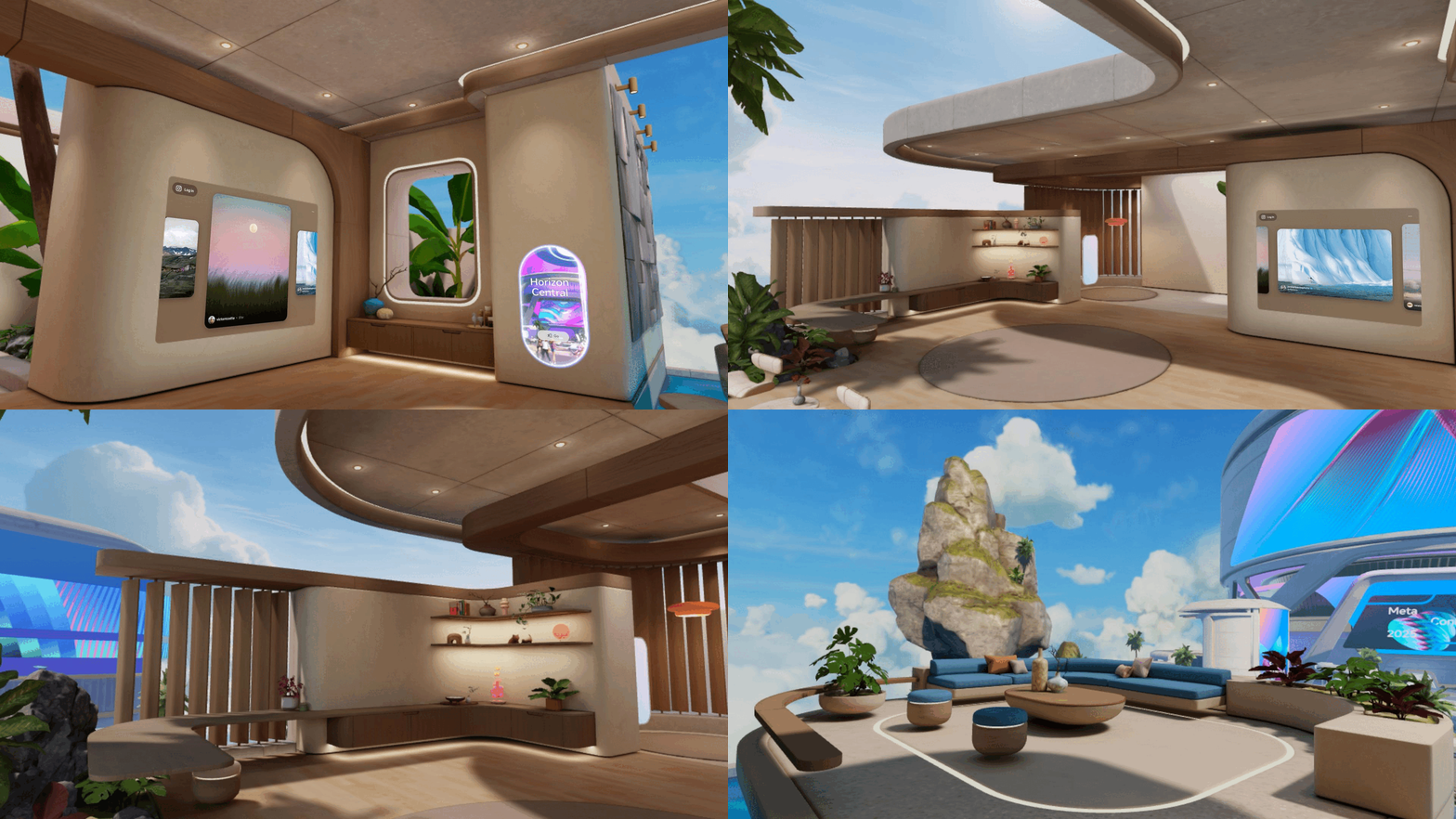
- August 2025 (v81 PTC): Meta radically restructures the Horizon OS Home Environment ecosystem. It replaces dozens of historical virtual environments with a single, high-fidelity space called Loft. While praised for its graphical fidelity and free locomotion, the abrupt removal of legacy environments triggers significant community pushback.
- January 2026 (v85 PTC): Meta introduces Surface Keyboard and Touchpad as an experimental feature on Quest 3, allowing physical tables to double as virtual input devices—laying the groundwork for upcoming hardware ecosystems.
- Early 2026 (Horizon OS 2.7): The rollout of Gamepad Emulation and support for ultra-high refresh rates (up to 240Hz in developer mode) arrives, alongside early iterations of the window management framework.
- Present Day (Horizon OS 2.9 PTC): Meta releases v209 to the Public Test Channel, officially deploying Display Evo, the return of classic environments, and vital utility upgrades.
Supporting Data & Deep Dive: Feature Analysis
1. The Death of the Dock: Display Evo and Window Management
For years, Meta Quest’s multitasking relied on a restrictive "3-Up" layout—a rigid triple-monitor setup anchored by a tablet-style app dock. Horizon OS 2.9 scraps this paradigm via Display Evo.

Applications can now be positioned freely in 3D space. By pushing window boundaries together, users can dynamically cluster apps. Alternatively, windows can be organized into a "Stack," letting users flip through active programs like a deck of cards.
The newly added Window Manager acts as a safety net for spatial clutter. Accessible directly via Quick Settings, it presents a unified dashboard of all running 2D tasks. Furthermore, traditional manual "Anchoring" options have been retired from the window control bars, replaced entirely by Magnetism—an intelligent background behavior introduced in v2.1 that snaps windows smoothly against physical walls and vertical surfaces with heightened reliability in this release.

2. Nostalgia Restored: Classic Home Environments
When Meta deployed the Loft environment in late 2025, it consolidated the virtual real estate options available to users. While technologically superior, the change alienated users who cherished the distinct character of older environments.
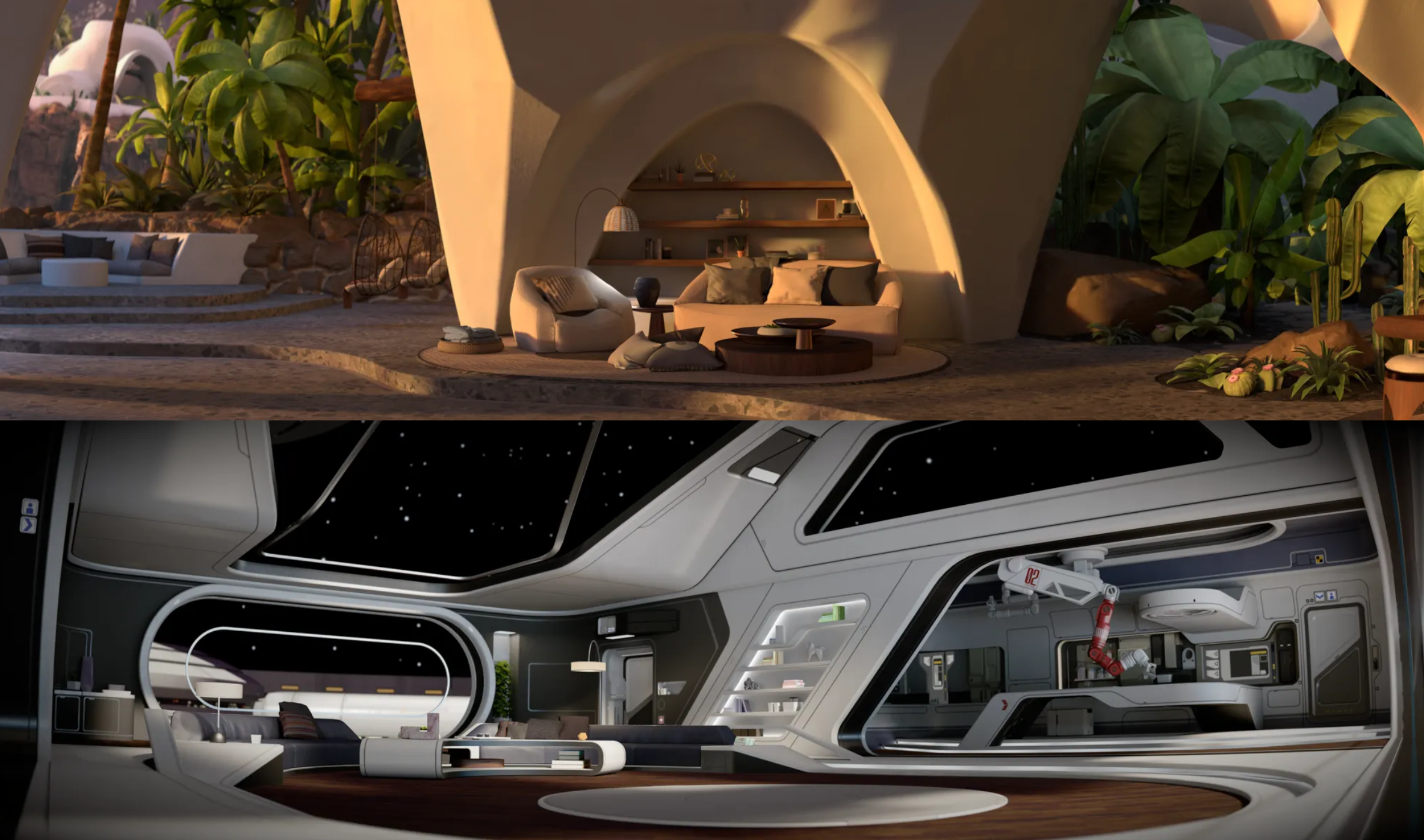
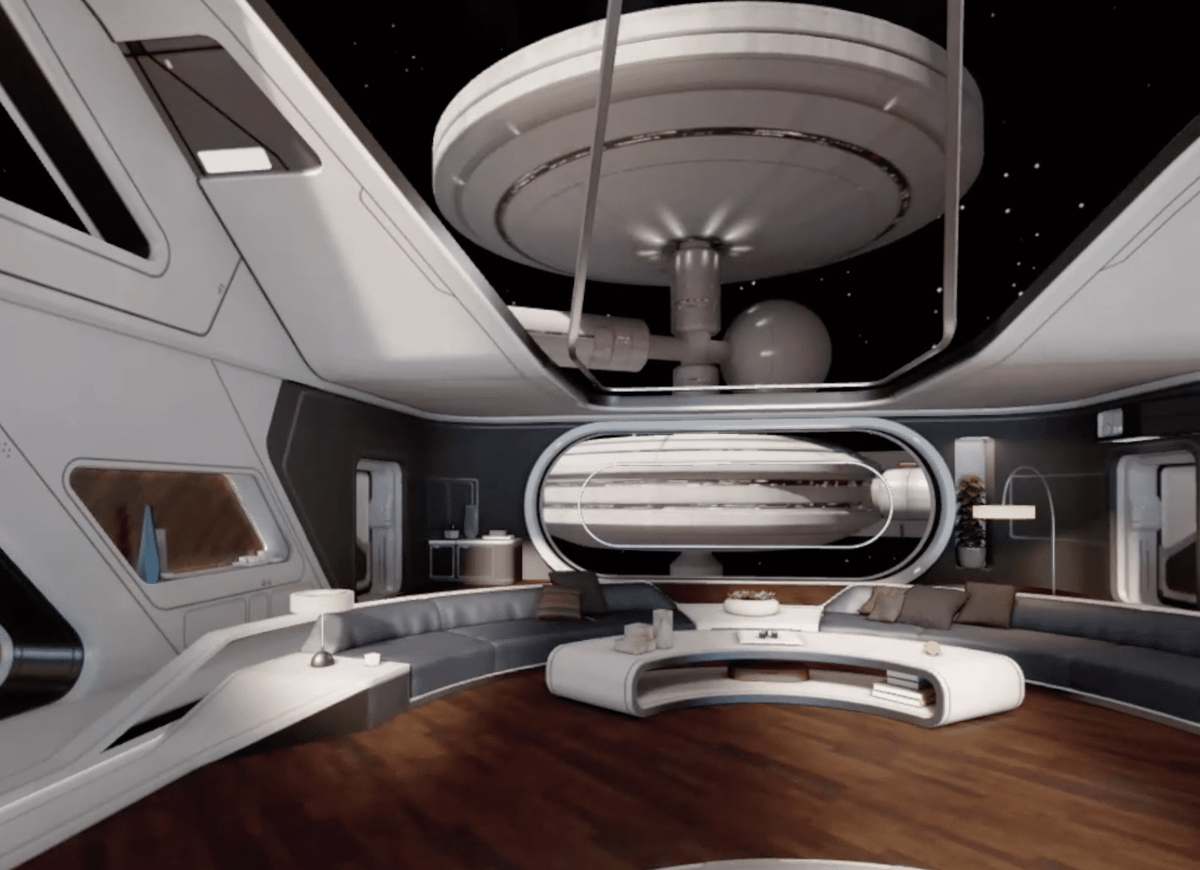
Horizon OS 2.9 remedies this via the Classic Environments submenu within the Home Editor. Accessed through the left Touch controller menu button or a palm-facing pinch, users can load classic locales like Desert Terrace (the iconic default space of the Quest 2 era) and Space Station (dating back to the original Oculus Quest in April 2020). Datamining efforts by community programmer Nori indicate that several other legacy environments have active development pipelines, pointing to a staggered rollout of historical backdrops.

3. Practical Utilities: QR Codes, Boundaries, and Troubleshooting
Productivity and diagnostic tools receive notable attention in v209:

- QR Code Scanner: While currently operating as an immersive application (preventing concurrent 2D window multitasking in passthrough), the scanner brings native code-reading to the headset via the Camera app or Quick Controls.
- Boundary Setup Recovery: Interrupting a room scan no longer voids all progress; the system gracefully falls back to a stationary boundary or a previous configuration, preserving partially mapped spaces.
- Controller Troubleshooting: Users facing unresponsive Touch controllers can bypass external companion apps by navigating directly to Settings > Devices > Controllers > Troubleshoot controllers.
Implications for the Spatial Computing Market
The updates packaged in Horizon OS 2.9 PTC highlight Meta’s dual-pronged strategy: refining immediate consumer usability while aggressively laying the software foundation for next-generation hardware, such as the heavily anticipated Meta VR Glasses.
By moving away from static operating system metaphors (like fixed docks and rigid multi-monitor grids) toward fluid spatial arrangements (Display Evo), Meta is bridging the gap between desktop computing and spatial hardware. Features like the Surface Keyboard and enhanced global search index indicate that the company views the Quest lineup not merely as a gaming peripheral, but as an authentic computing platform capable of displacing traditional monitors.
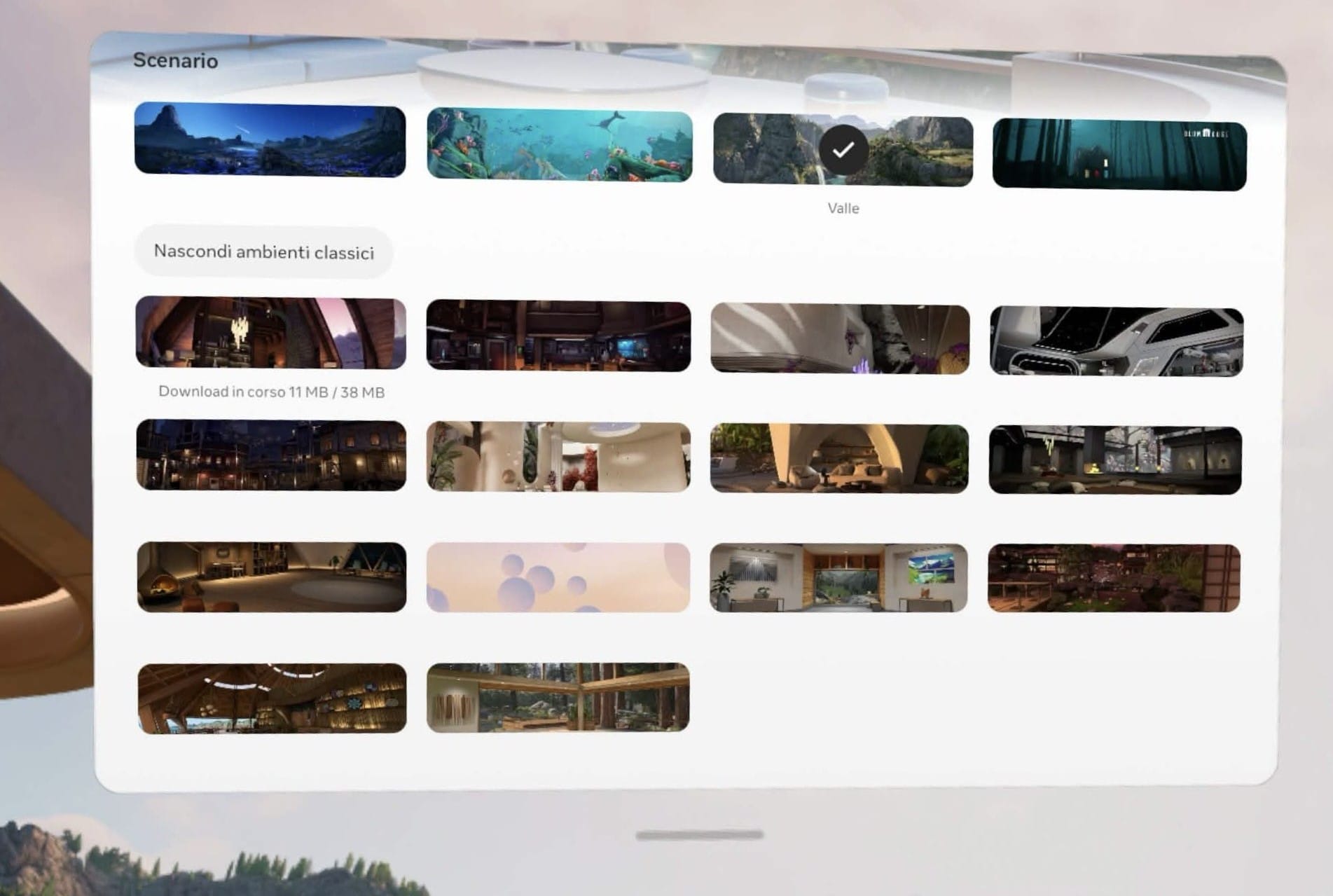
At the same time, the reinstatement of Classic Environments demonstrates a rare and welcome responsiveness to community sentiment. By listening to user feedback regarding the v81 environment purge, Meta ensures that power users and enthusiasts feel respected as the platform matures.
What is the Public Test Channel (PTC)?
For users eager to test these features firsthand, understanding the PTC is vital. The Public Test Channel serves as Meta Quest’s beta program. Opting in allows headsets to download pre-release system software builds ahead of stable public deployment.
However, prospective testers should proceed with caution. Pre-release software can occasionally harbor bugs, features present in PTC builds are occasionally delayed or modified before hitting stable channels, and staggered rollouts mean individual users may wait weeks or even months to see specific toggles light up on their devices.
As Horizon OS 2.9 moves through its testing phase, it solidifies Meta’s trajectory toward a more flexible, customizable, and user-empowered spatial computing future.

