

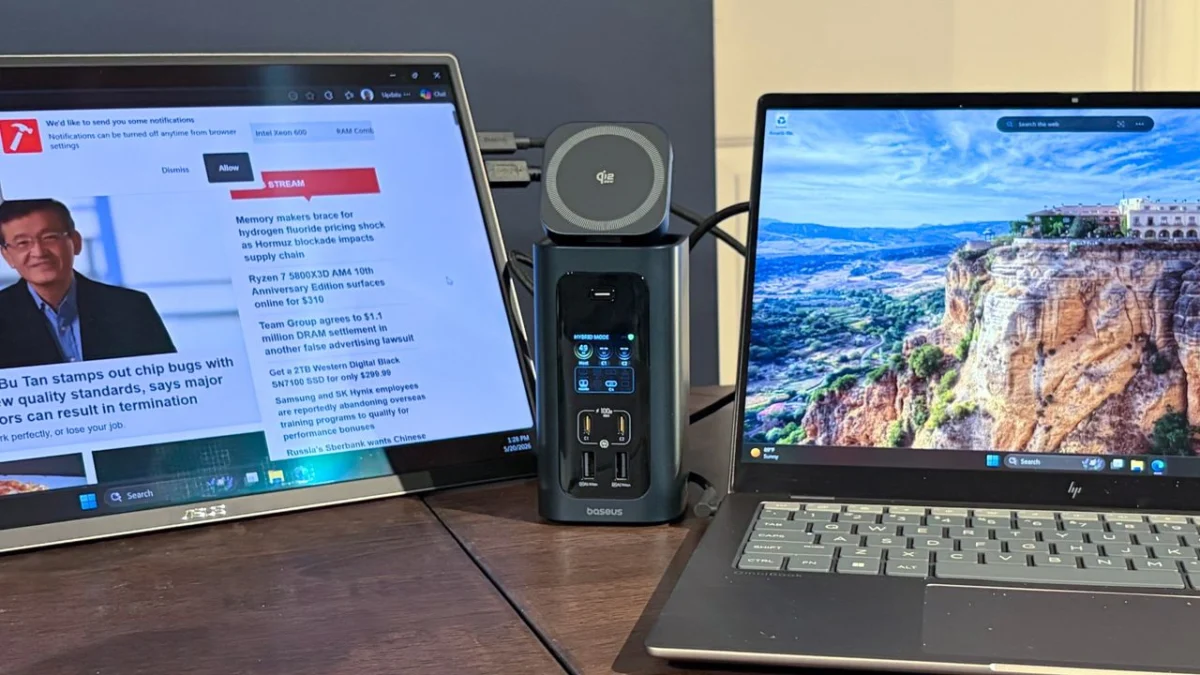
[Image: A sleek, modern docking station connecting a laptop to multiple peripherals, symbolizing expanded connectivity.]
Credit: Tom’s Hardware
In an era defined by sleek design and portability, the once-ubiquitous array of ports on laptops has largely given way to minimalist profiles. While this trend delivers featherlight ultrabooks and streamlined aesthetics, it inadvertently creates a "port famine" for users who rely on a multitude of peripherals for their daily workflows. From external monitors and high-speed storage to wired networks and legacy USB devices, the demand for expanded connectivity remains unwavering. This comprehensive guide, informed by extensive benchmarking and expert analysis, delves into the essential role of docking stations in 2026, spotlighting the leading Thunderbolt and USB-C models designed to transform your svelte laptop into a powerful desktop workstation.
The Age of the Minimalist Laptop and the Rise of the Dock
The trajectory of laptop design has, for years, favored thinness and lightness above all else. Where once a laptop might boast a full complement of USB-A, HDMI, Ethernet, and various card reader slots, modern ultrabooks often feature little more than a handful of versatile USB-C ports. This design philosophy, while aesthetically pleasing and conducive to on-the-go computing, presents a significant challenge for professionals, content creators, and power users who require robust connectivity for complex setups.
Enter the docking station: an indispensable accessory that bridges the gap between minimalist design and maximum functionality. Unlike simple dongles, which typically facilitate a single connection, docks serve as centralized hubs, providing a rich assortment of ports through a single connection to your laptop. This not only declutters your workspace but also streamlines the process of connecting and disconnecting your entire peripheral ecosystem, often while simultaneously delivering power to your laptop. The key to unlocking this expanded potential lies in two pivotal technologies: USB-C and Thunderbolt.
Understanding the Core Technologies: USB-C vs. Thunderbolt
The modern docking landscape is primarily dominated by two connection standards: USB-C and Thunderbolt. While visually identical due to their shared reversible Type-C connector, the underlying protocols and capabilities differ significantly, impacting performance, compatibility, and cost.
USB-C: The Universal Connector
USB-C refers to the physical connector shape, a small, reversible plug that has become the standard across a vast range of devices, from smartphones to laptops. However, the capabilities of a USB-C port are dictated by the underlying USB standard it implements.
- USB 3.2 Gen 1 (formerly USB 3.0): Offers data transfer speeds up to 5 Gbps.
- USB 3.2 Gen 2 (formerly USB 3.1 Gen 2): Doubles the speed to 10 Gbps.
- USB 3.2 Gen 2×2: Achieves 20 Gbps by utilizing two lanes of 10 Gbps.
- USB4: A more recent standard, built upon the Thunderbolt 3 protocol, offering up to 40 Gbps.
Beyond data transfer, USB-C is incredibly versatile, supporting several crucial alternative modes (Alt Modes) and power delivery.
- DisplayPort Alt Mode: Allows USB-C ports to transmit video signals, enabling connections to external monitors via DisplayPort, HDMI, or VGA adapters.
- USB Power Delivery (USB PD): Facilitates high-wattage power transfer, allowing a single USB-C cable to charge laptops and power connected peripherals, simplifying cable management.
Nearly every modern laptop features at least one USB-C port, making USB-C docks a widely compatible and often more economical solution for general connectivity needs.
Thunderbolt: The High-Performance Highway
Developed by Intel, Thunderbolt technology takes the versatility of USB-C and supercharges it with dedicated bandwidth and the ability to tunnel PCIe, DisplayPort, and USB data simultaneously. This integration allows for unparalleled performance and flexibility.
-
Thunderbolt 3 & 4: These iterations offer a robust 40 Gbps bi-directional bandwidth. Key features include:
- Daisy-chaining: Connecting multiple Thunderbolt devices in a series, using a single port on the laptop.
- PCIe tunneling: Enabling external GPUs, high-speed storage, and other PCIe-based peripherals to connect via a single cable.
- Display Support: Typically supports dual 4K displays at 60Hz.
- Power Delivery: Provides significant power for laptop charging.
-
Thunderbolt 5: The Latest Leap: Unveiled recently, Thunderbolt 5 represents a monumental leap in performance, designed to meet the escalating demands of high-resolution displays, AI workloads, and next-generation peripherals.
- Bandwidth: Offers 80 Gbps bi-directional bandwidth, with a groundbreaking 120 Gbps in one direction for display-intensive tasks, leveraging PAM3 signaling. This asymmetrical bandwidth allocation is particularly beneficial for users driving multiple high-resolution monitors.
- Display Support: Capable of supporting up to three 4K monitors at 144Hz, or two 8K monitors, or even single 12K displays.
- Power Delivery: Increased power delivery up to 140 watts, ensuring even high-performance workstations can be charged effectively through the dock.
- Backward Compatibility: Fully backward compatible with Thunderbolt 4, Thunderbolt 3, USB4, and USB 3.2, ensuring a seamless transition for existing setups.
While Thunderbolt ports are less common than standard USB-C, especially the bleeding-edge Thunderbolt 5, they unlock a world of possibilities for professionals demanding the highest data transfer speeds, multi-monitor support, and seamless peripheral integration.
Expert Benchmarking and Top Recommendations for 2026
Our team at Tom’s Hardware rigorously benchmarks a wide array of docking stations, evaluating their performance across various metrics including data transfer speeds, power delivery efficiency, display output capabilities, and overall build quality. This meticulous testing process ensures that our recommendations are based on real-world performance and user experience. For 2026, we’ve identified a selection of the best Thunderbolt and USB-C docks that excel in different categories, catering to diverse needs and budgets.
1. Amazon Basics Thunderbolt 4 Pro Docking Station: The Prudent Choice
[Image of Amazon Basics Thunderbolt 4 Pro Dock]
Specifications:
- Upstream: 1x Thunderbolt 4 (40 Gbps bi-directional)
- Downstream: 2x Thunderbolt 4 (40 Gbps bi-directional)
- Ports: 1x HDMI 2.1, 3x USB-A (10Gbps), 1x 2.5 Gigabit Ethernet, 1x SD 4.0 (UHS-II), 1x 3.5mm audio out
- Dimensions: 7.86 x 2.95 x 1.23 inches
- Reasons to Buy: Attractive pricing, 2.5 GbE port for networking.
- Reasons to Avoid: Only two downstream Thunderbolt 4 ports.
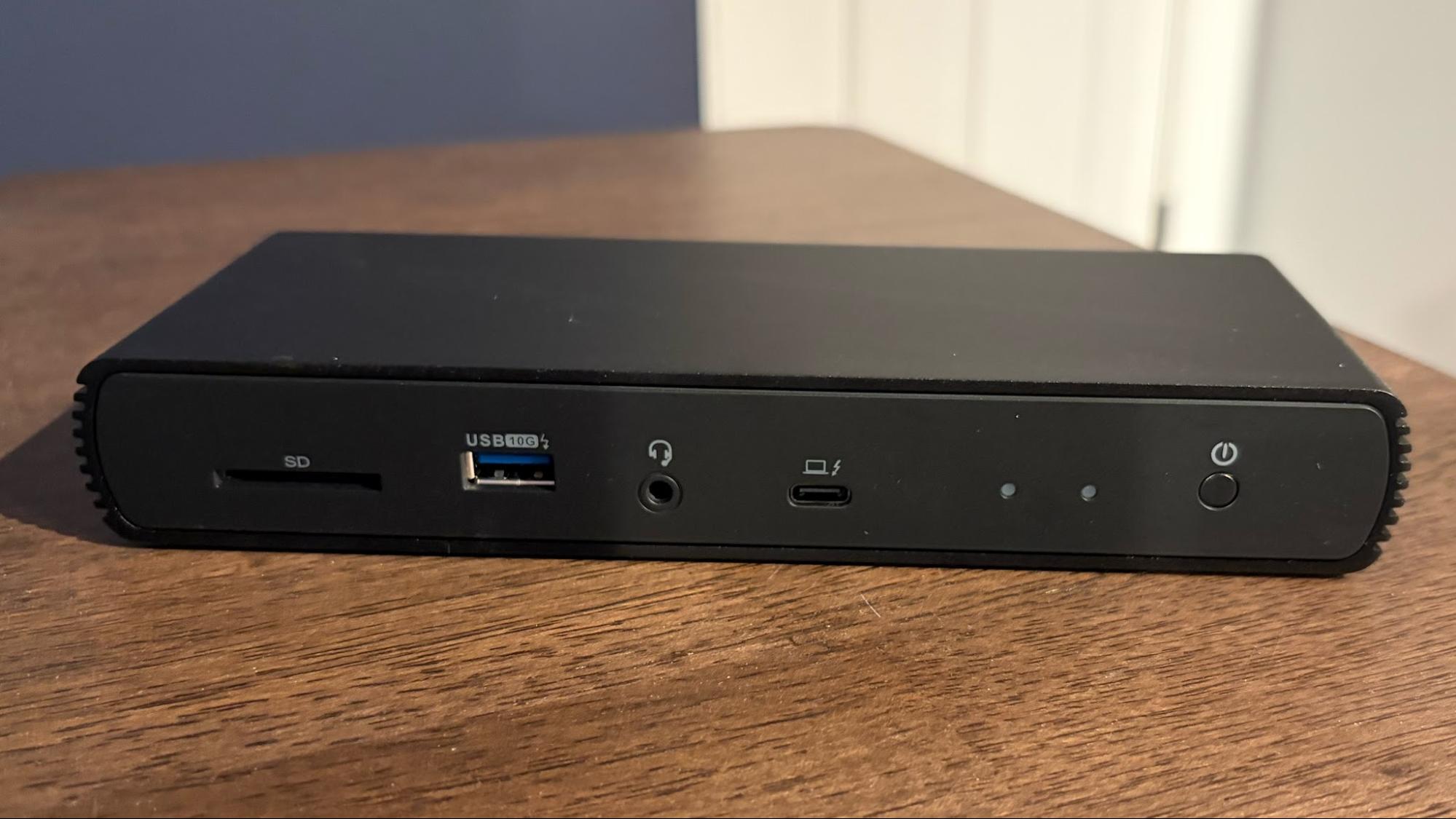
The Amazon Basics Thunderbolt 4 Pro Docking Station stands out as an excellent value proposition for users who require robust connectivity without breaking the bank, and whose systems may not yet support Thunderbolt 5. Its compact, jet-black design, complete with cooling fins for optimal heat dissipation, belies its impressive capabilities. While it operates on the Thunderbolt 4 standard, it still delivers a formidable 40 Gbps bi-directional data transfer speed and up to 96 watts of power delivery, sufficient for charging most laptops.
This dock is particularly adept at handling multi-monitor setups, supporting up to two 4K monitors at a smooth 60 Hz refresh rate. Beyond visual output, it integrates a 2.5 Gigabit Ethernet port, offering significantly faster and more stable wired networking than standard 1 GbE, crucial for large file transfers or online gaming. Photographers and videographers will appreciate the inclusion of a high-speed SD 4.0 (UHS-II) slot, enabling rapid offloading of media from cameras and drones. With a street price hovering around $200, the Amazon Basics Thunderbolt 4 Pro Dock represents a well-rounded and affordable solution for expanding your laptop’s capabilities. It proves that Thunderbolt 4 remains a highly relevant and capable standard for a wide range of users.
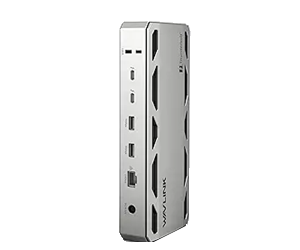
2. WAVLINK WL-UTD58-M: Integrated Storage and Thunderbolt 5 Value
[Image of WAVLINK WL-UTD58-M Dock]
Specifications:
- Upstream: 1x Thunderbolt 5 (80 Gbps bi-directional)
- Downstream: 3x Thunderbolt 5 (80 Gbps bi-directional)
- Ports: 4x USB-A 3.2 Gen 2, 1x audio combo jack, 1x microSD UHS-II slot, 1x SD UHS-II slot, 1x 2.5 GbE (RJ45) port
- Dimensions: 8.6 x 3.8 x 1.38 inches
- Reasons to Buy: Includes internal M.2 PCIe slot for an SSD, three downstream TB5 ports.
- Reasons to Avoid: 5 GbE port would have been nice at this price point, Thunderbolt upstream port to host is on front of unit.
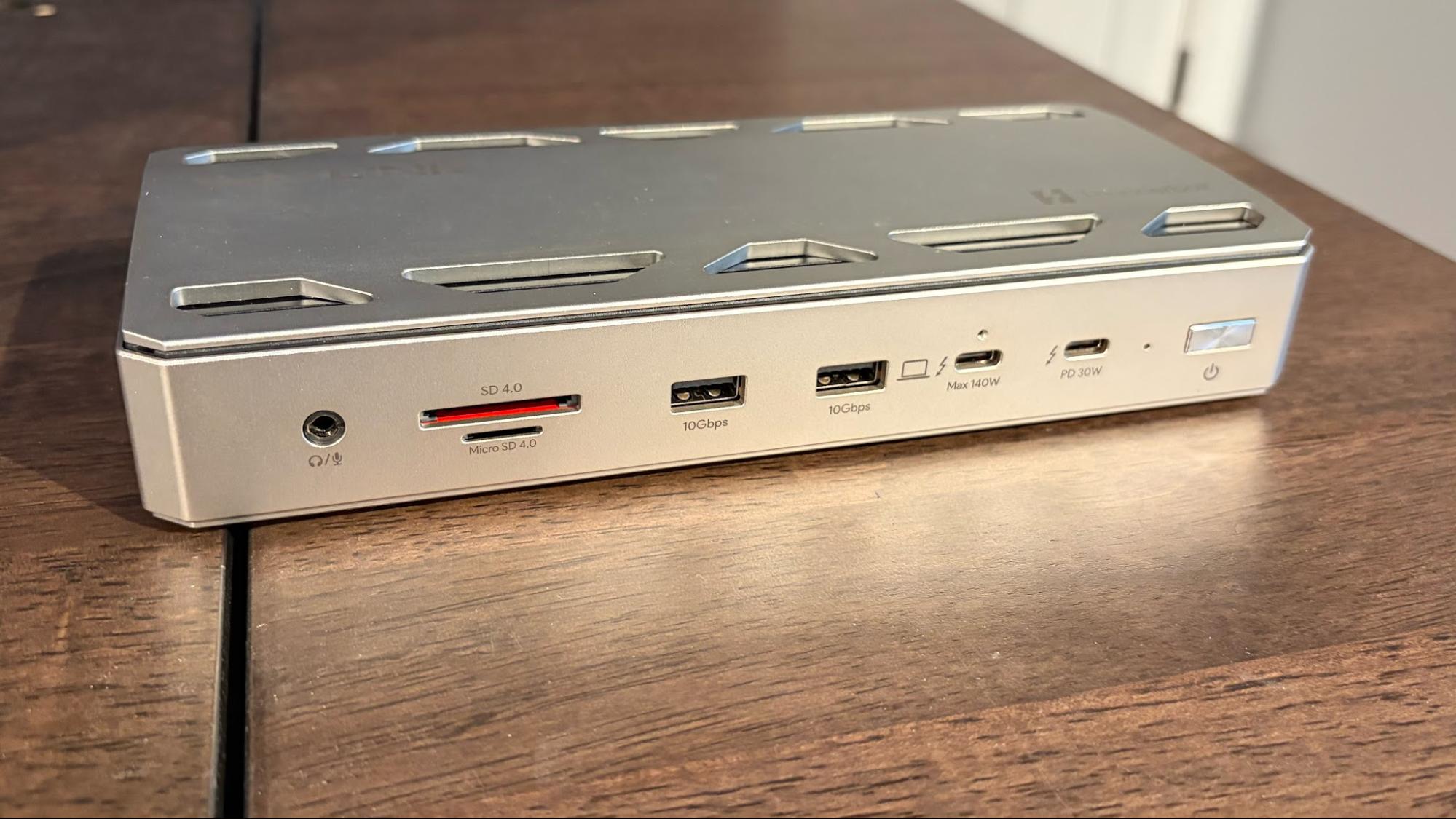
The WAVLINK WL-UTD58-M emerges as a compelling contender for the "best value Thunderbolt 5 dock" title, especially for users eager to embrace the latest standard without an exorbitant investment. This dock is a testament to the advancements in Thunderbolt 5, supporting a robust 80 Gbps bi-directional data transfer speed, with an impressive 120 Gbps in one direction for data-intensive applications. Its three downstream Thunderbolt 5 ports provide ample room for future-proofing your setup.
What truly sets the WL-UTD58-M apart is its innovative inclusion of an internal M.2 slot on the bottom, allowing users to seamlessly integrate a PCIe 4.0 SSD directly into the dock. This feature is a game-changer for those seeking to add fast, hidden storage without occupying additional USB-C or Thunderbolt ports with external drives. Display capabilities are equally strong, with support for up to three 4K monitors running at a silky-smooth 144 Hz refresh rate, making it ideal for gamers and visual professionals. Connectivity is further bolstered by four USB-A 3.2 Gen 2 ports for legacy peripherals, high-speed microSD and SD card slots, and a 2.5 GbE port for reliable networking. Priced competitively at an MSRP of $399, the WAVLINK WL-UTD58-M offers a powerful blend of cutting-edge technology and practical features.
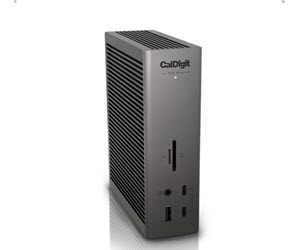
3. CalDigit TS5 Plus: The Premium Powerhouse for Cross-Platform Professionals
[Image of CalDigit TS5 Plus Dock]
Specifications:
- Upstream: 1x Thunderbolt 5 (80 Gbps bi-directional)
- Downstream: 3x Thunderbolt 5 (80 Gbps bi-directional)
- Ports: 3x USB-C 3.2 Gen 2, 1x USB-A 3.2 Gen 2, 1x USB-A 2.0, 1x DisplayPort 2.1, 1x 2.5 GbE (RJ45) port, 1x microSD UHS-II slot, 1x SD UHS-II slot, 1x audio-in, 1x audio-out, 1x audio combo jack, 1x 240W power port
- Dimensions: 5.03 x 1.85 x 6.1 inches
- Reasons to Buy: Plenty of TB5 and USB-C ports, includes 10 GbE port, native DisplayPort 2.1 connectivity.
- Reasons to Avoid: No internal M.2 SSD slot.
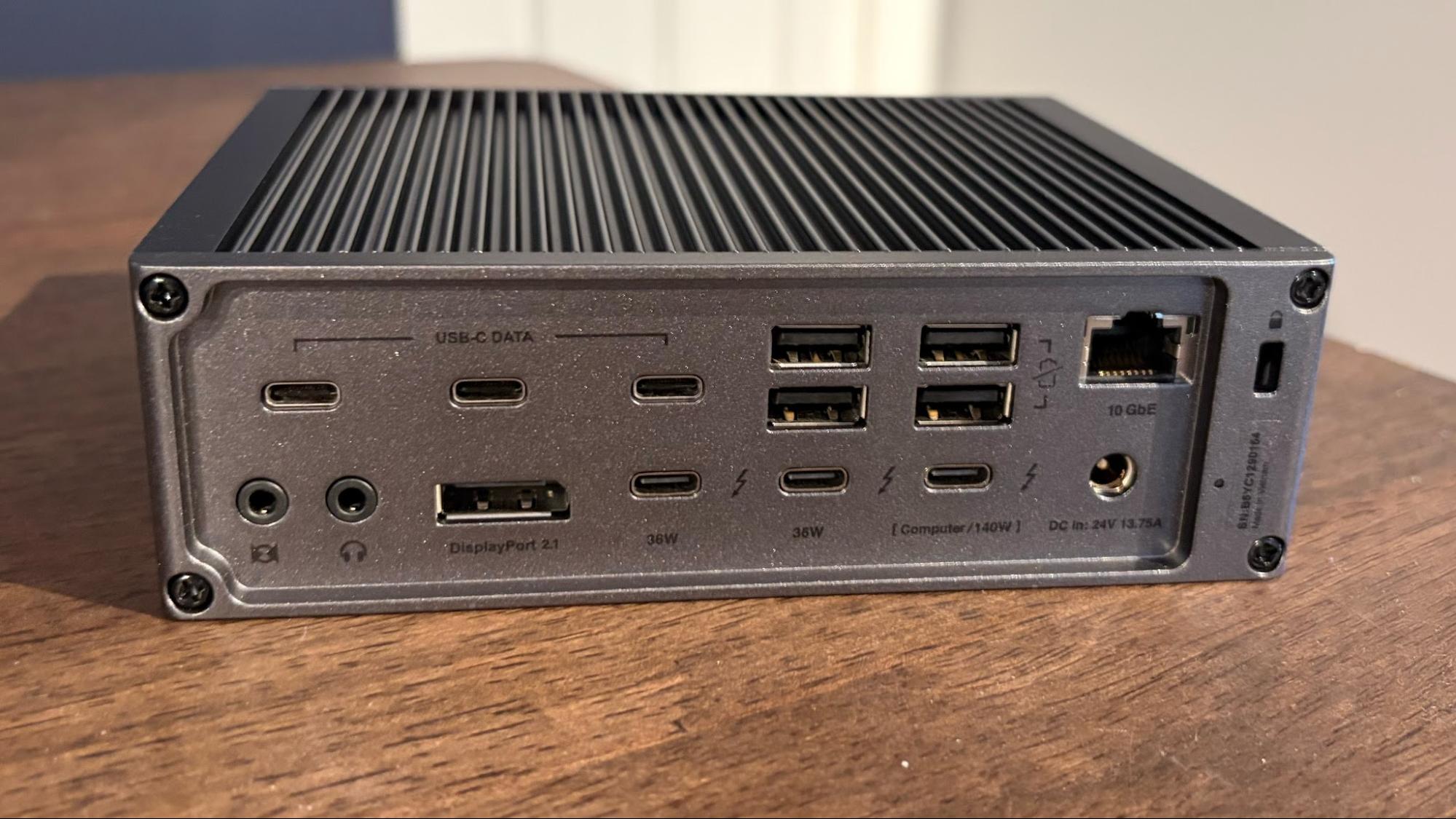
The CalDigit TS5 Plus is a masterclass in comprehensive connectivity, a premium Thunderbolt 5 dock designed to satisfy the most demanding users across both Windows PCs and Macs. Boasting an astonishing 20 ports, it transforms any compatible laptop into a command center. Its front panel offers convenient access to microSD and SD card slots, a USB-A port, two USB-C ports, and a 3.5mm combo jack. The rear panel, however, reveals the true depth of its capabilities, featuring an extensive array of USB-C, Thunderbolt, and USB-A ports.
A significant highlight is the inclusion of a native DisplayPort 2.1 port, alongside its Thunderbolt 5 outputs, enabling support for incredibly high-resolution and refresh rate displays. The TS5 Plus can effortlessly drive two 8K monitors at 60Hz or three 4K monitors at 144Hz, making it ideal for visual artists, video editors, and multi-tasking professionals. For network-intensive tasks, it provides a blazing-fast 10 Gigabit Ethernet port, ensuring unparalleled wired network performance. While it lacks an internal M.2 SSD slot, its sheer volume of high-speed ports allows for easy connection of external storage. With an MSRP of $499, the CalDigit TS5 Plus commands a premium, but its robust feature set and exceptional performance justify the investment for those who require nothing less than top-tier connectivity.
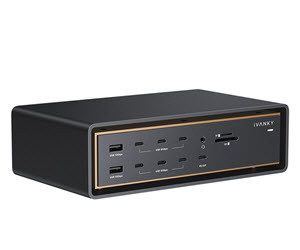
4. Ivanky FusionDock Ultra: Mac Enthusiast’s Dream Dock
[Image of Ivanky FusionDock Ultra Dock]
Specifications:
- Upstream: 2x Thunderbolt 5 (80 Gbps bi-directional)
- Downstream: 4x Thunderbolt 5 (80 Gbps bi-directional)
- Ports: 7x USB-C 3.2 Gen 2, 1x USB-C 3.2 Gen 2 (45W PD), 4x USB-A 3.2 Gen 2, 1x DisplayPort 2.1, 1x HDMI 2.1, 1x 10 GbE (RJ45) port, 1x audio-in, 1x audio-out, 1x audio combo jack, 1x S/PDIF, 1x microSD UHS-II slot, 1x SD UHS-II slot, 1x 240W power port
- Dimensions: 8.3 x 4.9 x 2.4 inches
- Reasons to Buy: 4 downstream TB5 ports and a staggering 7 USB-C ports, 10 GbE networking, DisplayPort 2.1 and HDMI 2.1 ports.
- Reasons to Avoid: Wallet-busting price tag, requires two Thunderbolt ports on host Mac.
For the dedicated Apple Silicon Mac user seeking the absolute pinnacle of connectivity, the Ivanky FusionDock Ultra stands as an unrivaled offering. This dock is a testament to the philosophy of "excess is best," providing an astounding 26 ports, making it the most feature-packed Thunderbolt 5 dock on the market specifically tailored for Macs. The front panel alone offers a generous selection including seven USB-C and two USB-A ports, alongside microSD and SD card slots for media professionals. The rear panel is where the true power lies, featuring four downstream Thunderbolt 5 ports, DisplayPort 2.1, HDMI 2.1, S/PDIF, and a blazing 10 Gigabit Ethernet port. Every conceivable data and video option is meticulously covered, ensuring no peripheral is left behind.
A unique aspect of the FusionDock Ultra is its reliance on two Thunderbolt 5 chips, necessitating two Thunderbolt ports on the host Mac for full functionality. While this might seem like a sacrifice of precious ports, it unlocks the dock’s full potential, including an impressive 140 watts of Power Delivery for simultaneous laptop charging. With the appropriate Apple Silicon hardware, this dock can drive up to four 6K60 monitors simultaneously, a feat few others can match. This unparalleled array of features, however, comes with a commensurate price tag, with the FusionDock Ultra retailing at a staggering $649. For Mac professionals whose workflows demand uncompromising connectivity and multi-display capabilities, this premium investment is a justified enabler of peak productivity.
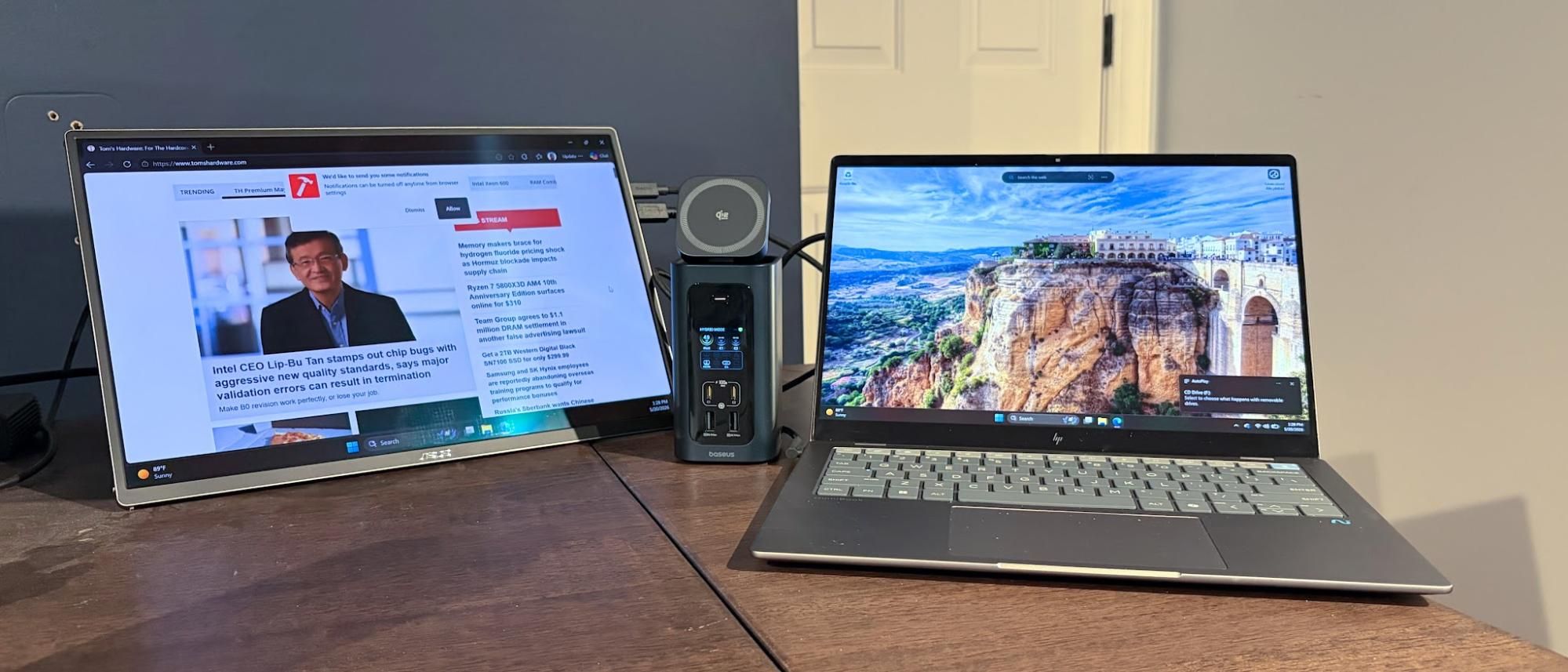
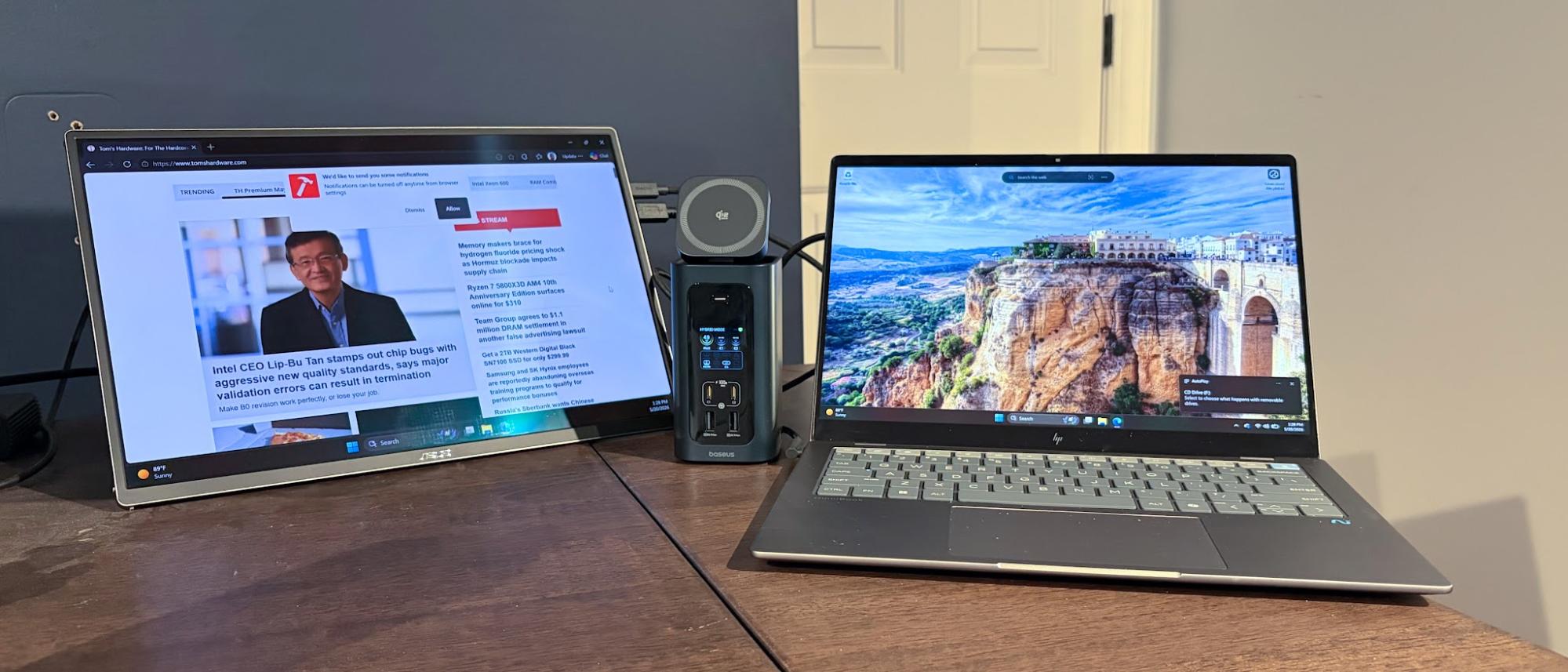
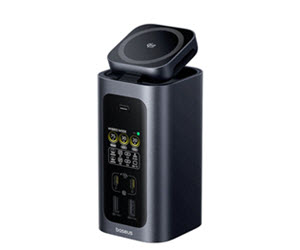
5. Baseus Spacemate RD1 Pro: The Feature-Rich USB-C Alternative
[Image of Baseus Spacemate RD1 Pro Dock]
Specifications:
- Upstream: – (USB-C)
- Downstream: – (USB-C)
- Ports: 2x USB-C (Charging-only, 100W max), 2x USB-C, 2x USB-A, 2x HDMI, 1x microSD, 1x SD, 1x GbE
- Dimensions: 6.61 x 2.76 x 9.53 inches
- Reasons to Buy: Built-in Qi2.2 wireless charger, power status LCD for front USB-C ports, GbE networking.
- Reasons to Avoid: Two of the USB-A ports are limited to 480 Mbps.
For users whose laptops lack Thunderbolt ports, or who prioritize unique convenience features over the absolute highest speeds, the Baseus Spacemate RD1 Pro stands out as an exceptional USB-C docking solution. This 15-in-1 unit provides a comprehensive array of ports, including dual HDMI outputs supporting up to 4K resolution at 60 Hz, ensuring crisp visual fidelity for external displays. It also offers robust Power Delivery, capable of charging most laptops at up to 100 watts, alongside Gigabit Ethernet for reliable wired network access and integrated SD/microSD card slots.
What truly differentiates the RD1 Pro are its thoughtful, user-centric additions. It features a built-in Qi2.2 wireless charging dock (25 watts) seamlessly mounted to the top of the unit, allowing for convenient smartphone charging. This dock can either lie flat or pivot forward, providing an optimal viewing angle for your device. Furthermore, an integrated LCD display on the front panel offers real-time status and power levels for the USB ports, a subtle yet incredibly useful touch for managing connected devices. Despite two of its USB-A ports being limited to USB 2.0 speeds (480 Mbps), the overall package delivers tremendous value for its MSRP of $199.99, making it a compelling choice for everyday productivity and convenience.
Crucial Considerations When Choosing Your Dock
Selecting the ideal docking station requires careful consideration of several factors beyond just the number of ports. Compatibility, power requirements, display needs, and network speeds are paramount to ensuring a seamless and productive experience.
A. Compatibility: Windows, Mac, and Beyond
Not all docks are created equal, and compatibility can vary significantly. While USB-C docks generally offer broader compatibility across Windows, Mac, Chrome OS, and even some Android devices, Thunderbolt docks are more platform-specific.
- Thunderbolt Docks: These typically work with both Windows PCs and Macs that feature Thunderbolt ports. However, specific features like multi-monitor support can differ between operating systems and even between different generations of Mac hardware (e.g., Apple Silicon Macs vs. older Intel Macs). The Ivanky FusionDock Ultra, for instance, is explicitly designed for Apple Silicon Macs, and its advanced multi-display capabilities are often tied to specific M-series chip configurations (e.g., M5 Max for quad monitor support). Always scrutinize the manufacturer’s specifications regarding OS and hardware compatibility.
- Drivers: While many docks are plug-and-play, some advanced features or specific functionalities might require installing drivers or firmware updates, especially on Windows systems.
B. Power Delivery (PD): Keeping Your Laptop Charged
One of the most significant advantages of a modern docking station is its ability to deliver power to your laptop through the same cable that handles data and video.
- Wattage: Ensure the dock’s Power Delivery (PD) output matches or exceeds your laptop’s charging requirements. Most ultrabooks require 60-100W, while high-performance workstations or gaming laptops might need 120-140W or more. A dock with insufficient PD will either charge slowly or not at all, requiring you to connect a separate power adapter.
- Peripheral Power: Docks also distribute power to connected peripherals. Higher PD capabilities often translate to more stable power for external hard drives, webcams, and other power-hungry accessories.
C. Display Output: Visual Fidelity and Multi-Monitor Setups
For many users, expanding display real estate is a primary reason for investing in a dock.
- Resolution and Refresh Rate: Consider the resolution (4K, 6K, 8K) and refresh rate (60Hz, 120Hz, 144Hz) you need. Thunderbolt 4 typically supports dual 4K/60Hz, while Thunderbolt 5 dramatically boosts this to triple 4K/144Hz or dual 8K/60Hz. USB-C docks, limited by USB standards and DisplayPort Alt Mode capabilities, generally support single or dual 4K/30Hz or 4K/60Hz, depending on the specific USB-C implementation.
- Number of Displays: Determine how many external monitors you intend to use. Some docks support only one, while premium Thunderbolt 5 docks can manage three or even four simultaneous external displays.
- Port Types: Look for docks with the appropriate video output ports (HDMI, DisplayPort, or both) that match your monitors. HDMI 2.1 and DisplayPort 2.1 are crucial for very high resolutions and refresh rates.
D. Network Connectivity: Speed and Stability
While Wi-Fi is convenient, a wired Ethernet connection offers superior speed, lower latency, and greater reliability.
- Gigabit Ethernet (1 GbE): Standard for most USB-C docks, offering speeds up to 1000 Mbps.
- 2.5 Gigabit Ethernet (2.5 GbE): Increasingly common on Thunderbolt 4 and some Thunderbolt 5 docks, providing 2.5 times the speed of standard Gigabit Ethernet, beneficial for faster internet connections and local network transfers.
- 10 Gigabit Ethernet (10 GbE): Found on high-end Thunderbolt 5 docks like the CalDigit TS5 Plus and Ivanky FusionDock Ultra, offering professional-grade network speeds essential for massive file transfers in creative industries.
E. Expanding Storage: The Internal M.2 Slot
A standout feature in some Thunderbolt 5 docks, such as the WAVLINK WL-UTD58-M, is an integrated M.2 slot for adding a PCIe SSD.
- Convenience: This allows you to add fast, integrated storage without occupying an external port or requiring a separate enclosure.
- Performance: Leveraging the high bandwidth of Thunderbolt, these internal SSDs can offer near-native PCIe speeds, ideal for active project files or a dedicated scratch disk.
- Clean Setup: Keeps your desk clutter-free by hiding the storage solution within the dock itself.
F. Peripheral Variety: Beyond the Basics
Consider the full spectrum of peripherals you need to connect.
- USB-A Ports: Essential for legacy devices like keyboards, mice, printers, and older external drives. Check the USB standard (e.g., USB 3.2 Gen 2 for 10 Gbps vs. USB 2.0 for 480 Mbps).
- USB-C Downstream Ports: Useful for connecting modern USB-C peripherals, external SSDs, or even charging smartphones.
- Card Readers: SD and microSD slots (preferably UHS-II for high-speed transfer) are invaluable for photographers and videographers.
- Audio Jacks: Dedicated audio in/out ports or a single combo jack are standard for headphones, microphones, or external speakers. High-end docks might even include S/PDIF for digital audio.
The Future of Laptop Connectivity
The evolution of docking stations is intrinsically linked to advancements in USB and Thunderbolt standards. As technologies like Thunderbolt 5 become more widespread, offering unprecedented bandwidth and power delivery, we can anticipate even more sophisticated and specialized docks. These future hubs will likely feature enhanced AI co-processing capabilities, deeper integration with smart home ecosystems, and even modular designs allowing users to customize their port selection. The trend towards ever-thinner and lighter laptops will only solidify the docking station’s role as the indispensable bridge to a fully functional and expanded digital workspace.
Conclusion: Empowering Your Digital Workspace
In 2026, the docking station is no longer a mere accessory but a foundational component of a productive computing setup. It addresses the inherent limitations of minimalist laptop designs, transforming a single port into a gateway to a rich ecosystem of peripherals, high-resolution displays, and high-speed networks. Whether you opt for the cost-effective versatility of a USB-C dock, the balanced performance of a Thunderbolt 4 unit, or the cutting-edge power of a Thunderbolt 5 behemoth, choosing the right dock is about empowering your workflow and maximizing the potential of your laptop. By carefully considering compatibility, power needs, display requirements, and the array of specialized features, you can select a docking station that not only meets your current demands but also future-proofs your digital workspace for years to come.

