

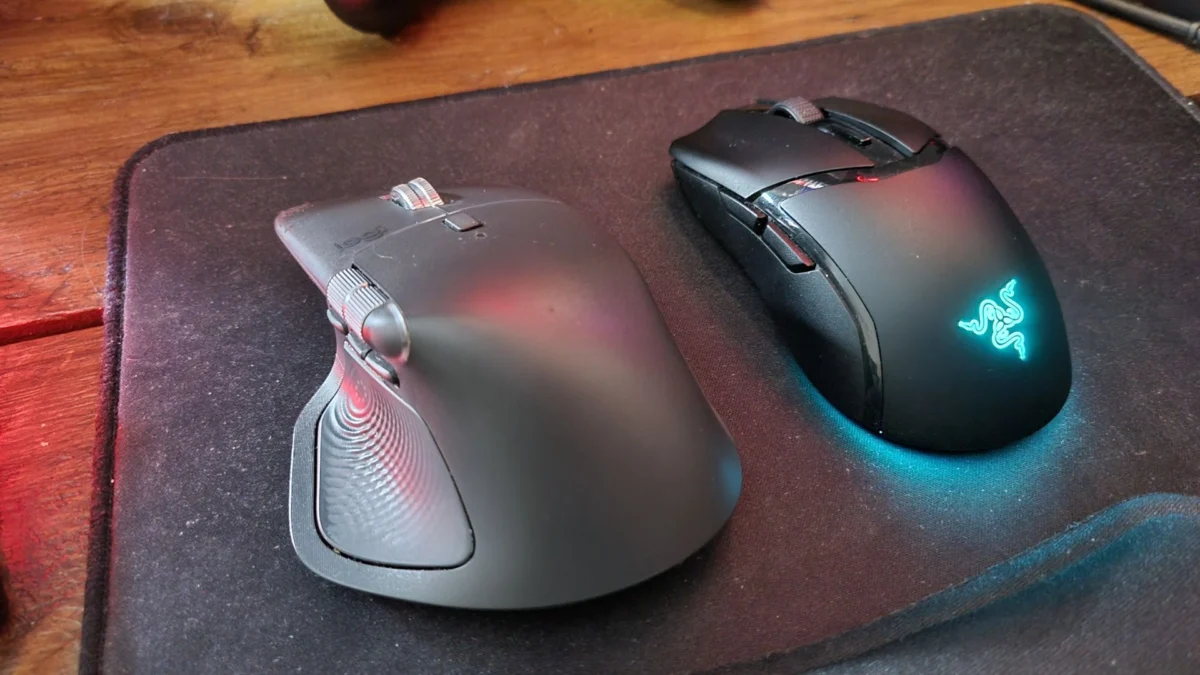
The search for the ultimate computer mouse is the perennial quest of the modern PC user. It is a journey often fraught with frustration, characterized by a graveyard of discarded peripherals that felt promising in the store but failed the test of long-term utility. The subjective nature of this search cannot be overstated: hand size, grip style, weight preference, and specific technical requirements create a unique biometric profile for every user.
After years of testing, iterating, and analyzing the hardware landscape, it has become increasingly clear that the "perfect" mouse—a singular device capable of excelling in both high-stakes competitive gaming and the nuanced, repetitive tasks of professional productivity—may well be a technological chimera. Consequently, a growing cohort of enthusiasts, including many within the PC Gamer editorial team, have arrived at a pragmatic, if slightly expensive, conclusion: the best setup is a dual-wielding ecosystem.
The Hardware Dichotomy: Productivity vs. Precision
The fundamental tension in peripheral design lies in the divergence between ergonomic comfort and raw performance. The modern workspace requires a tool that minimizes strain during eight-hour marathons of typing, spreadsheet management, and creative editing. Conversely, the gaming arena demands ultra-low latency, featherweight maneuverability, and high-DPI sensors that prioritize speed over aesthetic comfort.
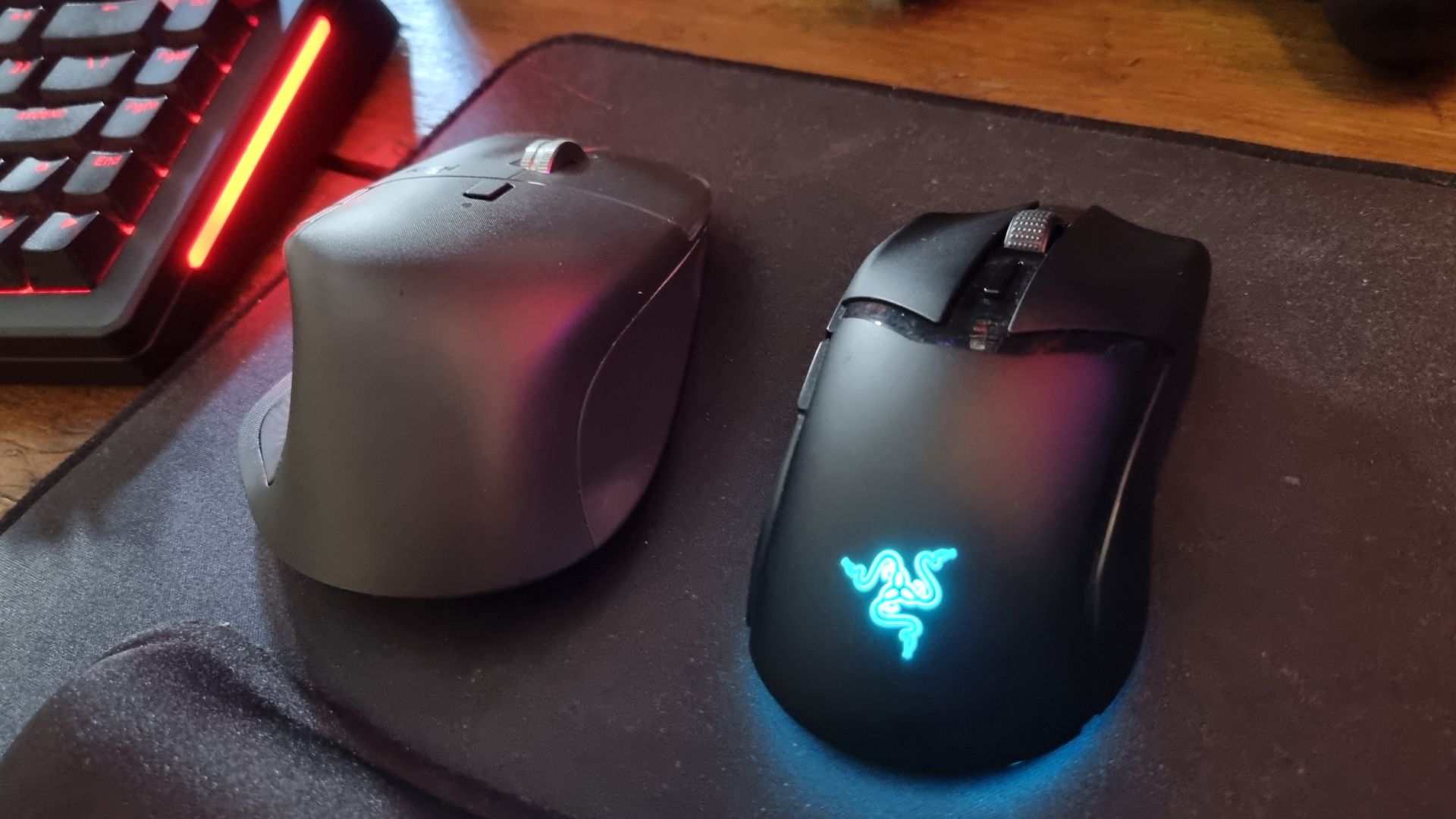
The Office Workhorse: Logitech MX Master 4
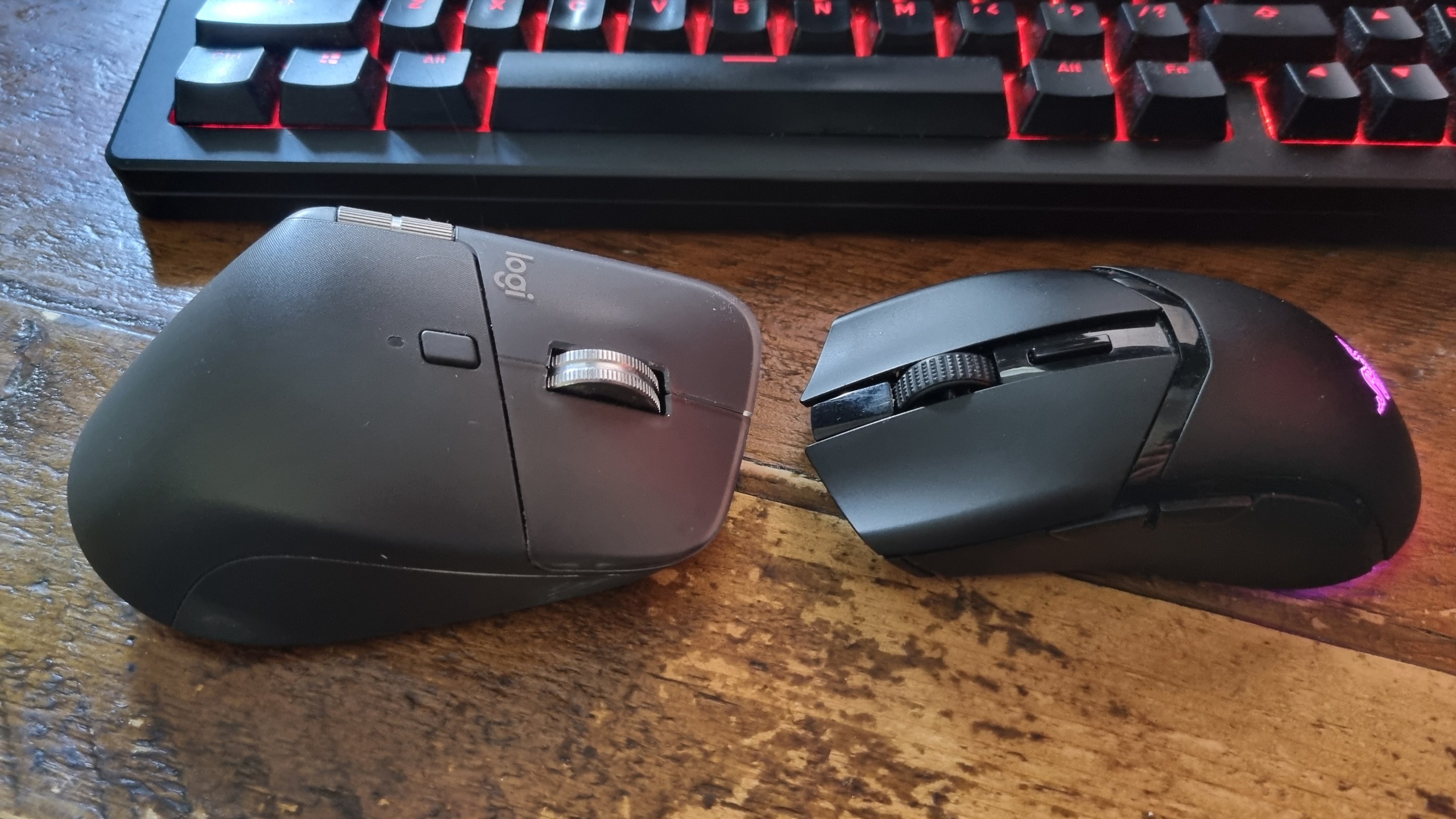
For the daily grind, the Logitech MX Master series has long been the gold standard. The MX Master 4, the latest iteration in this storied lineage, exemplifies the "cruiser" philosophy. Its silhouette is sculpted to support the palm and wrist, mitigating the fatigue that often accompanies prolonged usage.
While the author previously favored the MX Master 3S—a device so refined it felt like an extension of the hand—a mishap involving a deep-cleaning attempt led to the adoption of the newer model. While the 4 does not quite reach the ergonomic heights of its predecessor, it remains a heavyweight champion in the literal sense. Its horizontal scroll wheel is an essential asset for navigating expansive spreadsheets, and its suite of programmable side buttons allows for a degree of workflow customization that gaming mice often lack. Furthermore, the silent click switches are a welcome feature for those working in shared household environments, providing tactile feedback without the auditory intrusion of a standard mechanical switch.
The Competitive Specialist: Razer Cobra HyperSpeed
When the workday concludes and the focus shifts to fast-paced competitive shooters or high-intensity action titles, the requirements shift dramatically. Here, the Logitech’s weight becomes a liability. This is where the Razer Cobra HyperSpeed enters the frame.
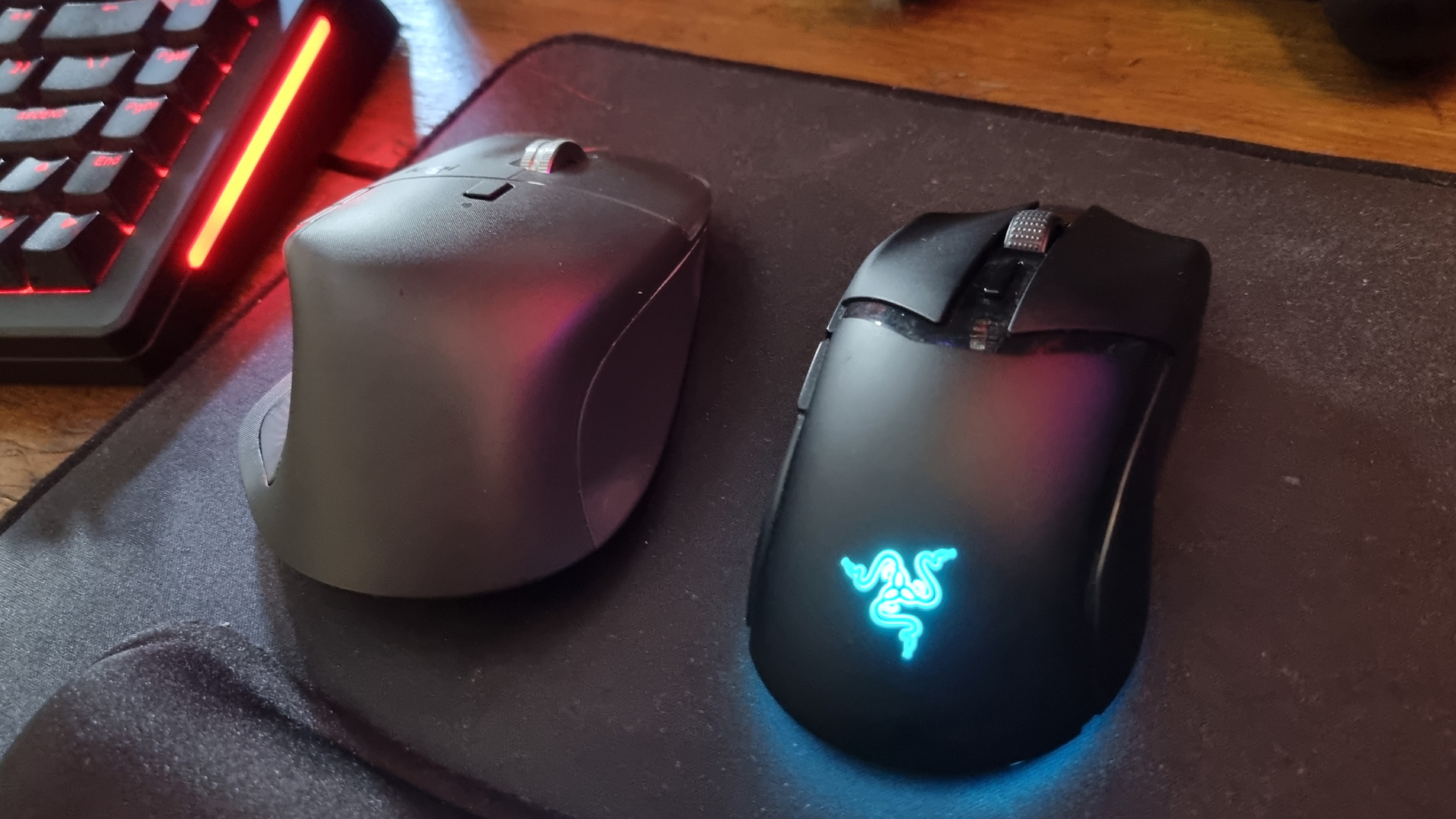
The Cobra HyperSpeed represents the "two-seater sports car" of the peripheral world. It is diminutive, nimble, and engineered specifically for fingertip control—a grip style that prioritizes micro-adjustments and rapid flick-shots. Equipped with a high-fidelity sensor and satisfying, crisp mechanical switches, it offers the responsiveness necessary for elite-level gameplay. The inclusion of subtle, tasteful RGB lighting serves as a aesthetic nod to its gaming pedigree without sacrificing the professional utility that many gamers still require for hybrid desk setups.
Chronology of the Hunt: From IDE Cables to Wireless Freedom
The evolution of input devices has been nothing short of revolutionary. Twenty-six years ago, the industry was defined by ball-track mice, PS/2 ports, and the constant need to clean lint from rollers. As PC hardware matured, the transition to optical sensors, and eventually high-precision wireless technology, changed the game.
- The Early Era (Late 90s – Early 2000s): Input devices were purely utilitarian. The focus was on basic functionality.
- The Rise of Gaming (Mid 2000s – 2010s): The emergence of the dedicated "gaming mouse" segment brought high DPI, wired stability, and side-button configurations to the masses.
- The Ergonomic Revolution (2010s – 2020s): Companies like Logitech shifted the conversation toward health and longevity, introducing complex ergonomic shapes designed to prevent Repetitive Strain Injury (RSI).
- The Modern Convergence: Today, we see the bifurcation of the market. High-end sensors have become standard in both categories, but the physical chassis design remains polarized by the intent of the user.
The author’s journey reflects this broader industry trend. Moving from basic, generic mice to specialized, high-end hardware is a rite of passage for any serious PC user. However, the realization that no single mouse can bridge the gap between "comfort" and "competition" has led to the current two-device strategy.
Supporting Data: Why "One-Size-Fits-All" Fails
Market research and user feedback consistently highlight a major disconnect between user expectations and product performance.
- Weight Sensitivity: Studies in esports ergonomics suggest that mice weighing over 100 grams can contribute to increased arm fatigue during flick-heavy gameplay. However, users often prefer heavier, more substantial mice for productivity tasks, as they provide a sense of "stability" and "heft" that feels premium.
- Sensor Polling Rates: While gaming mice now regularly push 4,000Hz or 8,000Hz polling rates to minimize input lag, productivity mice often cap out at 125Hz or 500Hz to conserve battery life. This discrepancy is largely invisible to the average user but is a dealbreaker for the competitive gamer.
- Programmability vs. Simplicity: Productivity-focused software (like Logitech Options+) allows for complex app-specific macros, whereas gaming software (like Razer Synapse) prioritizes lighting sync and DPI profiles. Maintaining two separate software suites is a minor inconvenience compared to the degradation of performance that occurs when forcing a mouse to serve a purpose for which it was not designed.
Industry and Community Perspectives
The sentiment that "two is better than one" is not merely an isolated opinion; it is becoming a trend among hardware enthusiasts. A survey of the PC Gamer editorial staff reveals a surprising number of contributors who maintain a "work mouse" and a "play mouse."
Official responses from major manufacturers often emphasize versatility, with marketing departments attempting to sell "hybrid" mice that claim to do both. While these hybrid devices—often featuring removable weights or adjustable side panels—are impressive, they often fall into the trap of being a "jack of all trades, master of none." They rarely achieve the peak ergonomics of a dedicated office mouse or the raw, featherlight performance of a dedicated gaming mouse.
Implications for the Future of PC Hardware
The rise of the "dual-wielder" lifestyle has significant implications for the market:
- Increased Market Segmentation: Manufacturers are likely to double down on specific niches. We will see even more specialized ergonomic devices and increasingly experimental gaming mice, rather than a push for a singular, perfect product.
- The "Peripheral Ecosystem" Approach: Companies that offer a cohesive software suite that can manage both productivity and gaming devices under one umbrella will gain a significant competitive advantage.
- Cost and Sustainability: The financial impact of this dual-device lifestyle is non-trivial. As users continue to invest in multiple high-end peripherals, the pressure on manufacturers to provide long-term support, replaceable parts (like the author’s unfortunate experience with rubber coating), and sustainable battery solutions will increase.
Ultimately, the quest for the perfect mouse is a reminder that computing is a deeply personal activity. We spend more time with our hands on our mice than perhaps any other piece of hardware. Whether one chooses to stick with a single, "good enough" compromise or embraces the dual-wielding path, the goal remains the same: to reduce the friction between the human mind and the digital world. For now, the dual-mouse setup remains the most effective way to bridge that gap. The only question left is: if we start using two mice, how long until we justify having two gaming chairs? The rabbit hole, it seems, goes much deeper.

