

In the ever-evolving landscape of portable displays and mobile workstation accessories, manufacturers are constantly searching for innovative ways to maximize screen real estate for professionals on the go. Enter JSAUX, a brand increasingly recognized for pushing hardware boundaries. Following up on its more ambitious predecessor, the FlipGo Horizon Pro, the company has returned with a fresh iteration of its dual-screen vision: the standard JSAUX FlipGo.
Priced competitively just under the $500 threshold, the FlipGo presents an intriguing value proposition for multitaskers, coders, financial analysts, and creative professionals who crave a multi-monitor setup anywhere they go. However, as extensive testing reveals, while this device delivers exceptional performance, pristine visual clarity, and robust functionality, its physical footprint and ergonomic reality make it far better suited as a stationary desktop companion than an effortless travel accessory for your backpack.
Main Facts: What the JSAUX FlipGo Offers
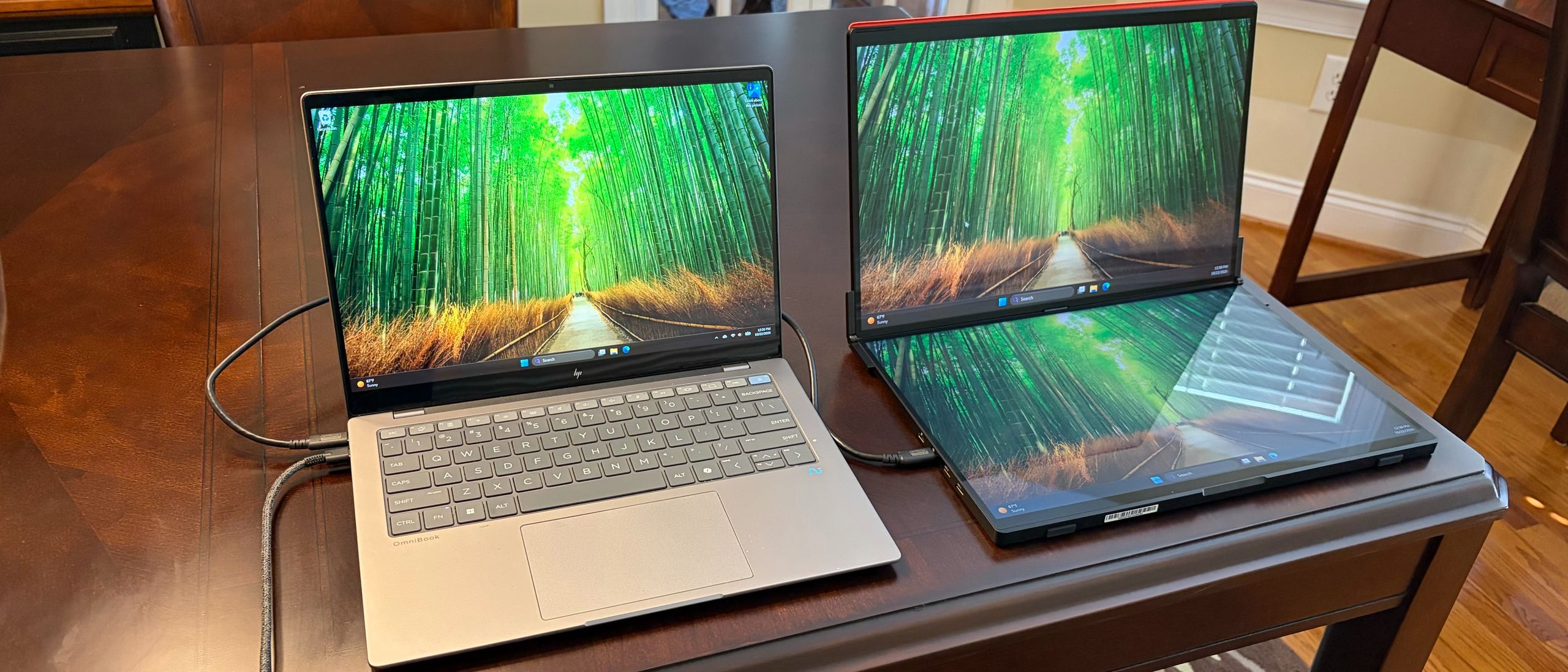
At its core, the JSAUX FlipGo is designed to solve a very specific problem: how to pack dual-monitor productivity into a single, cohesive form factor. It steps into the market with a striking specification sheet that immediately commands attention.
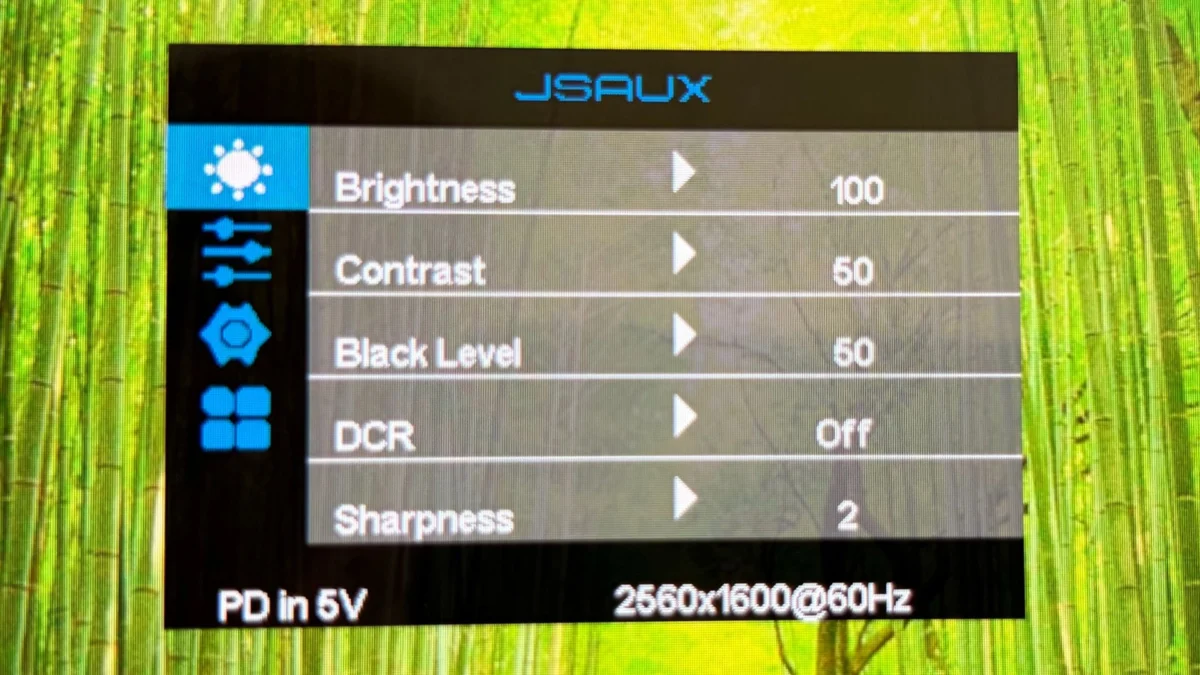
- Display Dual-Wielding: The unit features two expansive 16-inch IPS panels. Each screen boasts a crisp resolution of 2560 x 1600, ensuring sharp text, vibrant colors, and ample workspace for window snapping.
- Touch-Screen Integration: Unlike many traditional portable monitors that merely act as passive display panels, the FlipGo introduces touch input capabilities, specifically optimized for Windows operating systems, adding an intuitive layer of interaction.
- Built-in Connectivity Hub: Understanding that modern laptops are often starved of ports, JSAUX integrated a functional USB hub directly into the hardware chassis. This provides users with two additional USB-A ports and one USB-C port, streamlining peripheral connections for mice, keyboards, and external storage drives.
- Price Point: Coming in just under $500, the FlipGo aligns closely with competing dual-screen portable solutions, making it an accessible mid-tier investment for professionals looking to upgrade their daily workflow.
Despite these impressive hardware pillars, the overarching verdict from rigorous testing highlights a distinct dichotomy: while the visual and functional performance is virtually impeccable, the physical design restricts its true mobility.
Chronology: The Evolution of JSAUX’s Dual-Screen Journey
To understand the positioning of the standard FlipGo, it is essential to trace how JSAUX arrived at this point in the portable monitor market.
Phase 1: The Quest for Mobile Multi-Monitor Setups
For years, remote workers and digital nomads relied on single portable monitors—often flimsy, 15-inch 1080p panels—propped up next to their laptops via awkward kickstands. While functional, these setups offered a clunky user experience. The market demanded a cleaner, more integrated solution for dual-screen mobile computing.
Phase 2: The Debut of the FlipGo Horizon Pro
JSAUX first made waves in this niche by introducing the FlipGo Horizon Pro. That initial model was lauded for its ambition, pushing the boundaries of what stacked dual-monitor setups could achieve. It proved that consumers were genuinely interested in vertical screen stacking over traditional side-by-side configurations, which often required awkward neck pivoting.
Phase 3: Refining the Formula with the Standard FlipGo
Building upon the lessons learned from the Horizon Pro, JSAUX engineered the standard FlipGo to streamline production, optimize pricing under the $500 mark, and refine features like touch support and integrated hub capabilities. The result is a more polished, consumer-ready device that highlights both the incredible potential and the lingering physical challenges of stacked dual-screen technology.
Supporting Data: Specifications, Performance, and Usability
When analyzing a display-centric product, raw specifications only tell half the story. Real-world utilization paints the full picture of how a device handles daily workloads.
Visual Fidelity and Panel Quality
The dual 16-inch IPS displays running at 2560 x 1600 resolution provide a pixel density that makes text rendering remarkably sharp. Whether you are reviewing lines of code, editing spreadsheets, or streaming reference videos while writing, the panels maintain color consistency and wide viewing angles. IPS technology ensures that shifting positions or viewing the screens from an angle does not result in washed-out colors or drastic contrast shifts.
Touch Input Performance
The inclusion of touch support on Windows systems transforms the FlipGo from a simple viewing deck into an interactive control center. Navigating folders, scrolling through long documents, or utilizing touch-centric creative applications feels responsive. However, macOS users should note that OS limitations restrict full touch functionality, meaning the feature is best utilized within a Windows ecosystem.
The USB Hub Advantage
Peripheral management is a notorious pain point for modern ultrabook users. By baking a USB hub directly into the FlipGo framework, JSAUX alleviates port anxiety. Users can plug their core accessories directly into the monitor, reducing cable clutter on the desk and transforming the display into a pseudo-docking station.
Weight, Dimensions, and Portability Realities
Here lies the primary caveat uncovered during testing. At just under $500, the financial investment is fair, but the physical "toll" comes in terms of heft and bulk.
- The Backpack Test: While technically portable, the FlipGo is thick, heavy, and structurally rigid. Tossing it into a standard laptop bag alongside a primary work machine noticeably increases your daily carry load.
- The Stand and Deployment: Setting up a stacked monitor configuration requires adequate desk depth and sturdy mechanical support. It does not easily fit on a cramped airplane tray table or a tiny coffee shop desk.
Official Perspectives and Expert Testing Methodology
Evaluating products like the JSAUX FlipGo requires a rigorous testing methodology. Industry experts, such as veteran tech editors who have tracked PC and Mac hardware developments for decades, approach these devices through strict empirical assessment.
How Experts Test Portable Monitors
According to established review standards at outlets like Tom’s Hardware, hardware evaluation goes far beyond unboxing and basic impressions. Expert reviewers spend hours executing real-world stress tests:
- Ergonomic and Workflow Assessment: Reviewers integrate the monitor into daily writing, coding, and media consumption workflows to measure productivity gains versus physical fatigue.
- Color Calibration and Brightness Testing: Using specialized colorimeters, testers evaluate peak brightness, sRGB/DCI-P3 color gamut coverage, and contrast ratios to verify manufacturer claims.
- Connectivity and Power Delivery Tests: Reviewers test the reliability of integrated USB hubs, power pass-through capabilities, and video signal stability across various laptops (Windows and macOS alike).
Manufacturer Intent vs. Consumer Reality
JSAUX positioned the FlipGo as a versatile mobile accessory. However, expert consensus bridges the gap between marketing language and practical deployment: while the engineering is top-tier, the hardware naturally gravitates toward a semi-permanent desk setup rather than a nomadic lifestyle accessory.
Implications: Who Is the JSAUX FlipGo Really For?
The release of the JSAUX FlipGo has significant implications for the portable monitor market and the way remote workers design their workspaces.
1. The Death of the Traditional Single Portable Monitor?
For professionals who have grown accustomed to the limitations of single portable screens, stacked dual-screen setups represent a paradigm shift. Being able to reference data on a top screen while actively typing on a bottom screen—all within a unified vertical axis—reduces neck strain compared to horizontal dual-monitor rigs. The FlipGo proves that this form factor is viable and refined.
2. Redefining "Portability"
The tech industry often uses the term "portable" as a catch-all for anything under five pounds. However, the FlipGo forces consumers to reconsider what kind of portability they actually need. If your definition of mobile working involves moving from your home office desk to the kitchen counter, or traveling between corporate branch offices, the FlipGo is an absolute dream. If you are a digital nomad hoping to work out of bustling cafes, cramped flights, and hotel laps, the weight and bulk may prove prohibitive.
3. Market Competition and Pricing Pressure
By delivering dual 16-inch 2560 x 1600 touch-enabled screens with an integrated USB hub for under $500, JSAUX is putting intense pressure on competing display manufacturers. Competitors will need to innovate on weight reduction and hinge durability to stay competitive in the evolving multi-screen mobile workspace segment.
Conclusion
The JSAUX FlipGo is a masterclass in display engineering hampered only by the physical laws governing dual-screen hardware. It boasts stunning 16-inch IPS panels, responsive Windows touch integration, and a clever built-in USB hub, all packed into a cohesive chassis priced reasonably under $500.
For office professionals, remote workers with dedicated alternative stations, and power users seeking a clean, cable-minimized desktop multi-screen environment, it is an impeccable choice. Just be sure to clear some dedicated space on your desk—because your laptop bag might prefer a lighter load.

